css

Border Radius

Submitted by Yorkiebar on
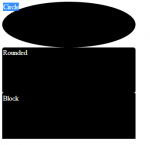
Introduction: This is the sixth part in my CSS Styling tutorials, in which I will be covering border radius. What is Border Radius: Border radius is a property within the border settings which allows you to change how curved the borders are.

Position

Submitted by Yorkiebar on
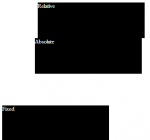
Introduction: This is the seventh part in my CSS Styling tutorials, in which I will be covering position. What is Position? Position is used to set the behaviour of how the elements display on-screen within the web browser. Structure: position: {type}; Example:

Keep Playing Music Store Website

Submitted by Jazziro on
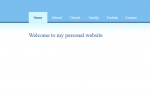
> I created this website for my school project, be free to use it anyway you like as reference. Created by: L.N Masubelele aka "Jazziro" & Busisiwe Mabaso Project led by: Jazziro ##################################################### Functions: -) User registration -) User login -) Change dassword -) Update user details -) Restrict access to unregistered users --------------------------------------

Borders

Submitted by Yorkiebar on
Introduction: This is the fourth part in my CSS Styling tutorials, in which I will be covering Borders. Order: Borders around elements come between the elements margin and padding. So, if the element has padding, the border will be away from the element whereas if the element only has margin, the border will be next the element but away from other elements. Basic Structure: The basic border attribute takes three arguments; Width, Type, Colour.

Margin and Padding

Submitted by Yorkiebar on
Introduction: This is the fourth part in my CSS Styling tutorials, in which I will be covering Margins and Padding. Difference? Both the margin and padding properties give white space around an object, the main difference is the order of which they occur in. At the same time, margin is mostly used for positioning while padding is used for giving white space around an object. Order: As a good example of which order the properties go in, please see that attached image which is a screen shot of the Inspect Element feature within Google Chrome.

CSS Backgrounds (Images and Colours)

Submitted by Yorkiebar on
Introduction: This is the third part in my CSS Styling tutorials, in which I will be covering backgrounds. Different Types of Backgrounds: In CSS, you can choose to set the background equal to an image, this can either be a url or a local file directory path, or a colour. Image Settings: Here is an example of setting the background of a class named 'myDiv' to background.jpg...

IDs and Classes

Submitted by Yorkiebar on
Introduction: This is the second part in my CSS Styling tutorials, in which I will tell you about IDs and Classes. What Are IDs? The Identification names are one option to link the HTML elements to the relevant CSS styling options.

CSS Tutorial

Submitted by Yorkiebar on
CSS stands for Cascading Style Sheet and is used in conjunction with HTML to create every web page from the most basic design to the most interactive website. While HTML gives the elements to the page, CSS is used to give the styling of it which includes everything from colours to animations. CSS is a very easy language to pick up and is essential to anyone wanting to learn about Web Design. The latest version of CSS is CSS3.