
Pizzafy Ecommerce System using PHP and MySQL
Pizzafy Ecommerce System
Pizzafy Ecommerce is a complete web application built with PHP and MySQL, designed to help pizza businesses manage online orders efficiently. The system provides a modern and intuitive interface that allows customers to browse menus, place orders, and interact seamlessly with the platform.
The interface was designed with simplicity and usability in mind, using Bootstrap to deliver a clean and responsive experience across different devices. The platform includes a wide range of features that support both customers and administrators throughout the ordering process.
How the system works
The application is divided into two main areas: the customer interface and the administration panel.
Administration Panel
The administration panel is accessible only to authorized users through a secure login. Once authenticated, administrators and staff members can manage all core aspects of the system.
Main capabilities include managing product categories, updating menu items, monitoring customer orders, and maintaining system data. The platform supports two roles: administrator and staff. Administrators have full control, including the ability to manage user accounts, while staff members have limited access focused on operational tasks.
Customer Interface
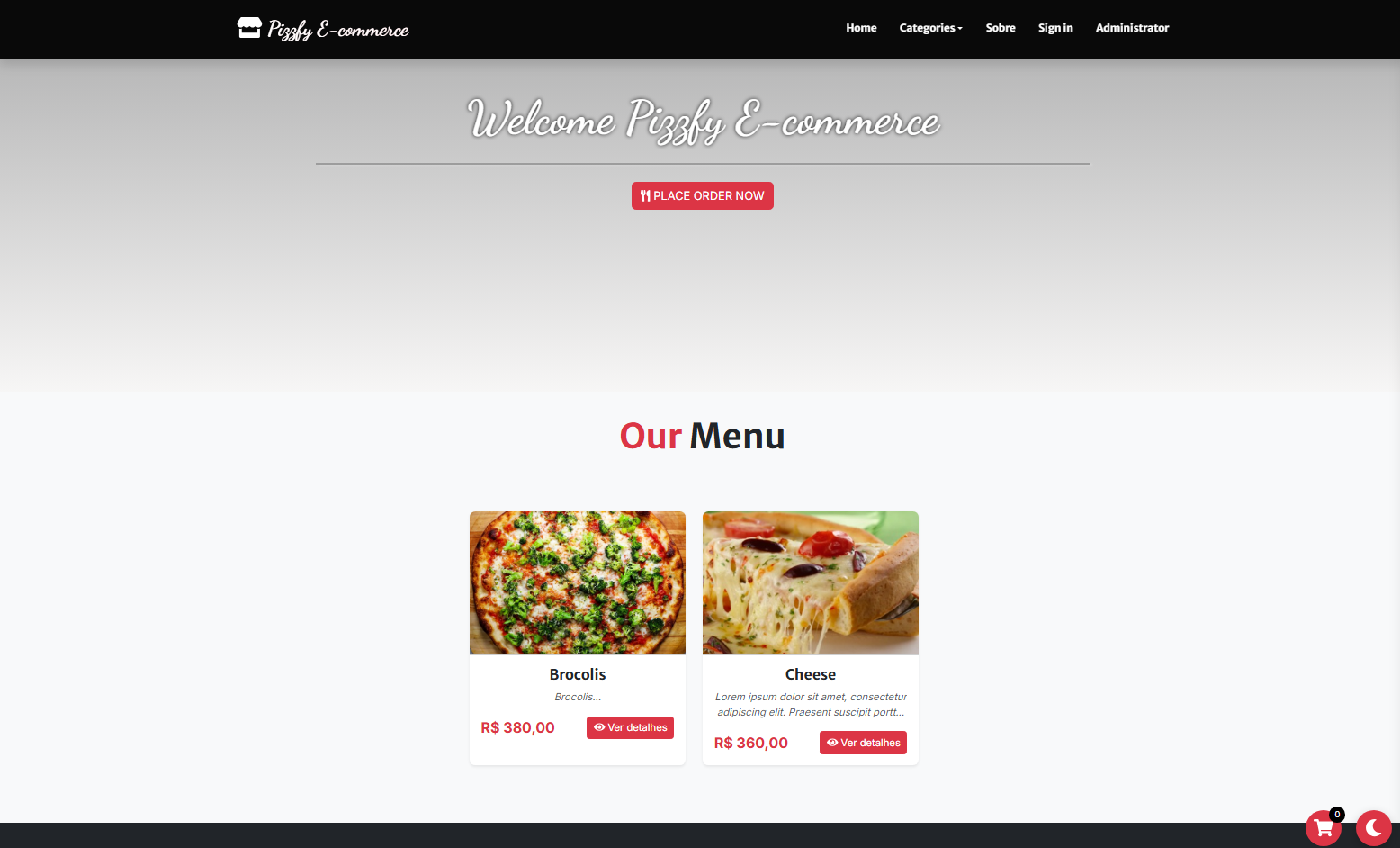
On the customer side, users can explore the available pizzas and menu options offered by the business. Products can be filtered by category, making it easier to find specific items.
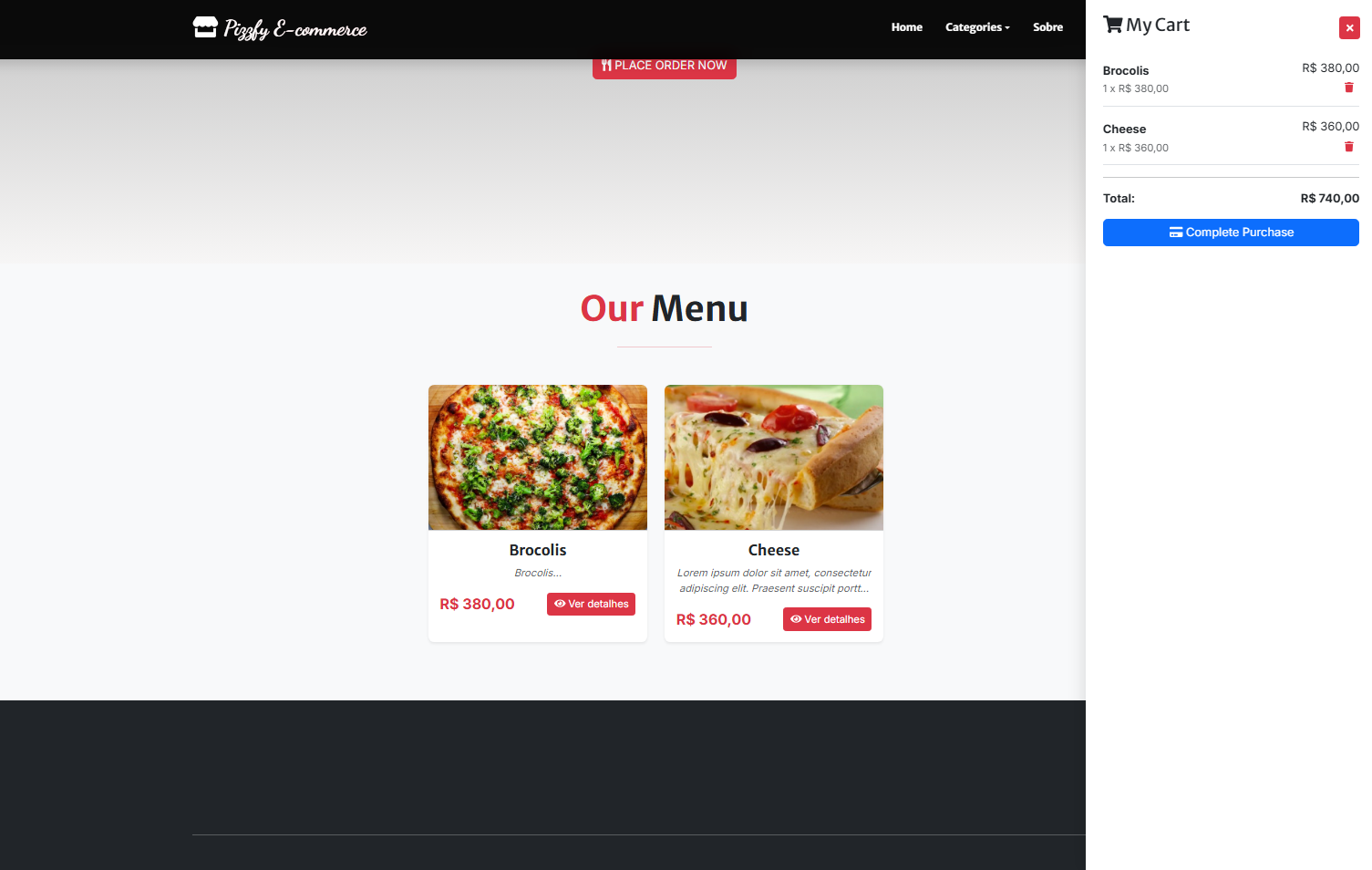
To place an order, users must first create an account. Once logged in, they can add products to their cart, adjust quantities, or remove items as needed. During checkout, customers provide the required information to complete the order. All new orders are initially marked for verification.
Technologies used
This project was developed using the following technologies:
- PHP
- MySQL
- HTML
- CSS
- JavaScript
- Bootstrap
- DataTables
- Font Awesome
- Visual Studio Code
- XAMPP
Features and functionalities
Administration area
- User authentication with login and logout
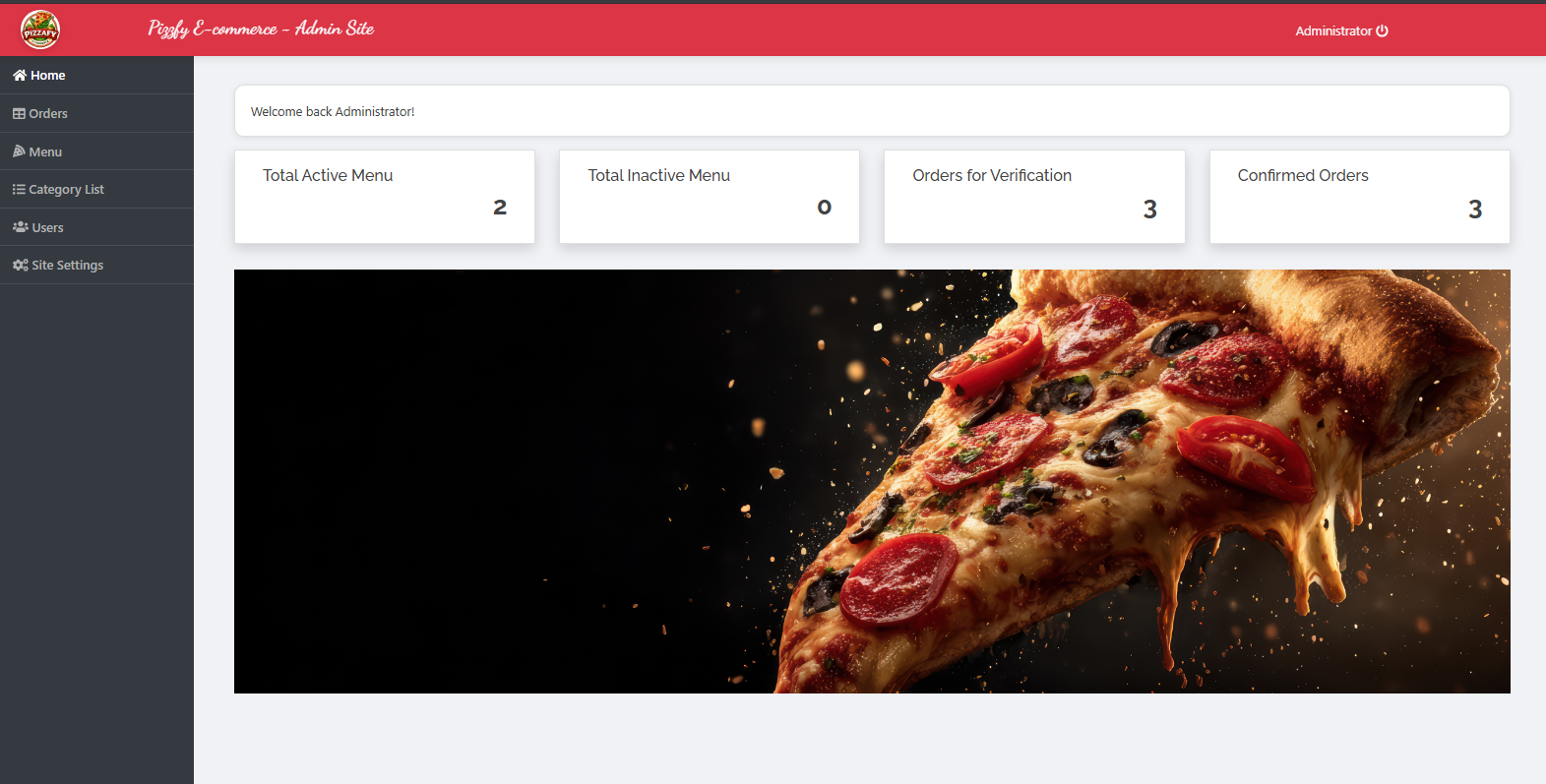
- Dashboard overview
- Category management
- Product and menu management
- Order management
- User account management
- System settings management
Customer area
- User registration and login
- Product listing
- Category based navigation
- Paginated menu display
- Shopping cart management
- Checkout process
- Logout
Project purpose
This project was developed for educational purposes and can also be adapted for commercial use. It serves as a practical reference for students and developers who want to understand how to build an online ordering system using PHP and MySQL.
The source code is available for download and can be freely modified to fit different needs.
How to run the project
Requirements
Install a local server environment such as XAMPP.
Installation steps
- Start Apache and MySQL from the XAMPP control panel
- Extract the downloaded source code file
- Copy the project folder into the htdocs directory
- Open your browser and access phpMyAdmin
- Create a database named pizzafy
- Import the SQL file located in the database folder
- Open the system in your browser at http://localhost/pizzafy
Default admin access
- Username: [email protected]
- Password: admin123
Snapshots
Website Menu List
Website Cart List
Admin Dashboard
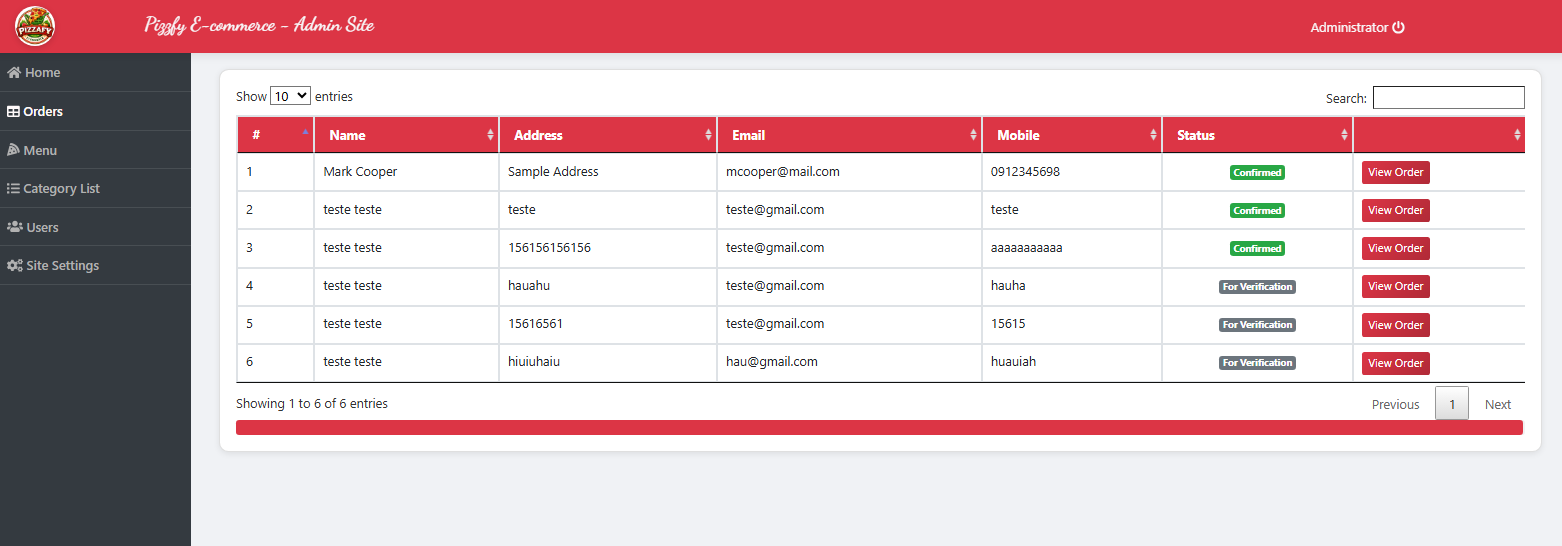
Admin Order List
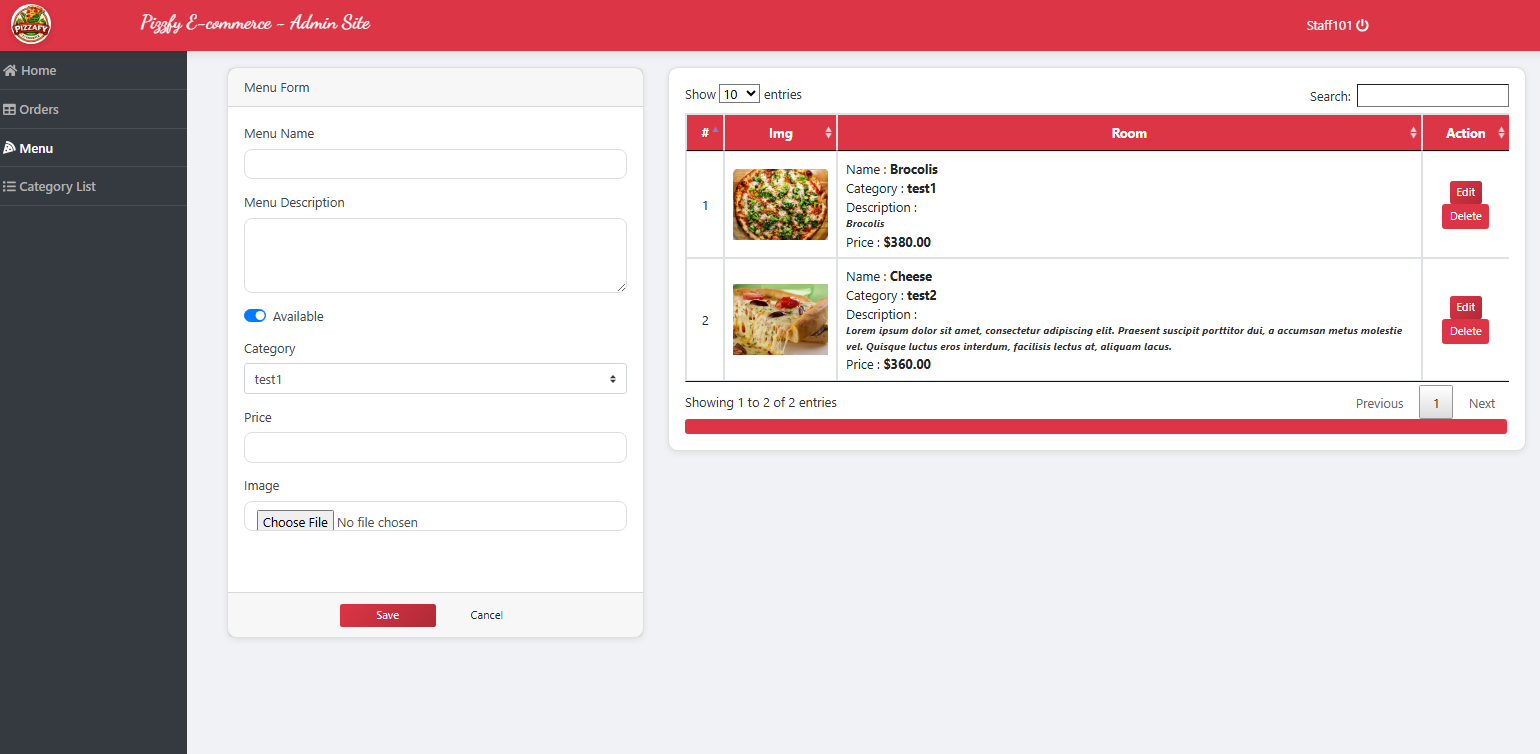
Staff Menu List
Notes
This project is distributed as a compressed file to make the download faster. After downloading, use a tool such as WinZip or similar software to extract the contents before installation.
Note: Due to the size or complexity of this submission, the author has submitted it as a .zip file to shorten your download time. After downloading it, you will need a program like Winzip to decompress it.
Virus note: All files are scanned once-a-day by SourceCodester.com for viruses, but new viruses come out every day, so no prevention program can catch 100% of them.
FOR YOUR OWN SAFETY, PLEASE:
1. Re-scan downloaded files using your personal virus checker before using it.
2. NEVER, EVER run compiled files (.exe's, .ocx's, .dll's etc.)--only run source code.