
Onlne Examination & Learning Management System using PHP and MySQL
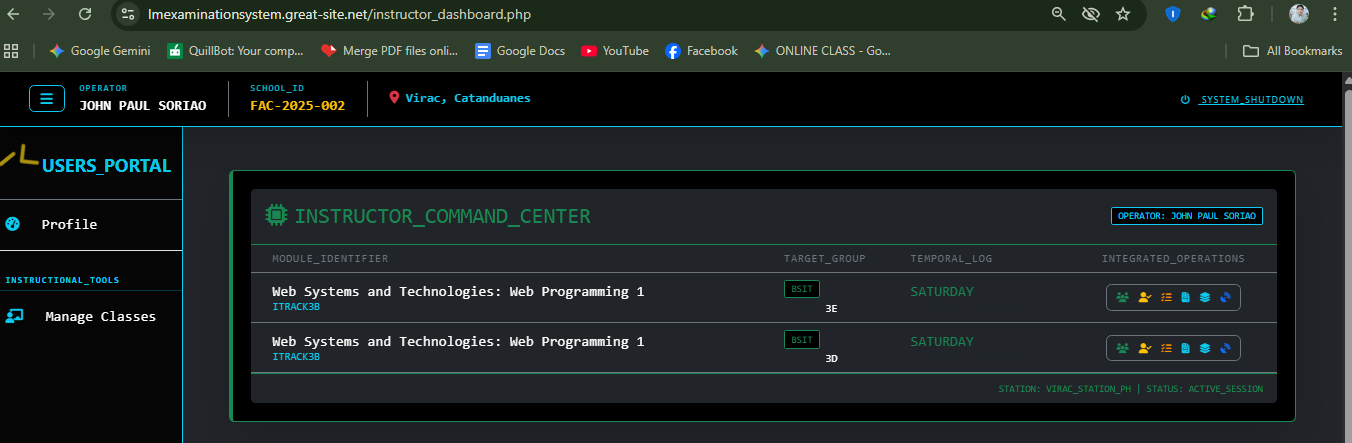
In the modern educational landscape, institutions require robust, scalable digital ecosystems to manage the complexities of academic administration and pedagogical delivery. The CICT Portal stands out as a highly specialized, syllabus-aligned Learning Management and Examination System architected specifically to streamline institutional workflows, secure educational data, and elevate the overall academic experience.
By integrating advanced technical frameworks with intuitive role-based functionalities, this platform centralizes curriculum management, real-time tracking, and student assessments into a single, cohesive academic ecosystem.
Advanced Architecture and Role-Based Access Control (RBAC)
At the core of the CICT Portal’s secure data management framework is a rigorous Role-Based Access Control (RBAC) architecture. This structural security measure ensures that data administration remains organized, secure, and segmented according to institutional hierarchies. Permissions are granularly defined across four distinct user roles:
- Super Admins: Oversee the global ecosystem, configuration, and overarching system integrity.
- Clerks: Manage foundational administrative setups and secure record-keeping.
- Instructors: Drive pedagogical delivery, manage digital curricula, and oversee assessments.
- Students: Engage directly with syllabus-aligned learning materials and complete digital examinations.
The Core Phases of the System Lifecycle
The operational engineering of the CICT Portal is structured around a comprehensive five-phase lifecycle. This end-to-end framework governs everything from initial system deployment to final performance analytics:
- Foundation & Security
- Administrative Setup
- Academic Management
- Active Monitoring
- Assessment & Grading
High-Volume Automation and Real-Time Performance Optimization
To mitigate the administrative overhead typically associated with legacy academic systems, the CICT Portal integrates cutting-edge automation and asynchronous processing components designed to optimize high-volume tasks:
- Automated Bulk Imports:The system allows to instantly execute bulk imports from external CSV or Excel files.
- Asynchronous AJAX Components: To maximize user experience and system efficiency, the platform utilizes specialized AJAX components. This allows for fluid, real-time data updates across the portal, eliminating page latency and ensuring a seamless user interface without requiring full browser refreshes.
Robust Reporting, Analytics, and Data Insights
The CICT Portal serves as a powerful engine for academic business intelligence, delivering robust reporting tools and automated aggregation features to help institutional leaders monitor performance dynamically:
- Dynamic Faculty Attendance Matrix: An active, matrix-based tracking system that gives administrators real-time visibility into faculty attendance and teaching consistency.
- Aggregated Exam Results & Performance Tracking: The portal features real-time performance tracking that automatically compiles and aggregates student examination results, providing instant analytical insight into student progress and assessment outcomes.
How to Run ??
Requirements
- Download and Install any local web server such as XAMPP/WAMP.
- Download the provided source code zip file. (download button is located below)
Installation/Setup
- Open your XAMPP/WAMP's Control Panel and start Apache and MySQL.
- Extract the downloaded source code zip file.
- If you are using XAMPP, copy the extracted source code folder and paste it into the XAMPP's "htdocs" directory. And If you are using WAMP, paste it into the "www" directory.
- Browse the PHPMyAdmin in a browser. i.e. http://localhost/phpmyadmin
- Create a new database naming cict_portal.
- Import the provided SQL file. The file is known as cict_portal.sql located inside the root folder.
- Browse the Inventory System in a browser. i.e. http://localhost/cictportal/.
Sample Institutional Access Credentials
To demonstrate the system’s role-based access control and user-specific dashboard interfaces, the following sample credentials can be utilized to evaluate the portal's segmented environments:
Clerk Environment
User ID: [email protected]
Encryption Key: 1111111111
Instructor Environment
User ID: [email protected]
Encryption Key: 22222
Student Environment
User ID: [email protected]
Encryption Key: 11111
Snapshots
Admin Dashboard
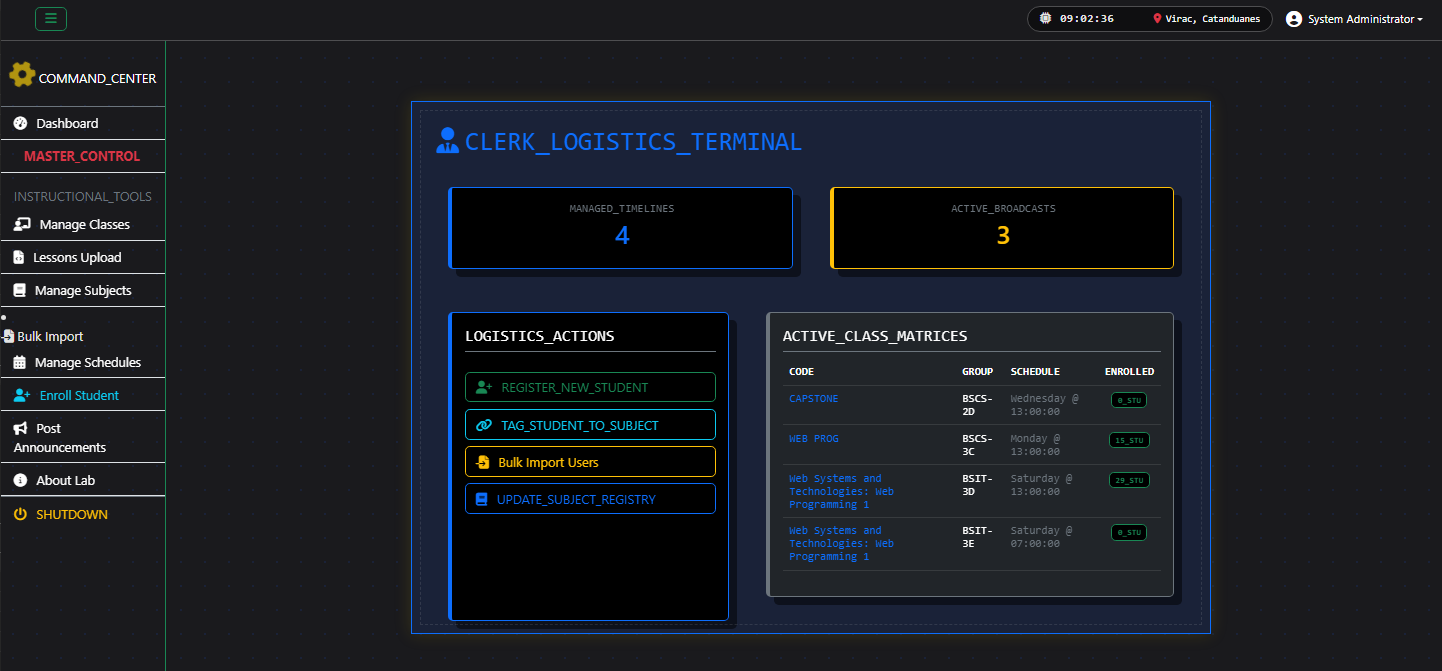
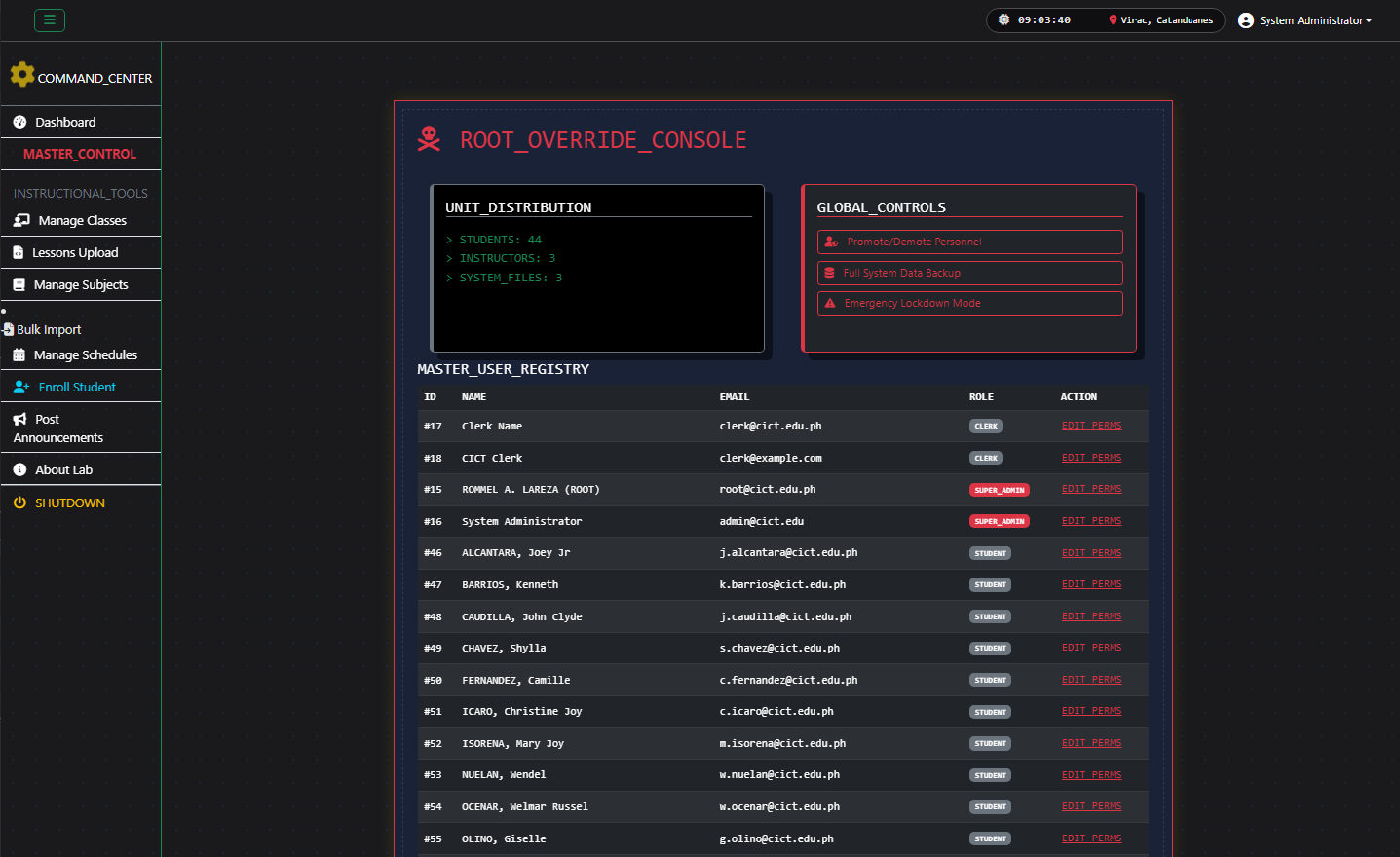
Master Control Page
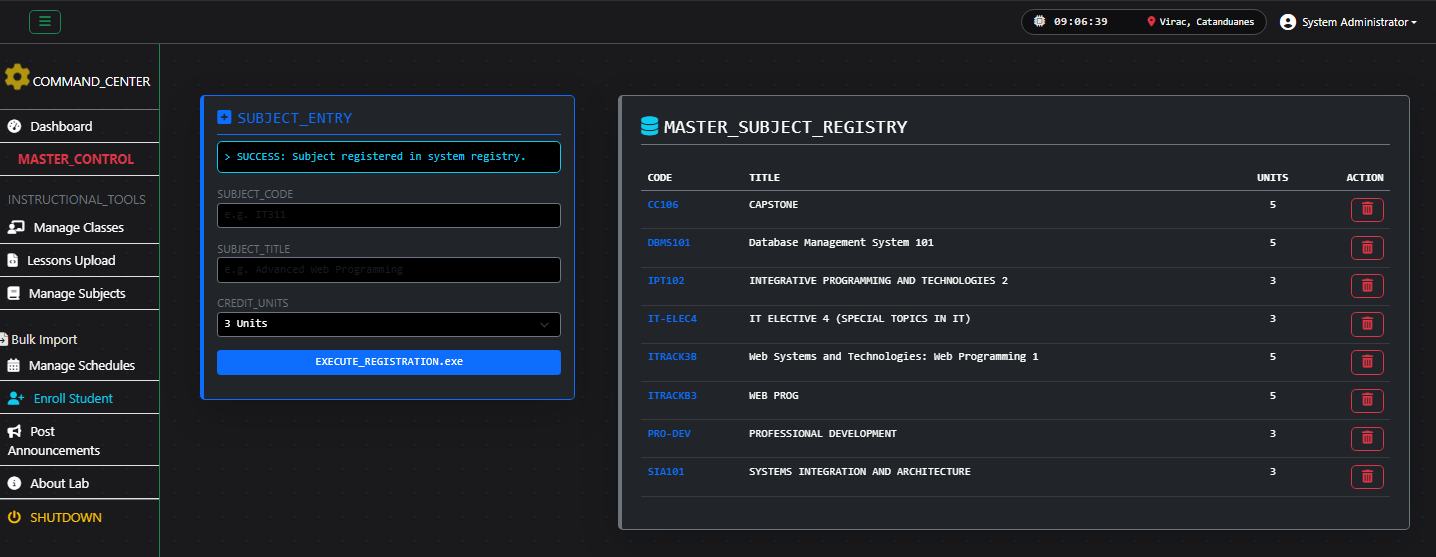
Subject Management Page
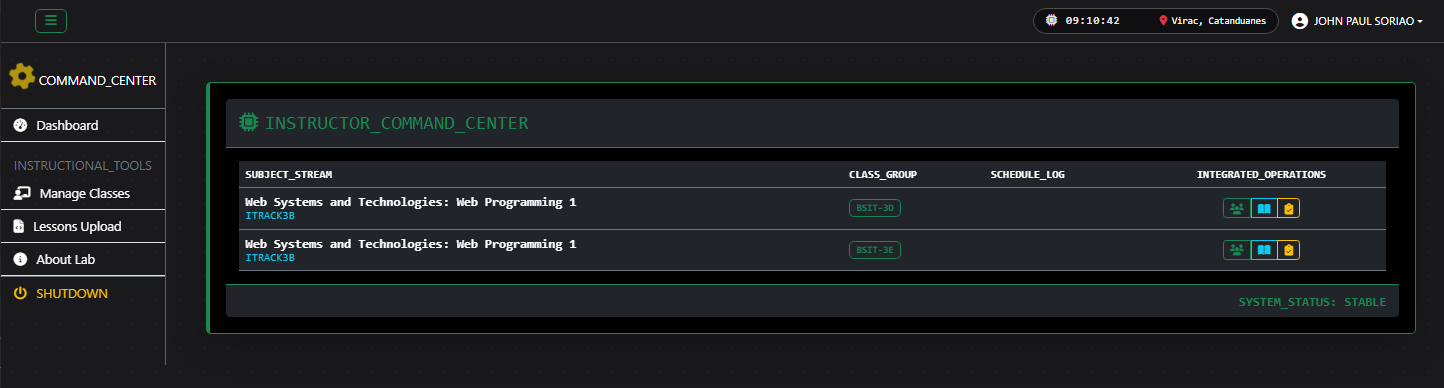
Instructor Dashboard
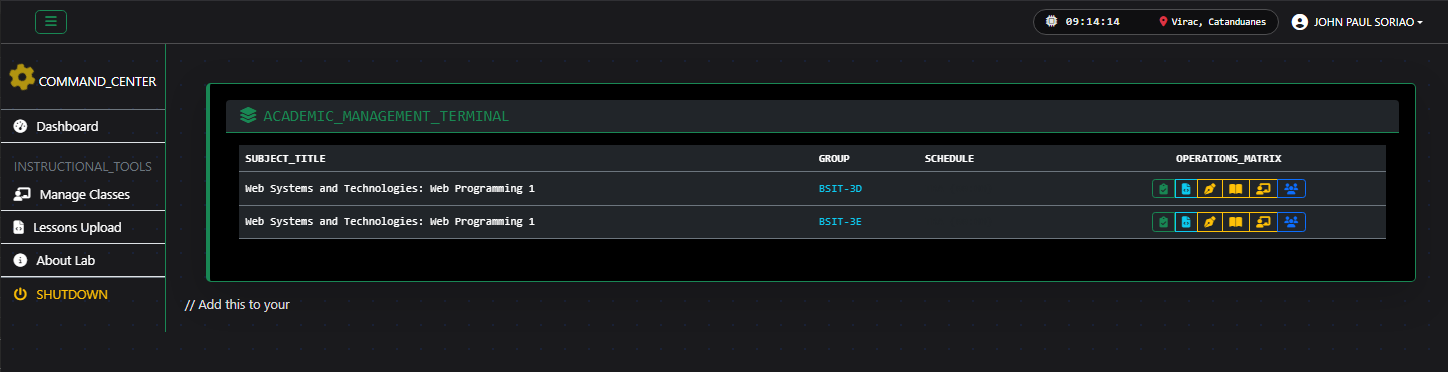
Instructor Class Management Page
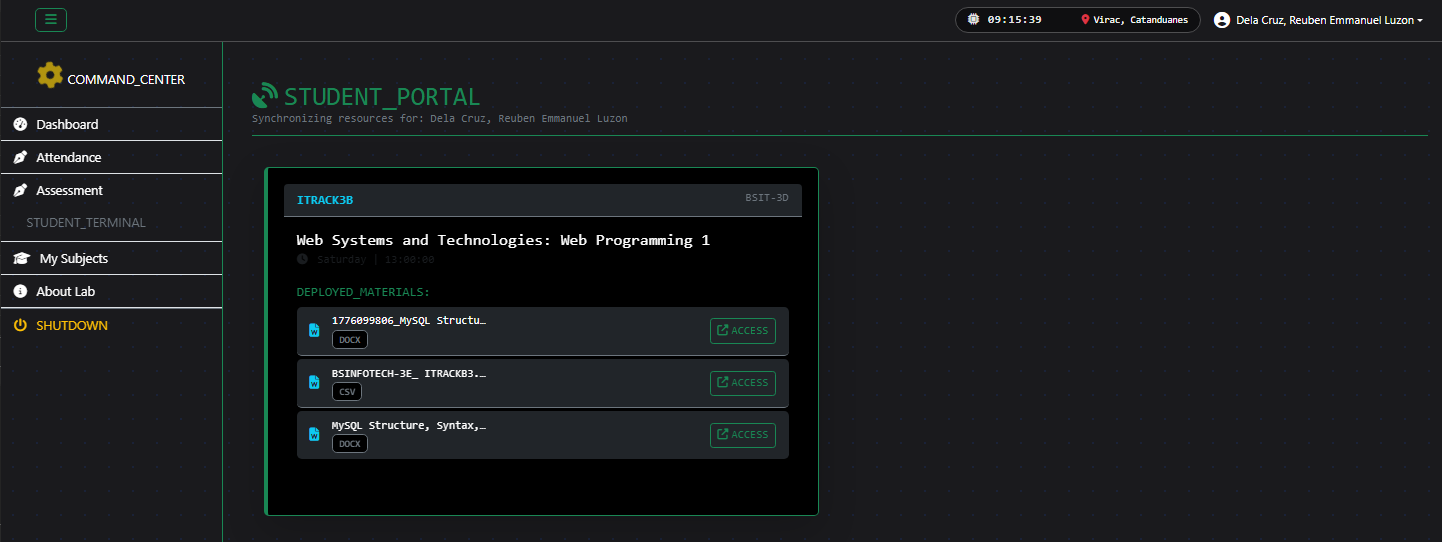
Student Dashboard
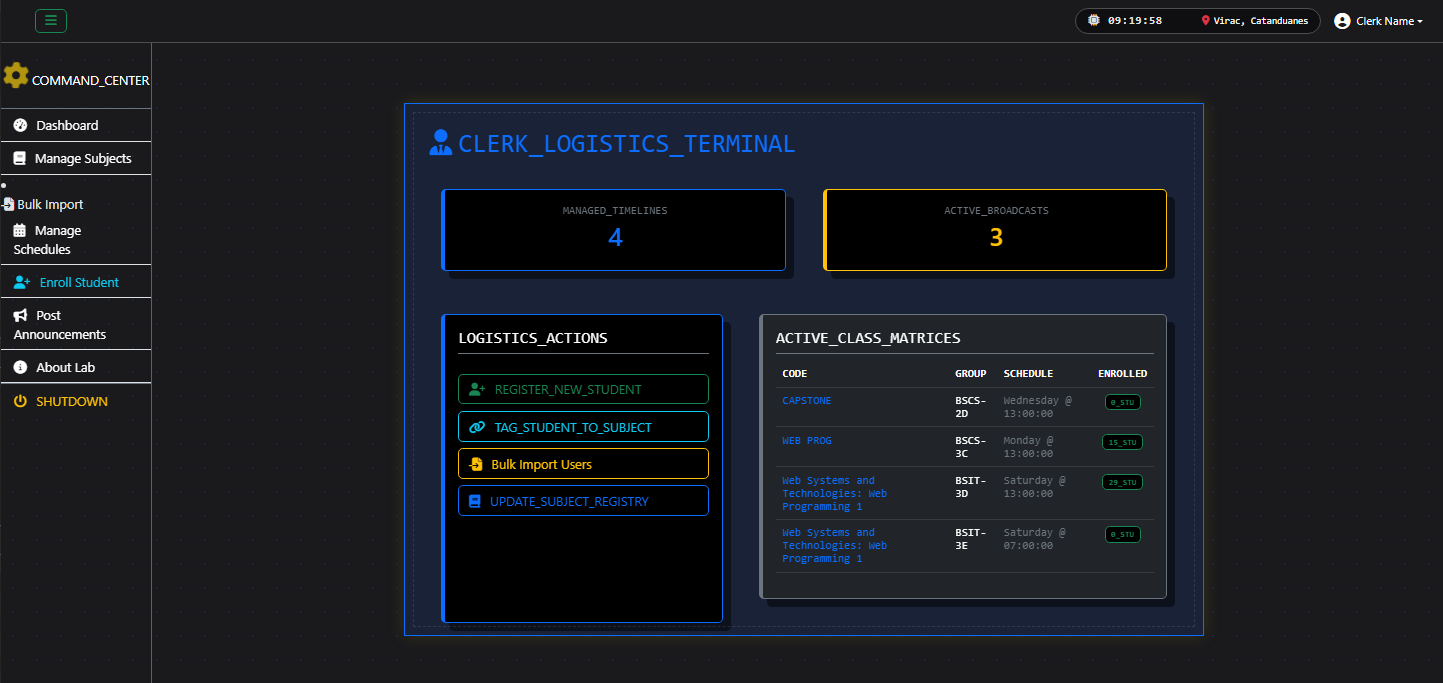
Clerk Dashboard
Conclusion
By successfully uniting syllabus-aligned learning pathways, automated data migration tools, and real-time administrative analytics, the CICT Portal provides a comprehensive digital ecosystem tailored for modern academic environments. It successfully bridges the gap between secure backend administration and efficient pedagogical delivery.
There you have it! I hope this application will help you with what you are looking for and you'll find useful from the source code for your own project.
Explore more on this website for more Free Source Code, Tutorials, and Articles covering various programming languages.
Note: Due to the size or complexity of this submission, the author has submitted it as a .zip file to shorten your download time. After downloading it, you will need a program like Winzip to decompress it.
Virus note: All files are scanned once-a-day by SourceCodester.com for viruses, but new viruses come out every day, so no prevention program can catch 100% of them.
FOR YOUR OWN SAFETY, PLEASE:
1. Re-scan downloaded files using your personal virus checker before using it.
2. NEVER, EVER run compiled files (.exe's, .ocx's, .dll's etc.)--only run source code.
Comments
https://lmexaminationsystem…
https://lmexaminationsystem.great-site.net/
[email protected] --> 1111111111
[email protected] --> 22222
BLOCK D
[email protected] --> 11111
[email protected] --> 11111