
Chatbot App Using HTML, CSS, and JavaScript with Source Code
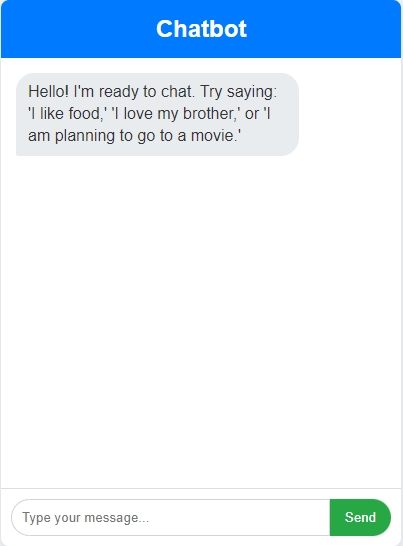
The Chatbot App is a lightweight web application developed entirely in JavaScript. It features a straightforward design that enables users to interact with an AI. The Chatbot App Using JavaScript serves as an excellent project for beginners, showcasing the process of constructing an engaging chat interface. This project offers a valuable opportunity to hone and reinforce fundamental JavaScript programming skills while simultaneously developing a practical and visually appealing tool.
The Chatbot App Using HTML, CSS, and JavaScript with Source Code is free to be downloaded just read the content below for more info. This application is for educational purpose only.
Chatbot App Using HTML, CSS, and JavaScript with Source Code Basic Information
- Language used: JavaScript
- Front-end used: HTML & CSS
- Coding Tool used: Notepad++ or any text editor that can run html files
- Type: Web Application
- Database used: None
About Chatbot App
A Chatbot App built with JavaScript is fundamentally an interactive interface that simulates human conversation. On the frontend, JavaScript manages the user interface (UI)—handling the display of message history, capturing user input from a text field, and triggering the sending of the query. For the logic, client-side JavaScript can power a simple, rule-based chatbot by employing string matching and regular expressions to compare the user's input against predefined questions and return a stored answer. For more sophisticated bots, the frontend JavaScript uses asynchronous calls (like `fetch`) to send the user's query to a backend server, which is often run using Node.js. This server-side JavaScript processes the query—perhaps connecting to a machine learning or NLP service—and sends the resulting response back to the client, where the original JavaScript updates the chat window to show the bot's reply.
Chatbot App Using HTML, CSS, and JavaScript with Source Code Features
- Interactive User Interface
- Clean and modern chat-style layout built using HTML and CSS.
- Includes a message display area and a text input box for sending queries.
- Real-Time Chat Interaction
- Responds instantly to user messages using JavaScript-based logic.
- Simulates a conversational experience between the user and the bot.
- Predefined Responses
- The chatbot uses a set of keyword-based or rule-based responses.
- Handles common queries with predictable and helpful replies.
- Auto-Scrolling Chat Window
- Chat area automatically scrolls to the latest message for easier navigation.
Sample Application Screenshot:
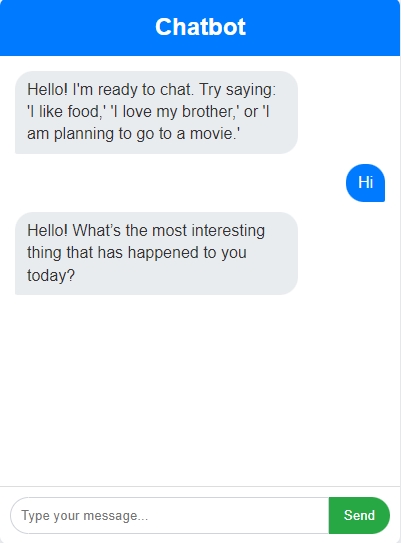
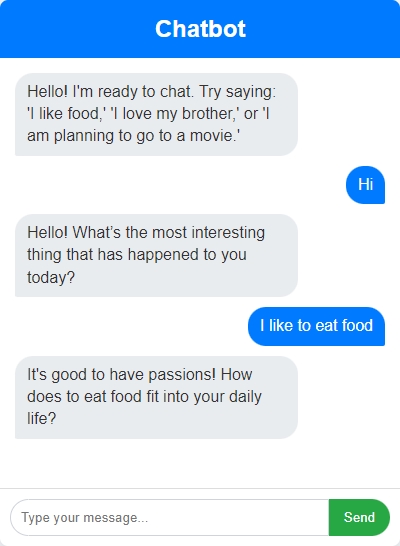
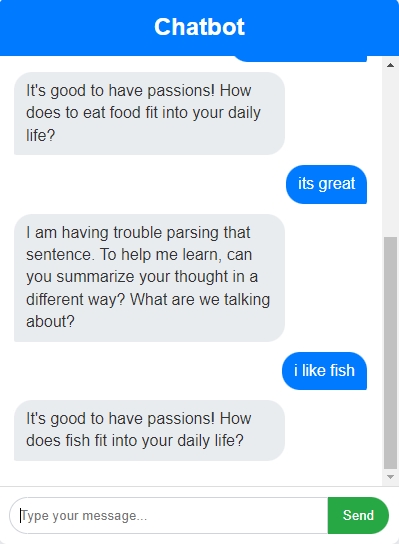
Chatbot App Using HTML, CSS, and JavaScript with Source Code Installation Guide
- Download the source code in this site.
- Locate and Extract the zip file.
- Open the extracted folder
- Find and locate the file "index.html".
- Open the file in a web browser(Chrome, Firefox, etc..).
That's all, The Chatbot App was created fully functional using JavaScript language. I hope that this project can help you to what you are looking for. For more projects and tutorials please kindly visit this site. Enjoy Coding!
The Chatbot App Using HTML, CSS, and JavaScript with Source Code is ready to be downloaded just kindly click the download button below.
Related Projects & Tutorials
Chatbot AppNote: Due to the size or complexity of this submission, the author has submitted it as a .zip file to shorten your download time. After downloading it, you will need a program like Winzip to decompress it.
Virus note: All files are scanned once-a-day by SourceCodester.com for viruses, but new viruses come out every day, so no prevention program can catch 100% of them.
FOR YOUR OWN SAFETY, PLEASE:
1. Re-scan downloaded files using your personal virus checker before using it.
2. NEVER, EVER run compiled files (.exe's, .ocx's, .dll's etc.)--only run source code.