
Secured E-Voting System using PHP and MySQL Source Code

Secondary School Alumni E-Voting System
Discover a secure, web-based online voting system designed specifically for secondary school alumni elections. Built with PHP, MySQL, PHPMailer, and Gmail SMTP, this electronic voting solution guarantees maximum election integrity using data encryption, CSRF protection, and strict input validation.
Key Features
- Voter Registration & Verification: Easy sign-up process for alumni members.
- Admin Approval: Secure verification of eligible alumni voters by administrators.
- Candidate Management: Seamless registration and management of election candidates.
- Flexible Election Scheduling: Set up voting dates easily via the Electoral Committee (ELECO) or Admin.
- Automated Voting Process: Automatic start and closure based on set election schedules.
- Secure Online Voting: Safe and encrypted digital vote casting.
- Real-Time Election Results: Instant live vote counting and results display.
- Comprehensive Admin Dashboard: Full control over the entire voting process.
How the System Works
Voter Registration → Admin Approval → Candidate Registration → Election Scheduling → Automatic Voting Open → Automatic Voting Close → Real-Time Live Results
System Snapshots
Landing Page
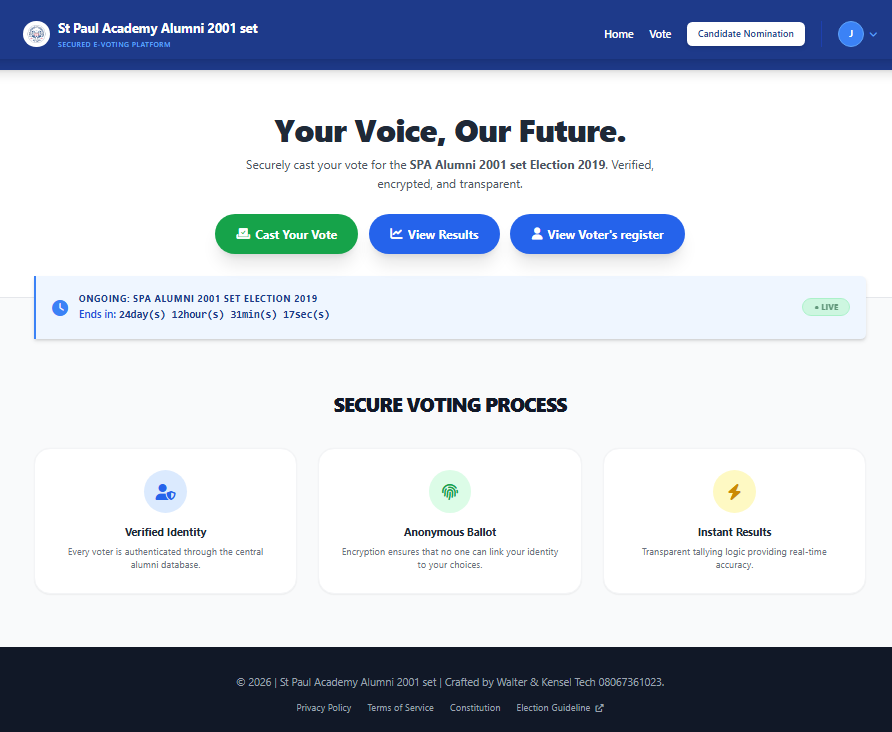
Candidate Form

Election Ballot

Election Vote Receipt Page
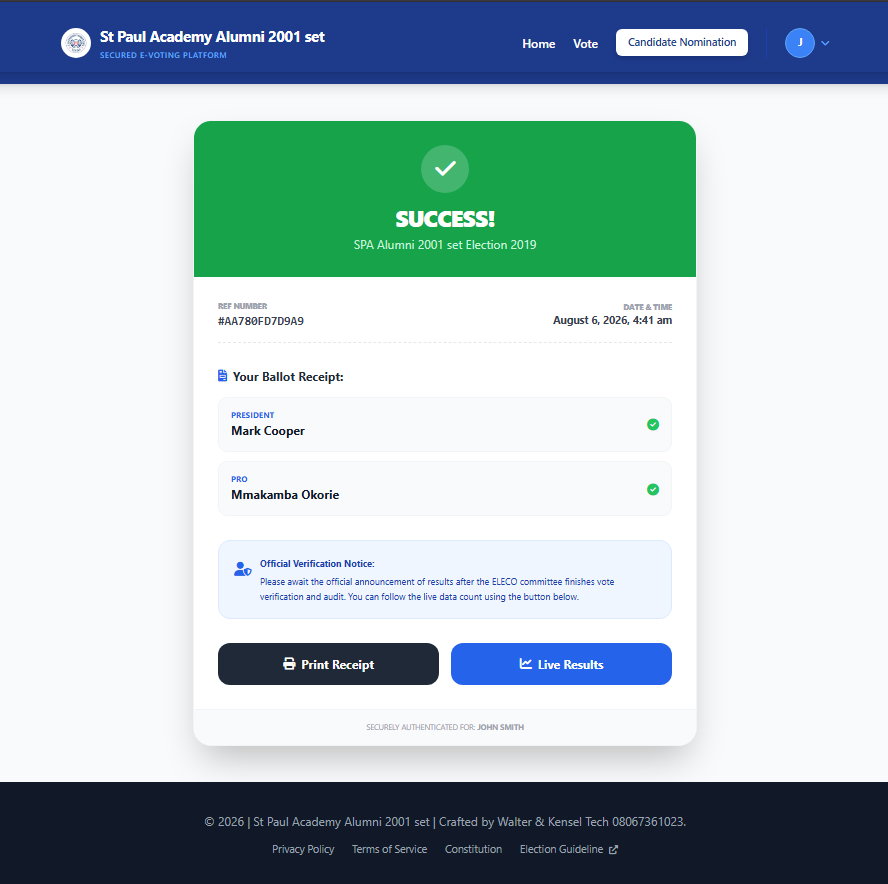
Live Result (Public)

Admin Dashboard (Election Committee)
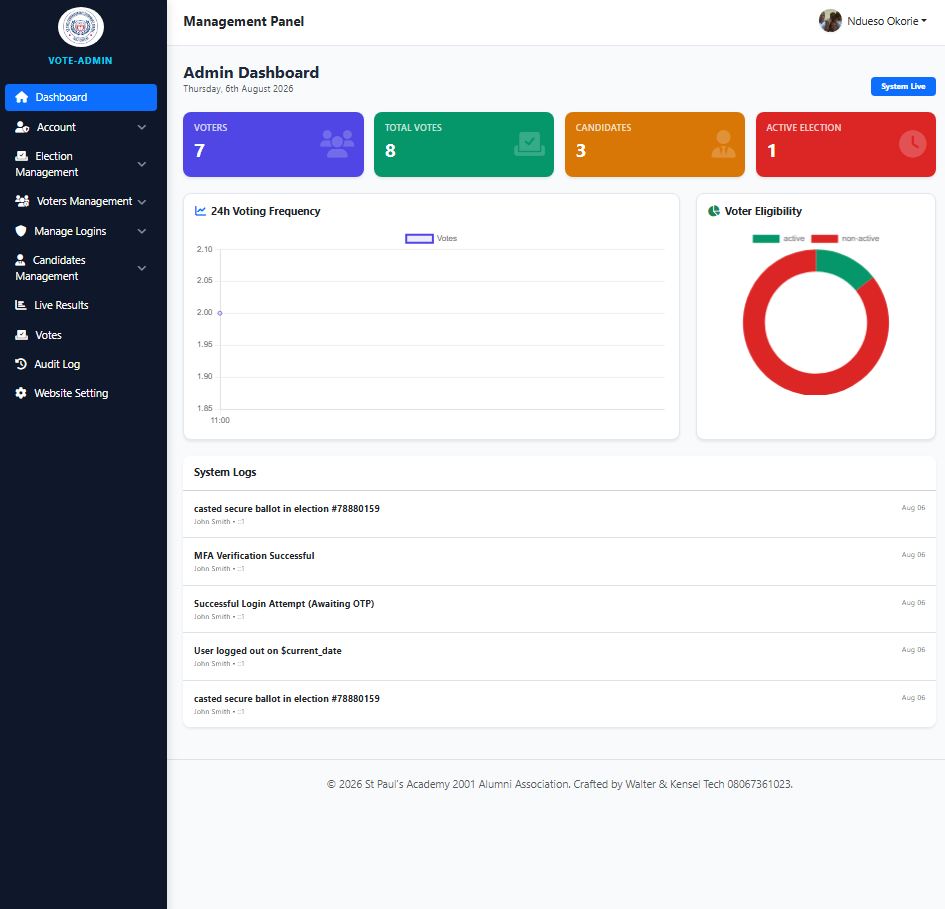
Admin Live Result
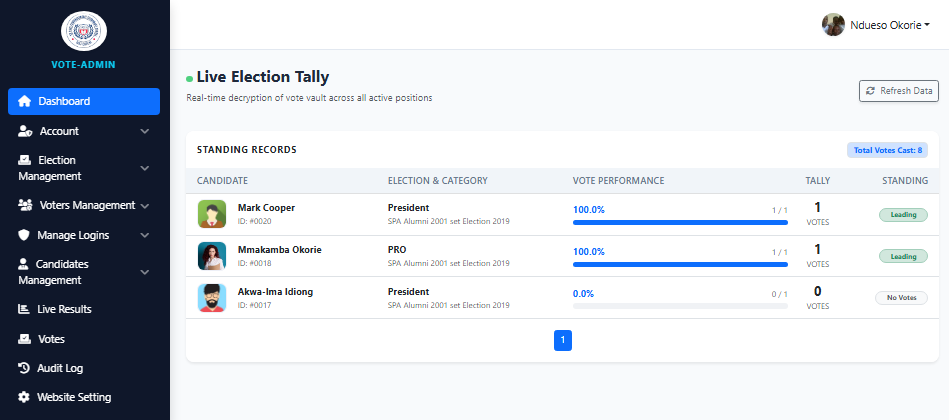
How to Run?
Requirements
- Download and Install any local web server such as XAMPP.
- Download the provided source code zip file. (download button is located below)
System Installation/Setup
- Open your XAMPP Control Panel and start Apache and MySQL.
- Extract the downloaded source code zip file.
- Copy the extracted source code folder and paste it into the XAMPP's "htdocs" directory.
- Browse the PHPMyAdmin in a browser. i.e. http://localhost/phpmyadmin
- Create a new database named spa_alumni_e_voting.
- Import the provided SQL file. The file is known as spa_alumni_e_voting.sql located inside the db folder.
- Browse the E-Voting System in a browser. i.e. http://localhost/e_voting/.
Sample Election Committee Access
Email: [email protected]
Password: emae123
Project Access Links
- Landing Page: http://localhost/e_voting
- Admin Dashboard: http://localhost/e_voting/Admin/dashboard
About the Developer
Looking for a professional Web and Mobile Application Developer? I specialize in creating custom web systems, mobile apps, academic and research projects, school management systems, e-commerce platforms, e-voting systems, and other tailored software solutions.
Contact via WhatsApp: +2348067361023
Explore more on this website for more Free Source Codes, Tutorials, and Articles covering various programming languages.
Note: Due to the size or complexity of this submission, the author has submitted it as a .zip file to shorten your download time. After downloading it, you will need a program like Winzip to decompress it.
Virus note: All files are scanned once-a-day by SourceCodester.com for viruses, but new viruses come out every day, so no prevention program can catch 100% of them.
FOR YOUR OWN SAFETY, PLEASE:
1. Re-scan downloaded files using your personal virus checker before using it.
2. NEVER, EVER run compiled files (.exe's, .ocx's, .dll's etc.)--only run source code.