css

Basic HTML/CSS Web Page Part 1 - HTML

Submitted by Yorkiebar on
Introduction: This tutorial is going to be the first of two basic parts on how to create a basic web page with the essential components using pure HTML and CSS. The Structure: Our web page is going to consist of a header covering the full width of content at the top of the page, a body section covering most of the wide from header to fairly far down the page, a side bar containing widgets on the right hand side of the page - next to the main body section of the page, and a foot covering the same width (and probably height) as the header section; underneath ou

Pseudo Classes/States

Submitted by Yorkiebar on
Introduction: This is the ninth part in my CSS Styling tutorials, in which I will be covering Pseudo states/classes. What Is a Pseudo State? A pseudo state or class is an event which has been triggered by the user, such as moving the mouse to hover over the elements in question, for example. Why States? States are important for a professional looking website.

Float and Clear

Submitted by Yorkiebar on
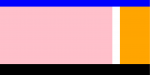
Introduction: This is the eighth part in my CSS Styling tutorials, in which I will be covering floating. What is Float? Float is used to make an element act as a lightweight object which can fit in white space and therefore removes its aligning to center and such like. The use of float is to essentially make an element inline display with other elements which are already inline displayed or also have a float.

Overflow

Submitted by Yorkiebar on
Introduction: This is the seventh part in my CSS Styling tutorials, in which I will be covering overflow. What is Overflow? Overflow is used in CSS to decide what to do with any content that is slightly to big or wide to fit in the dedicated space (overflowing...). Structure: overflow: {type}; Example:

Font Properties (and Color)

Submitted by Yorkiebar on
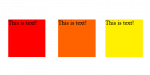
Introduction: This is the fifth part in my CSS Styling tutorials, in which I will be covering font properties. Weight: The first of the font properties I will be covering is the weight property, this lets you set the weight of the font (how bold it is). You can either use the values 'normal', 'bold', 'light', etc.

Display

Submitted by Yorkiebar on
Introduction: This is the seventh part in my CSS Styling tutorials, in which I will be covering display. What is Display? Display is a property which sets the type of behaviour that will be given in relation to the position of the given elements. Structure: display: {type}; Example: