css

Making Websites Greener

Submitted by bossmark2012 on
Save the world, save the environment use this script on your website.. Standby for a greener web Our standby engine is the first of our products to deliver a fully functional and simple way to help your website run requiring less energy to generate. It hides heavy animations, covers the window in dark colors (as these, in many cases are less energy consuming) and pauses heavily running background

Changing DIV Backgound Color When Another DIV is Hovered Using CSS Only

Submitted by argie on
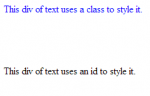
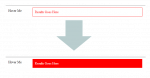
In this tutorial you will learn how to change div background when another div is hovered. I used this "~" symbol in CSS to perform changing div color when another div is hovered. The "~" symbol means that it will only select the first element that is immediately preceded by the former selector. Copy and apply the code bellow.

Creating Our HTML Display

The code bellow provide the visual display of our demo.

Teaching Initiatives Bring Coding to Forefront

Submitted by jproimakis on
A couple of teaching initiatives have made headlines, with non-profit Code.org aiming to reach 10 million US students with its Hour of Code program, while General Assembly is offering free online web development courses through Dash. Code.org is aiming to celebrate this year’s Computer Science Education week (Dec. 9-15) by reaching millions of students in 50 different States of the USA, spreading

How to make a simple footer in HTML/CSS

Submitted by Yorkiebar on
Introduction: This tutorial will be a code sample of a footer in CSS. Steps of Creation: Step 1: First we need a HTML file to contain our footer. I have created one with a couple of divs and a link to my theme.css CSS file. Visit us at http://www.sourcecodester.com. Step 2: Now lets set the default settings for our html file in our theme.css. *{ margin: 0px; padding: 0px; color: #fff; } body{

Deal Grocer Concept(Firefox Version)

Submitted by jmmaguigad on
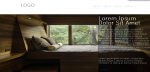
After how many months, I've uploaded a code again. If you want to learn about webkit styling, this css and html file would be best to fit in you. See the www.dealgrocer.com, and see it's header. Hope you would appreciate it guys. Comments and Suggestions would be appreciated. If you want to contact me, [email protected] or [email protected]

HTML/CSS Content and Side Pane Design Layout

Submitted by Yorkiebar on
Introduction: Hello and welcome to my tutorial on how to create a basic website layout in which you have a wide content section for the page content and a thiner side content pane for widgets. Steps of Creation: Step 1: First we need to create the basic HTML file and the CSS file: HTML File: