php

Inserting Data using PHP into MySQL Database

Submitted by GeePee on
In this course we will focus on how to INSERT data using PHP into MySQL Database. When inserting data into Mysql Database tables we need to remember the names and types of table columns. For example if you set your field as the name of the person so as expected you must insert string value or if you are referring into the age of a person meaning you need to enter a numeric value.

Login Page with Shake Effect

Submitted by RobertSoriano on
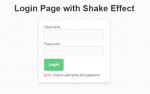
This is a simple Ajax PHP login with welcome page using MySQL database and PDO query that will save you from sql injections. If the user log ins with the wrong username or password, the login box will shake. To begin, follow given steps: 1. Extract files and put the folder shakeLogin in your www(wamp) or htdocs(xampp) directory. 2. Open phpmyadmin and create a database named `wall` 3. Go to that

Social Networking Site Project Setup

Submitted by GeePee on
In this tutorial, I will show you how to set up our project before we start developing a several web pages. First lets create a folder name “philsocial” inside our web server. Since we will be using a Twitter Bootstrap framework, and if you don’t have a copy of this, you can download it here. After downloading, you need to extract it and copy the following folder such as assets, css, fonts and js.

Social Networking Site: Simple Uploading of Profile Picture in the Home Page

Submitted by GeePee on
In this tutorial, I’m going to show you how to upload profile picture in the home area, and this profile picture will still be available even your navigating in different pages. To start with this application, open our project in local server and look for the “home.php” and open it. This home page will you show when you successfully logged in.

Validating and Saving a New Member (Advance PHP)

Submitted by GeePee on
In this tutorial, will be focusing on using advance PHP through Object-Oriented Programming approach. Using OOP approach it provides a clear modular structure for programs which it good for defining abstract data types and it makes easy to modify existing code as new objects can be created with small differences to existing ones. This time let’s create a new PHP file named “member.php” and save it inside includes folder.

Part III: Generating Autonumber using PHP/MySQL

Submitted by GeePee on
In some of our previous tutorial, we discuss how to Create, Read, Update and Delete using object-oriented programmming approach. This tutorial is a continuation of our previous topic called "Part II: Updating and Deleting of MySQL data using an OOP approach in PHP". But this time we’re going to focus on how to generate autonumber. This autonumber can be used as a unique id in your aside from your database.

Filling the Twitter Bootstrap-Select Dynamically From MySQL Data Using PHP

Submitted by GeePee on
In this lesson is a continuation of our previous tutorial called Creating and Populating table with MySQL Data using Twitter Bootstrap framework. At this time, we’re going to use the same framework. But we will focus on how to populate the Twitter Bootstrap-Select dynamically from MySQL Data using PHP and display the corresponding value in a label form.