Tutorials

JToolTip Component in Java
Submitted by donbermoy on
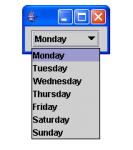
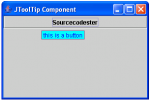
This is a tutorial in which we will going to create a program that has the JToolTip Component using Java. The JToolTip is used to display a text or a tip of the component. So, now let's start this tutorial! 1. Open JCreator or NetBeans and make a java program with a file name of jToolTipComponent.java. 2.

JSpinner Component in Java

Submitted by donbermoy on
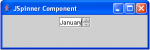
This is a tutorial in which we will going to create a program that will have a JSpinner Component in Java. A JSpinner Component is similar to a JComboBox and JList in java that it has object options to choose but this component has only a single line input field that lets the user select an object value from an ordered sequence. It will have the SpinnerModel to have the JSpinner's sequence. So, now let's start this tutorial! 1. Open JCreator or NetBeans and make a java program with a file name of jSpinnerComponent.java. 2.

A Simple Backup and Restore Microsoft Access Database Using Visual Basic.Net [Part II]

Submitted by joken on
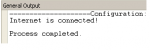
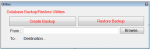
The lesson is the continuation of our last tutorial called “A Simple Backup and Restore Microsoft Access Database Using Visual Basic.Net [Part II]”, but this time we’re going to focus on how to Restore a MS Access Database. To start with this course, open our last project called “dbBackup”.

A Simple Backup and Restore Microsoft Access Database Using Visual Basic.Net [Part I]

Submitted by joken on
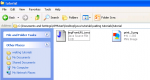
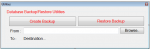
This tutorial, i'm going to show you how to create a simple way on how to create an application that will of enable you to create a Backup of your Microsoft Access Database using Visual Basic.Net. To start in this application, Create a new project in Visual Basic and Name it as “dbBackup”. Then add three buttons, Textbox, three Labels.