Tutorials

How to Add Class to a Div using JQuery

Submitted by nurhodelta_17 on
In this tutorial, I'm going to show you how to add and remove class to a div using jQuery. I've created three buttons each assigned a jQuery function. To start with, be sure to include jQuery on your file in order for the code to work.

Creating our Sample

We create our sample by creating three styles with assigned class each. We name this as "index.php".

How to Limit Number of Items per Row in While Loop using PHP/MySQLi

Submitted by nurhodelta_17 on
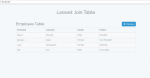
In this tutorial, I'm going to show you how to limit number of item per row in while loop from MySQL Table using PHP/MySQLi. This tutorial is beneficial when you are presenting large number of items especially those that have images.

Creating our Database

First step is to create our database. 1. Open phpMyAdmin. 2. Click databases, create a database and name it as "sample". 3. After creating a database, click the SQL and paste the below code.

PHP Prevent the Return to Login Page/Disable Back after Login

Submitted by nurhodelta_17 on
Hello. I know people are wondering how to disable back button or preventing return to login page after login. Actually there's no method to disable back or preventing return but this tutorial will teach you a simple trick by use of session. I've created a simple login in this tutorial but if you want, you can learn How to Create a Simple Login with Validation. So.

PHP Sending Array to URL using JSON Encode/Decode

Submitted by nurhodelta_17 on
This tutorial features a way to send array to url using json encode/decode. Of course, there are a number of ways to send array to url but for me, I found this efficient when it comes to sending arrays. Also, I've included three ways to send to url which are via href, php header and script location. So, let's get started.

Creating Sample Array

First step is to create our sample array with the 3 ways to send to url.

PHP Selecting MySQL Row by Category using jQuery

Submitted by nurhodelta_17 on
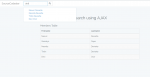
In this tutorial, I'm going to show you how to create a simple select of MySQL row by category using jQuery. This tutorial features a select tag that whenever we change the value of a category the page or the data from table automatically change based on the chosen category or value of select tag. So, let's get started.

Creating our Database

First step is to create our database. 1. Open phpMyAdmin. 2. Click databases, create a database and name it as "category". 3. After creating a database, click the SQL and paste the below code.