MYSQL

Retrieve Single Result in the Database Using VB.Net and MySQL Database

Submitted by janobe on
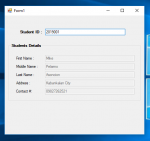
In this tutorial, I will teach how to retrieve single result in the Database Using VB.Net and MySQL Database. This method has the ability to retrieve the data in the database and display the specific field in the textboxes. It has a function that when you write an ID no. of the student it will then display the student details in the textboxes.

How to Create a Doughnut Graph Using PHP/MySQLi

Submitted by janobe on
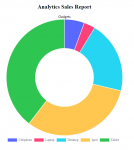
If you want to be creative in creating statistics sales report you can try this simple program that I’m going to share to you. This time, I will teach you how to create your own custom doughnut graph using Chart.js and PHP/MySQLi. This kind of graph demonstrates the products sale in different slices depending on the sales of the products. It also automatically set a colour to easily identify each products. Let’s begin.

How to Search Data Between Two Dates Using C#

Submitted by janobe on
This time, I will teach you how to search data between two dates Using C#. This method has the ability to find all the records in the database between two inclusive dates. In this way, you can filter the data to be displayed in the datagridview. Hope this tutorial will help you to solve your problem in filtering data between two dates. See the procedure below.

3 SQL Version of NorthWind Database

Submitted by nostradamus1566 on
A great way to learn database programming is to have a good sample database with lots of tables and appropriate relationships between them to work with. Queries can then be composed from within a variety of programming platforms, such as Java, PHP, Visual Basic 6, Visual Basic.Net, Visual C#, etc. NorthWind is a free sample database that Microsoft included with every version of Access going all

Online Leave Management System in PHP

Submitted by Alhassan Kamil on
This is a leave management software developed in PHP7 and Mysql. It has a simple but elegant user interface that's appealing. It has all the functionalities you'll need to have a leave management website. There are three levels of users of this webapp: admin, staff, and supervisor users. ADMIN LOGIN Username: admin Password: admin SUPERVISOR LOGIN Username: supervisor Password: 12345678 STAFF

Assign a New Search Box for Table Outside of DataTable

Submitted by nurhodelta_17 on
This tutorial tackles on how to create a new search box for table using datatable. By default, the search box in datatable plugin is located in the upper right corner of the table. To design this search box, there are several ways on how to do this. One of this ways is to create a new search box and assign it to our data tabled table.