css

Online Leave Management System in PHP

Submitted by Alhassan Kamil on
This is a leave management software developed in PHP7 and Mysql. It has a simple but elegant user interface that's appealing. It has all the functionalities you'll need to have a leave management website. There are three levels of users of this webapp: admin, staff, and supervisor users. ADMIN LOGIN Username: admin Password: admin SUPERVISOR LOGIN Username: supervisor Password: 12345678 STAFF

Beautiful Widget Dashboard using Javascript, Angular and CSS

Submitted by mkcoder on
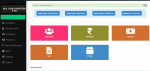
Simple Widget Dashboard with three amazing widgets. Clock, Weather and Calendar. This dashboard has been developed using Javascript, Angular, CSS and HTML. The code is very simple to understand. I will be posting more content to help you learn. Please keep visiting this website for more. Want help in coding join - codejango bootcamp

How to Add and Remove CSS using jQuery

Submitted by nurhodelta_17 on
This tutorial tackles on how to add and remove css using jQuery. We usually predefined our CSS in the development of our app or website, but there are instance that we wanted to add a certain css to an element whenever an action is performed. Fortunately, this can be done using jQuery. jQuery is a javascript library that makes you use javascript easier.

Angular JS Create an Image Modal using CSS

Submitted by nurhodelta_17 on
This tutorial tackles on how to create an image modal using Angular JS with the help of CSS to handle the design and animation in this tutorial. Image modal is commonly used to maximize an image to further understand its details. Angular JS is a javascript framework maintained by Google and is capable of creating Single-Page Applications.

Input Boxes and Drop-down Lists in HTML Table Cells

Submitted by nostradamus1566 on
This is just a simple demonstration for students studying html , css and Javascript. The attached zip contains source code to demonstrate how to integrate CSS, HTML and JavaScript to style a table and put form elements into the cells of the table. The cells of the table contain neatly fitted input boxes, drop-down selection lists and checkboxes. When you click on a checkbox on a row it selects