Tutorials

Calculator in Visual Basic

Submitted by Yorkiebar on
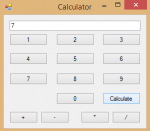
Introduction: This tutorial is on how to create a calculator in Visual Basic. Design: For this, we want the following; A textbox named 'textbox1' to show the current output. Four buttons for add, subtract, multiply and divide. Ten buttons for the ten digits. One button for the calculate process. Variables: Now we want to create some variable.

List Manipulator in Javascript

Submitted by Yorkiebar on
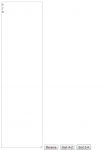
Introduction: This tutorial is on how to create a simple array re-orderer in Javascript. HTML: We are going to have a few HTML elements, here are the details... Textarea, named area, to contain the original list. Button, to reverse the list. Button, to sort the list a-z. Button, to sort the list z-a. Button, to randomise the list.

Multi-Threaded Applications in Visual Basic

Submitted by Yorkiebar on
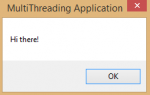
Introduction: This tutorial is on how to create a multi-threaded application in Visual Basic. Design: There really is no design needed for this application, although if you wanted to, you can add a button. What Is a Thread? A thread is the part of your .NET program which runs everything else, your UI, your functions and your classes. Without a thread, your program would not be able to run. Why Multiple Threads? Once a thread has a lot of processing to do, problems begin to arrise.

How to Create a Simple Record Navigation in C#

Submitted by joken on
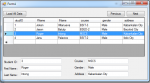
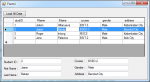
This tutorial is a continuation of our last topic called “How to Display Selected Row from Datagridview into Textbox using C#”. But this time, I’m going to show you how to create a simple record navigation using C#. This will help the user to navigate through all the record from the database easily.

How to Display Selected Row from Datagridview into Textbox using C#

Submitted by joken on
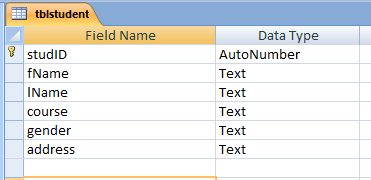
In this tutorial I’m going to show you how to create an application that will display the selected row from the datagridview into textbox. To start with this application we will create first a database in Microsoft access 2003 and we will name it as “studentdb” for Student Database. Then create a table named “tblstudent” and create a field that will look like as shown below. s1 After this, we will create a new windows form project in C#, then save it as “stud_info”.

String Structure Checker in Javascript

Submitted by Yorkiebar on
Introduction: This tutorial is on how to create a structure checker for basic plain text in Javascript. Why? This tool would be used for ensuring data that is getting parsed through functions, databases and/or files is in the correct format and would not cause an error. This example tool is for removing multiple spaces at once, for example; ->Hi there! would be replaced with: ->Hi there! HTML: The HTML is basic HTML and just includes two textareas.

How to Update and Delete Record in the Database using C#

Submitted by joken on
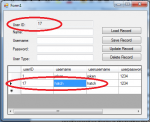
This lesson is a continuation of our last topic called “How to Save Record in Database using C#”. At this time we will be focusing on how to update and delete a record from the database using C#. To start with, this application. Open our project called “usermanagement”, then we need to add another control such as buttons, textbox and label.

How to Save Record in Database using C#

Submitted by joken on
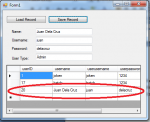
This tutorial is a continuation of our last topic called “Step by Step Connect Access Database in C#”. At this time, we’re going to focus on how to save record in Microsoft Access using C#. To start with, open our last project called “usermanagement” since we will be dealing with saving a record, we need to add another control such as Button, Labels and Textboxes.