css

CSS Animated Photo Banner

Submitted by GeePee on
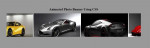
This project will teach you how to animate a photo banner using css. There is no javascript code or jQuery plugin included. A simple yet interesting to learn project. This is like a image slider but we usually used a javascript or jQuery code. This time we can use css animation. Images are sliding from right to left continuously. Hope you learn from this.

Ticket System in PHP - #2 Generating Tickets

Submitted by Yorkiebar on

Introduction:

This tutorial is a continuation from my previous tutorial in which I covered the database design and HTML password reset form scripting for this password reset ticket system.

Part Two - Fake Data:

Before we can even think of making a password reset ticket system, we need to create a fake user to which we can reset their password.

CSS Image Hover Effects

Submitted by GeePee on
This project will teach you how different effect on hover using CSS. No javascript or jQuery codes used. With just few lines of css codes, you can be able to have these effects. I have here two examples of effect when hovered, blur and grayscale. We have to use the transition property in order to do this. For blur effect, we have to set blur to 5px. And for grayscale, we have to set grayscale to

Changing Colors Animation Using CSS

Submitted by GeePee on
This project will teach you how to create continuously changing colors animation using CSS3. We have to define individual keyframes at percentage points(0% is the starting and 100% is the ending) or we can use from/to keywords. We also have to set the background-color. On the 0% is blue , 25% is red, 50% is green, 75% is purple and then 100% is blue. The colors will continuously change every

Parallax Scrolling #2 - CSS

Submitted by Yorkiebar on

Introduction:

This tutorial is the second part of my Parallax Scrolling mini-series tutorial in which we are going to be using CSS styling to style our required tags and classes.

CSS:

CSS is Cascade Style Sheets and are used to styling elements in HTML to make their visual appearance more appealing.

Internal:

I am going to be using internal CSS for this tutorial which means I only require the single HTML page. To achieve this, I am going to write some style tags within my head tags of my HTML page.

Parallax Scrolling #1 - HTML

Submitted by Yorkiebar on

Introduction:

This tutorial is the first of three parts in which I will show you how to create a Parallax effect using HTML, CSS, and the Javascript library jQuery.

What is a Parallax Effect?

A parallax effect is where one element or layer moves in the opposite direction to another element or layer. This can be used in a professional manor for some websites to give a nice, smooth effect to the content.

HTML:

First we need the HTML for our page.