css

Interactive Tracker Boxes #4 - jQuery

Submitted by Yorkiebar on

Introduction:

This is the final part of my mini-series explaining how to create interactive tracker boxes in HTML, CSS, and jQuery to allow HTML content to change once the user interacts with the boxes. This part is will explain the final step, jQuery.

jQuery Installation:

To begin using jQuery within our file, we first need to link it.

Interactive Tracker Boxes #3 - Content - jQuery Preparation

Submitted by Yorkiebar on

Introduction:

This tutorial is the third part of my interactive tracker boxes tutorial series which allows content to change dependant upon which tracking box the user clicks on. This part is covering the content of the tracker boxes.

HTML:

The heading for the box which is hovered over will go under the 'informationTitle' CSS ID, and the information will go under the 'informationParagraph' CSS ID.

Image Rotate Using CSS

Submitted by GeePee on
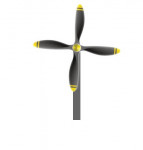
This project will teach you on how to rotate an image using CSS. No javascript code or jQuery, just pure CSS. In my example, I have a blade image with transparent background. With the use of @keyframes animation in css, the image rotate like a windmill. This is very easy to do with just a few lines of codes. Hope you learn from this.

Interactive Tracker Boxes #2 - CSS

Submitted by Yorkiebar on

Introduction:

This is the second part of my interactive tracker boxes in HTML, CSS, and jQuery. This part will be covering styling the classes of our elements using CSS3.

Box:

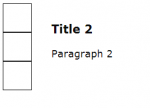
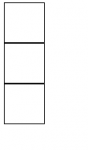
The box class will be the holder of the points/trackers where the user is able to hover their mouse over in order to get responsive information about appropriate content. For this, I am going to do a simple small box with white background, and black border...

Interactive Tracker Boxes #1 - HTML

Submitted by Yorkiebar on

Introduction:

This tutorial is on how to create an interactive CSS & JavaScript (jQuery) page where the user is able to hover over certain elements of the page in order to uncover more information (such as the Bing.com search page, where you can hover over the boxes on the image to see interesting facts).

HTML:

This is the first part of this tutorial series, in which we will be creating the HTML and starting CSS for the page. We want to have a title and paragraph for each piece of information on the website, so lets create the basic HTML template first...

Text Effects in CSS

Submitted by GeePee on
This project will teach you how to create a text effect using CSS. I have here two examples, the 3D effect and neon light effect. This is easy to do and pure css. It used various layers of text-shadow to create these effects. Hope you learn from this.

3D Flip Content Using CSS

Submitted by GeePee on
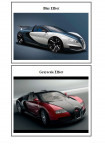
This project will teach you how to animate a 3D effect flip content using css/html only. No javascript code or jQuery plugin needed. Once the user hover over the image, the image flip to back and the information of the image appear. This is very cool animation and simple to do. Hope you learn from this.

Creating Shapes in CSS

Submitted by GeePee on
This project will teach you on how to create a different shapes using CSS. We can create shapes in our web page without including images. This is simple but very useful. This is for the newbie in programming. I have here an example of triangles(left, right, up, bottom), circle, quarter circle and half circle. Hope you learn from this.