
Class Record Management System
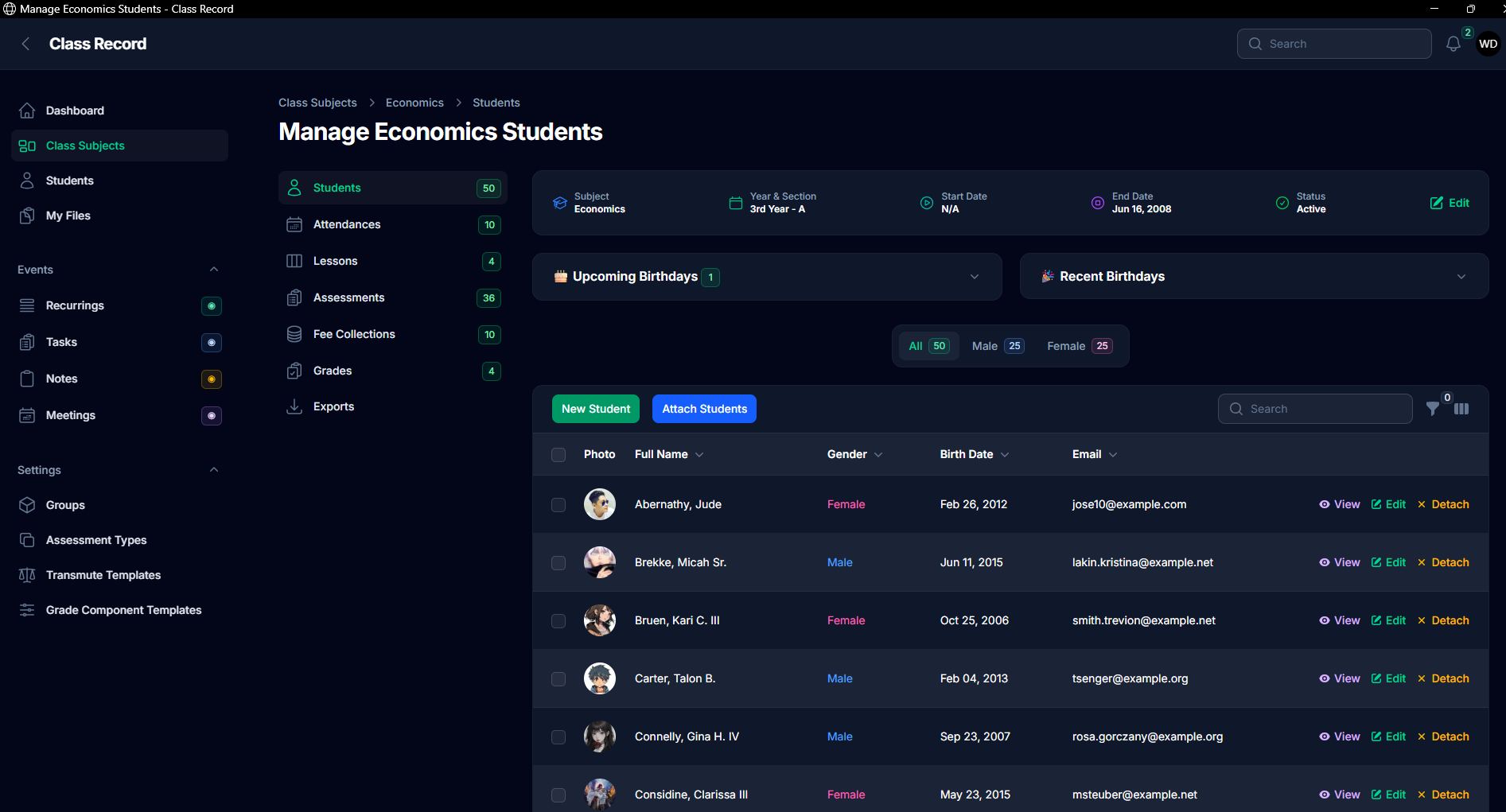
📚 Class Record Management System
ℹ️ What This System Is (and IS NOT)
This is not some magical system that does everything automatically.
What it does is:
✅ Eliminate manual computations
✅ Reduce repetitive tasks
✅ Help organize your class records efficiently
🏫 Class & Students
Easily create class subjects.
Clone classes to save time:
• Same students + same setup → just clone
• Same setup, different students → clone and uncheck students
• Same students with small changes → clone then adjust
Manage students easily:
• Remove students via Detach button or bulk detach
• Assign existing students (no need to re-encode)
• Add new students if they don't exist yet
💡 The Students tab shows all students across all classes — but you don't really need to use it often since everything is already handled inside class subjects.
📋 Attendance
Super easy to use
By default, all students are marked Present
Just toggle if a student is Absent
📝 Assessments
Create quizzes, projects, exams, etc.
Supports group assessments (thesis, group report, etc.)
Set maximum score to prevent over-input errors
Add due dates → get notified if:
• Near deadline
• Overdue
📚 Lessons Tracking
Simple and visual tracking using columns:
Topics | In Progress | Done | Need Review
Just drag and drop lessons between columns
Add completion dates to get reminders for overdue lessons
💰 Fee Collections
Record student contributions with two types:
• No amount / 0 → voluntary
• With amount → required payment
Status updates automatically:
✅ Complete → if all students paid
⏳ Pending → if not yet complete
📊 Grades
Setup grading components:
Written Works • Performance Tasks • Quarterly Assessments
Use:
• Templates (ready to use), or
• Create your own templates
Transmuted Grades:
• Use default (DepEd-based), or
• Customize your own
Create grading periods (e.g., 1st Quarter). Assign assessments and the system will:
✅ Automatically compute grades
✅ No need for manual calculation
View:
• Detailed grade tables
• Computations
• Initial & final grades
• Transmuted grades
📤 Export
Export to Excel
Uses formulas already
Ready to use — no need to configure
⚙️ More Features
Status indicators — so you won't forget missing records
Table filters available:
• Quick filters above table
• Advanced filters via funnel icon
📥 Download & Source
📥 Download here: Exe Requirement is Windows 10 or 11
▶️ Watch demo | 🔗 https://bit.ly/4dGpRJY
Source Code:
https://github.com/winex01/class-record
Requirements:
1. PHP 8.2+
2. Composer
3. npm
Setup steps:
1. clone the repo
2. composer install
3. npm install
4. npm run build
5. copy .env.example .env (copy or rename it to .env)
6. add credentials depending in your server setup
7. php artisan key:generate
8. php artisan migrate
9. php artisan migrate:fresh --seed (run this again after artisan migrate if you want to have sample data)
user: [email protected]
pass: password
10. php artisan storage:link
✨ Class Record Management System — reduce repetitive tasks, automate grading, and keep everything organized.
Note: Due to the size or complexity of this submission, the author has submitted it as a .zip file to shorten your download time. After downloading it, you will need a program like Winzip to decompress it.
Virus note: All files are scanned once-a-day by SourceCodester.com for viruses, but new viruses come out every day, so no prevention program can catch 100% of them.
FOR YOUR OWN SAFETY, PLEASE:
1. Re-scan downloaded files using your personal virus checker before using it.
2. NEVER, EVER run compiled files (.exe's, .ocx's, .dll's etc.)--only run source code.