HTML/CSS

Margin and Padding

Submitted by Yorkiebar on
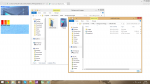
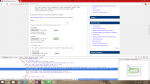
Introduction: This is the fourth part in my CSS Styling tutorials, in which I will be covering Margins and Padding. Difference? Both the margin and padding properties give white space around an object, the main difference is the order of which they occur in. At the same time, margin is mostly used for positioning while padding is used for giving white space around an object. Order: As a good example of which order the properties go in, please see that attached image which is a screen shot of the Inspect Element feature within Google Chrome.

CSS Backgrounds (Images and Colours)

Submitted by Yorkiebar on
Introduction: This is the third part in my CSS Styling tutorials, in which I will be covering backgrounds. Different Types of Backgrounds: In CSS, you can choose to set the background equal to an image, this can either be a url or a local file directory path, or a colour. Image Settings: Here is an example of setting the background of a class named 'myDiv' to background.jpg...

IDs and Classes

Submitted by Yorkiebar on
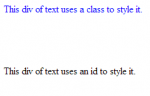
Introduction: This is the second part in my CSS Styling tutorials, in which I will tell you about IDs and Classes. What Are IDs? The Identification names are one option to link the HTML elements to the relevant CSS styling options.

CSS Tutorial

Submitted by Yorkiebar on
CSS stands for Cascading Style Sheet and is used in conjunction with HTML to create every web page from the most basic design to the most interactive website. While HTML gives the elements to the page, CSS is used to give the styling of it which includes everything from colours to animations. CSS is a very easy language to pick up and is essential to anyone wanting to learn about Web Design. The latest version of CSS is CSS3.

Making Websites Greener

Submitted by bossmark2012 on
Save the world, save the environment use this script on your website.. Standby for a greener web Our standby engine is the first of our products to deliver a fully functional and simple way to help your website run requiring less energy to generate. It hides heavy animations, covers the window in dark colors (as these, in many cases are less energy consuming) and pauses heavily running background

Responsive Menu Using CSS and JavaScript

Submitted by argie on
This code will teach you on how to apply responsive menu in responsive website. I only Used CSS and JavaScriptfor this code. This code is easy to implement in your website. The feature of this code is it will automatically adjust the design of the menu when the page size change. To understand more fallow the steps bellow: Creating Our Display Copy the code bellow and save it as "index.html". This

How to Create a Moving Website Background Using CSS Only

Submitted by argie on
This tutorial will teach you on how to create a moving background image using only CSS. I uses @keyframes rules i this tutorial to animate the background. To understand more about this rule, let me provide the definition and usage of this rule. with the @keyframes rule, you can create animations. The animation is created by gradually changing from one set of CSS styles to another. During the animation, you can change the set of CSS styles many times. Specify when the change will happen in percent, or the keywords "from" and "to", which is the same as 0% and 100%.