
Payment Tracker App Using HTML, CSS and JavaScript with Source Code
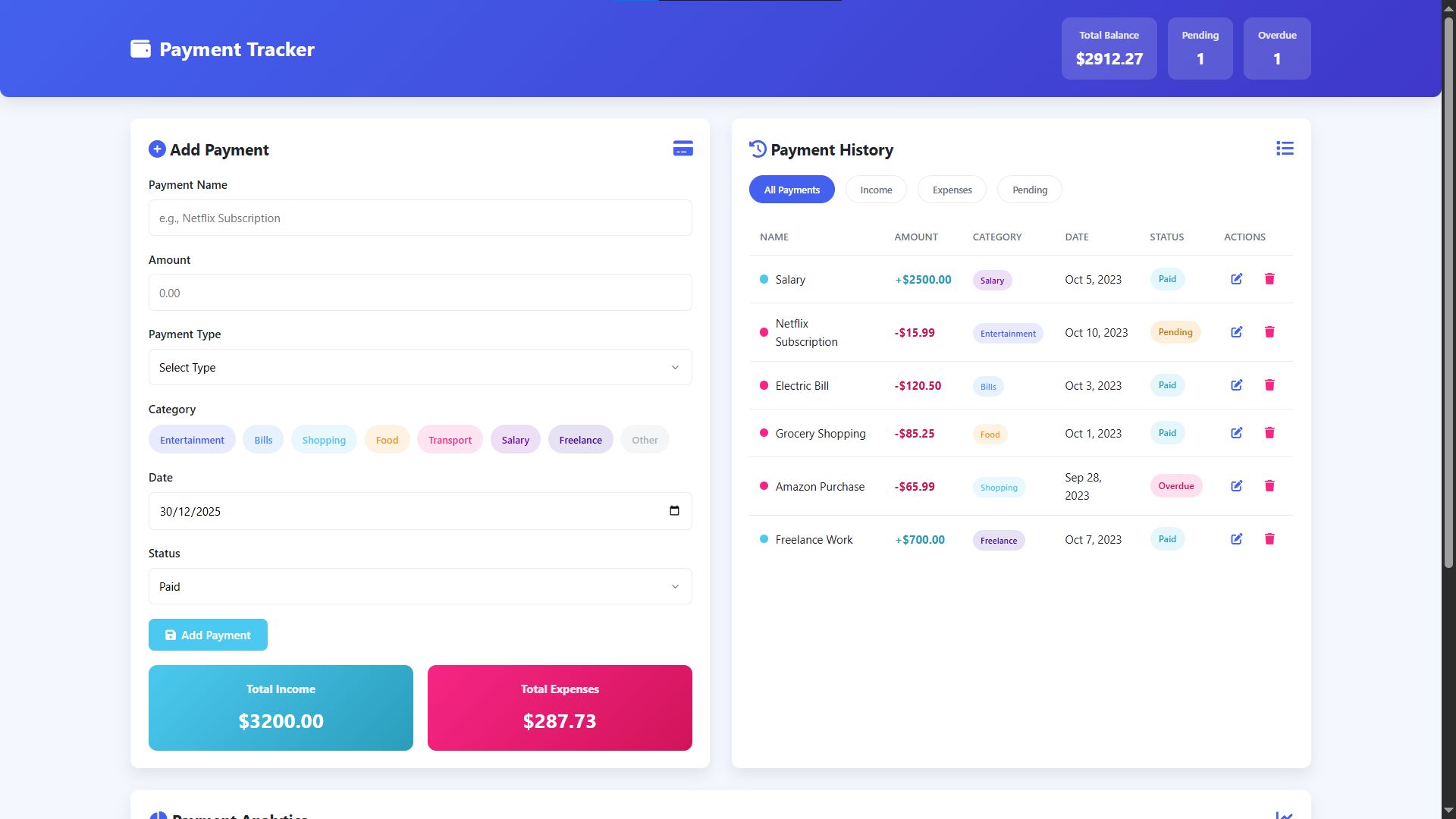
Welcome to the Payment Tracker App, a modern and intuitive web application designed to simplify your personal finance management. Built entirely with HTML, CSS, and JavaScript, this tool provides a clean, visually appealing interface that makes tracking income and expenses effortless. Whether you're monitoring subscription payments, recording freelance income, or tracking daily expenditures, this application offers a comprehensive solution to stay on top of your financial health with real-time updates and insightful analytics.
Experience the convenience of categorizing payments with color-coded tags, filtering transactions by type or status, and visualizing your spending patterns through interactive charts. The application's responsive design ensures seamless use across all your devices, while features like payment status tracking, overdue alerts, and financial summaries give you complete control over your finances. With its user-friendly approach to financial organization, the Payment Tracker App transforms the often tedious task of money management into an efficient and engaging experience.
You may also check this simple HTML, CSS and JavaScript project:
- Modern Image Background Remover
- Interactive Fireworks Animation
- Sales Tax Calculator
- Interactive 3D Christmas Tree
- Input Type Designer App
Key Features:
Payment Management System – Add, edit, and delete payments with detailed categorization
Financial Dashboard – Visual analytics with charts, balance summaries, and status tracking
Interactive UI – Modern gradient design with responsive layout and smooth animations
Filtering System – Multiple filter options to view payments by type or status
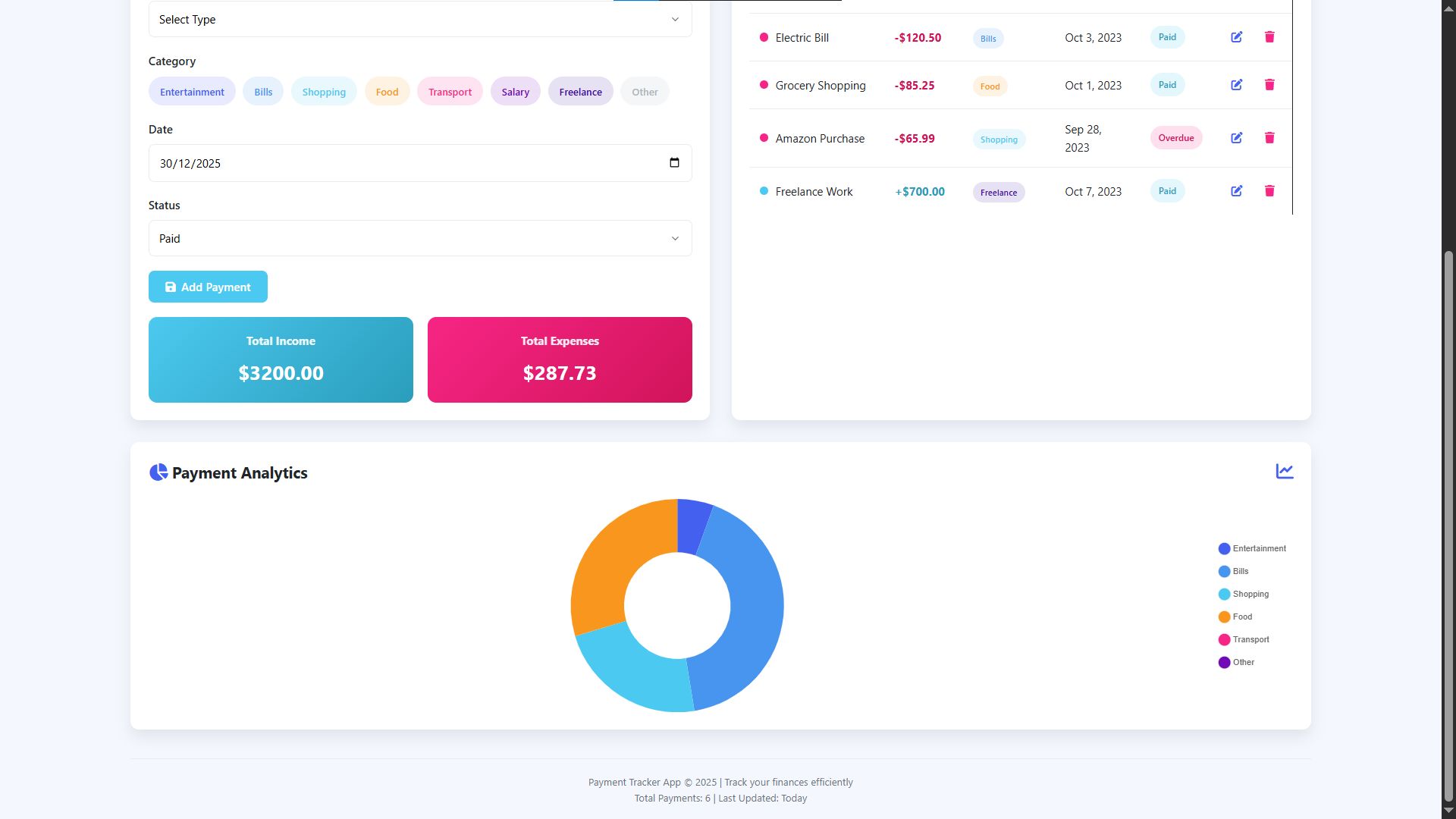
Data Visualization – Interactive doughnut chart showing expense distribution by category
Real-time Updates – Instant calculation of totals, balances, and statistics
Technologies Used:
HTML5 – Semantic structure and core application framework
CSS3 – Custom properties, Flexbox/Grid layouts, and responsive styling
JavaScript – DOM manipulation, event handling, and application logic
Chart.js – Data visualization library for analytics charts
Font Awesome – Icon library for UI elements
Google Fonts – Typography system using Segoe UI
How to Use:
Open the application in your web browser to access the dashboard
Add new payments using the form by completing all required fields
Choose payment categories using the color-coded tag system
Edit payments by clicking the pencil icon on a payment entry
Delete payments using the trash icon with confirmation prompt
Filter payment history using the filter buttons above the table
Track finances through summary cards and header statistics
Analyze spending via the interactive doughnut chart
Use on any device with automatic responsive layout adjustments
Sample Screenshots of the Project
Landing Page
Graph and Footer
How to Run?
- Download the provided source code zip file.
- Extract the downloaded zip file.
- Open the html file and you are now ready to go!
Video Demonstration for Installation/Setup:
Conclusion:
In conclusion, the Payment Tracker App successfully demonstrates how modern web technologies can be harnessed to create practical, user-centric financial tools, offering an accessible solution for managing personal finances while showcasing professional development practices in responsive design, interactive data visualization, and intuitive user experience.
That's it! I hope this "Payment Tracker App Using HTML, CSS and JavaScript" will assist you on your programming journey, providing value to your current and upcoming project.
For additional tutorials and free source codes, explore our website.
Enjoy Coding :>>
Note: Due to the size or complexity of this submission, the author has submitted it as a .zip file to shorten your download time. After downloading it, you will need a program like Winzip to decompress it.
Virus note: All files are scanned once-a-day by SourceCodester.com for viruses, but new viruses come out every day, so no prevention program can catch 100% of them.
FOR YOUR OWN SAFETY, PLEASE:
1. Re-scan downloaded files using your personal virus checker before using it.
2. NEVER, EVER run compiled files (.exe's, .ocx's, .dll's etc.)--only run source code.