
Tetris Block Game Using Pygame in Python with Source Code
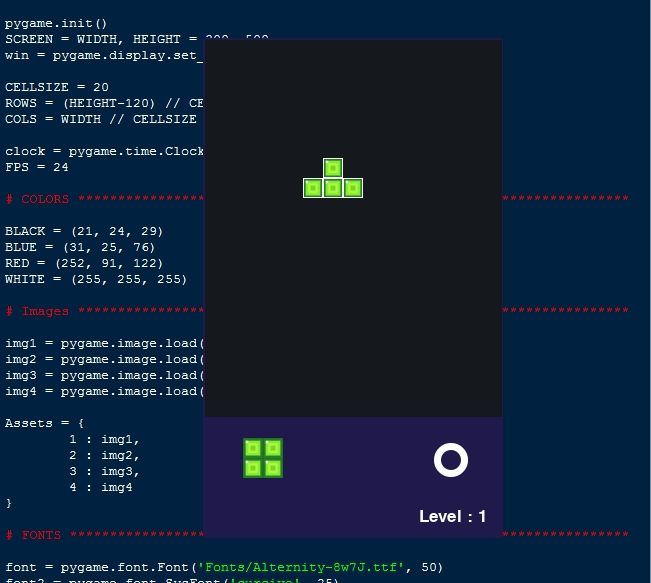
The Tetris Block Game is an interactive web application built entirely with Python. The game is a clone of the original Atari Tetris, where you need to form horizontal lines to score points using the arrow key bindings. The Tetris Block Game Using Pygame offers a fun and engaging experience in which players must navigate and arrange blocks to complete horizontal lines and earn points. This project provides an excellent opportunity to practice and reinforce essential programming concepts while enhancing your Python skills in game development.
The Tetris Block Game Using Pygame in Python with Source Code is free to be downloaded just read the content below for more info. This application is for educational purpose only.
Tetris Block Game Using Pygame in Python with Source Code Basic Information
- Language used: JavaScript
- Front-end used: HTML & CSS
- Coding Tool used: Notepad++ or any text editor that can run html files
- Type: Web Application
- Database used: None
About Tetris Block Game
The Tetris Block Game Using Pygame is an engaging desktop game built entirely in Python using the Pygame library, inspired by the classic Tetris gameplay. In this game, various shaped blocks fall from the top of the screen, and the player must strategically move and rotate them to create complete horizontal lines. Once a line is fully filled, it disappears, awarding points and freeing up space for new blocks. As the player progresses, the game gradually increases in speed, adding an extra layer of challenge and excitement. The game typically includes features such as score tracking, level progression, and smooth keyboard controls for block movement and rotation. This project is ideal for learning and practicing important game development concepts like grid-based movement, collision detection, timing control, and rendering graphics in real time using Pygame, making it both educational and entertaining.
Tetris Block Game Using Pygame in Python with Source Code Features
- Classic Tetris Gameplay
- Inspired by the original Atari Tetris mechanics.
- Players control falling tetromino blocks to form complete horizontal lines.
- Completed lines are cleared to earn points and free space.
- Game Controls and Mechanics
- Keyboard controls for left, right, rotate, and fast drop actions.
- Smooth and responsive block movement.
- Automatic downward block movement based on game speed.
- Dynamic Difficulty System
- Game speed increases as the score or level rises.
- Higher difficulty requires faster reactions and better planning.
- Keeps gameplay challenging and engaging over time.
Sample Application Screenshot:
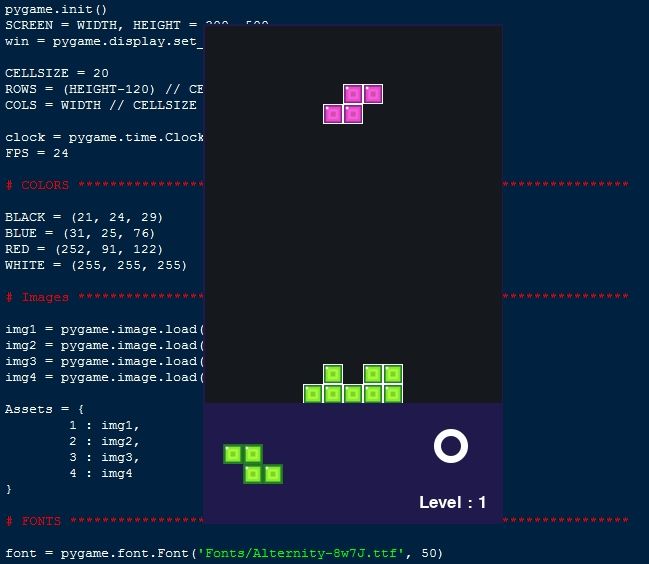
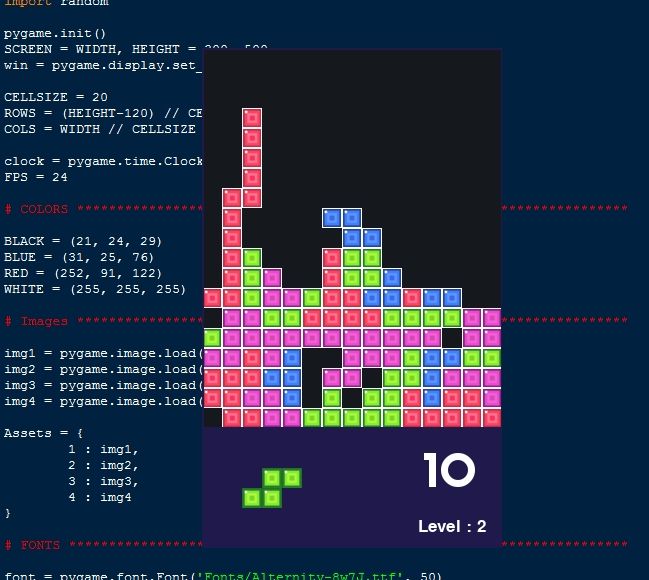
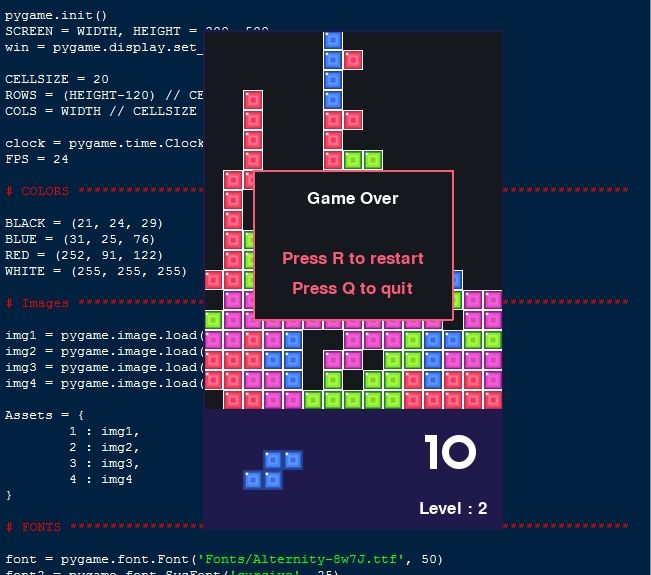
Tetris Block Game Using Pygame in Python with Source Code Installation Guide
- Download the source code in this site.
- Locate and Extract the zip file.
- Open the extracted folder
- Find and locate the file "index.html".
- Open the file in a web browser(Chrome, Firefox, etc..).
That's all, The Tetris Block Game was created fully functional using Python language. I hope that this project can help you to what you are looking for. For more projects and tutorials please kindly visit this site. Enjoy Coding!
The Tetris Block Game Using Pygame in Python with Source Code is ready to be downloaded just kindly click the download button below.
Related Projects & Tutorials
Tetris Block GameNote: Due to the size or complexity of this submission, the author has submitted it as a .zip file to shorten your download time. After downloading it, you will need a program like Winzip to decompress it.
Virus note: All files are scanned once-a-day by SourceCodester.com for viruses, but new viruses come out every day, so no prevention program can catch 100% of them.
FOR YOUR OWN SAFETY, PLEASE:
1. Re-scan downloaded files using your personal virus checker before using it.
2. NEVER, EVER run compiled files (.exe's, .ocx's, .dll's etc.)--only run source code.