
Interactive Fireworks Animation App Using HTML, CSS and JavaScript with Source Code
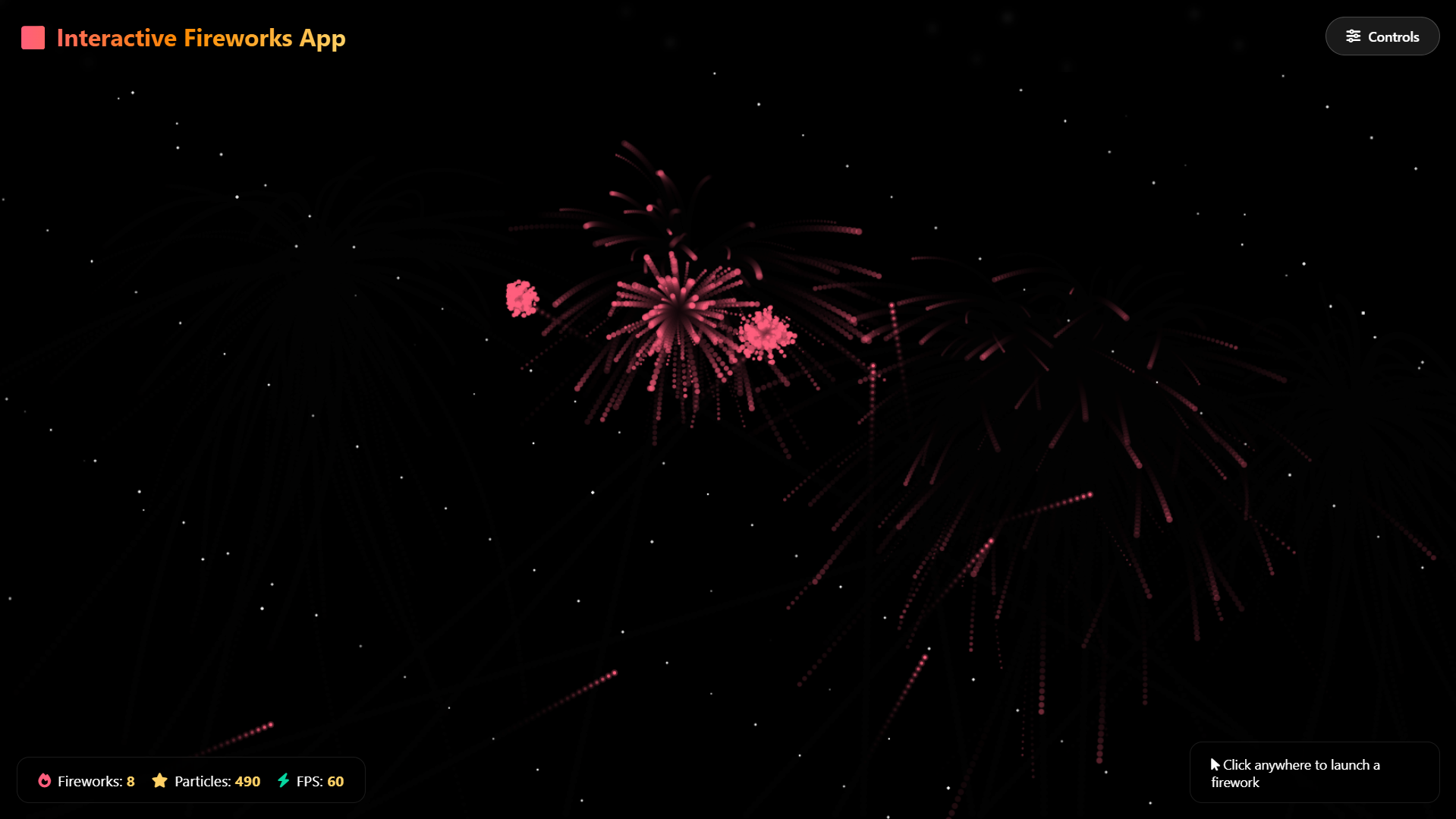
Welcome to the Interactive Fireworks Animation App, a mesmerizing digital canvas that brings the magic of fireworks displays directly to your screen. Built entirely with HTML, CSS, and JavaScript, this application transforms your browser into a dynamic stage for creating stunning visual spectacles. Experience the thrill of launching vibrant explosions across a starry night sky, with each click unleashing a symphony of color and motion that dances before your eyes. This project combines artistic creativity with technical innovation to deliver an immersive, interactive experience that captures the beauty and excitement of real-world fireworks in a digital format.
This application offers an unprecedented level of control over your virtual fireworks display, allowing you to customize every aspect of the visual experience. From selecting between eight distinct firework styles—including heart-shaped explosions, swirling spirals, and sparkling comets—to adjusting physics parameters like gravity and explosion size, you become the director of your own pyrotechnic show. With real-time statistics, intuitive modal controls, and six beautiful preset themes, this tool empowers both casual viewers and creative enthusiasts to explore the art of digital fireworks in a responsive, fullscreen environment that works seamlessly across all devices.
You may also check this simple HTML, CSS and JavaScript project:
- Universal SQL Generator
- AI-Powered Budget Planner
- Sales Tax Calculator
- Interactive 3D Christmas Tree
- Christmas Present Animation
Key Features:
Fullscreen immersive fireworks display using a responsive canvas that adapts seamlessly to any screen size
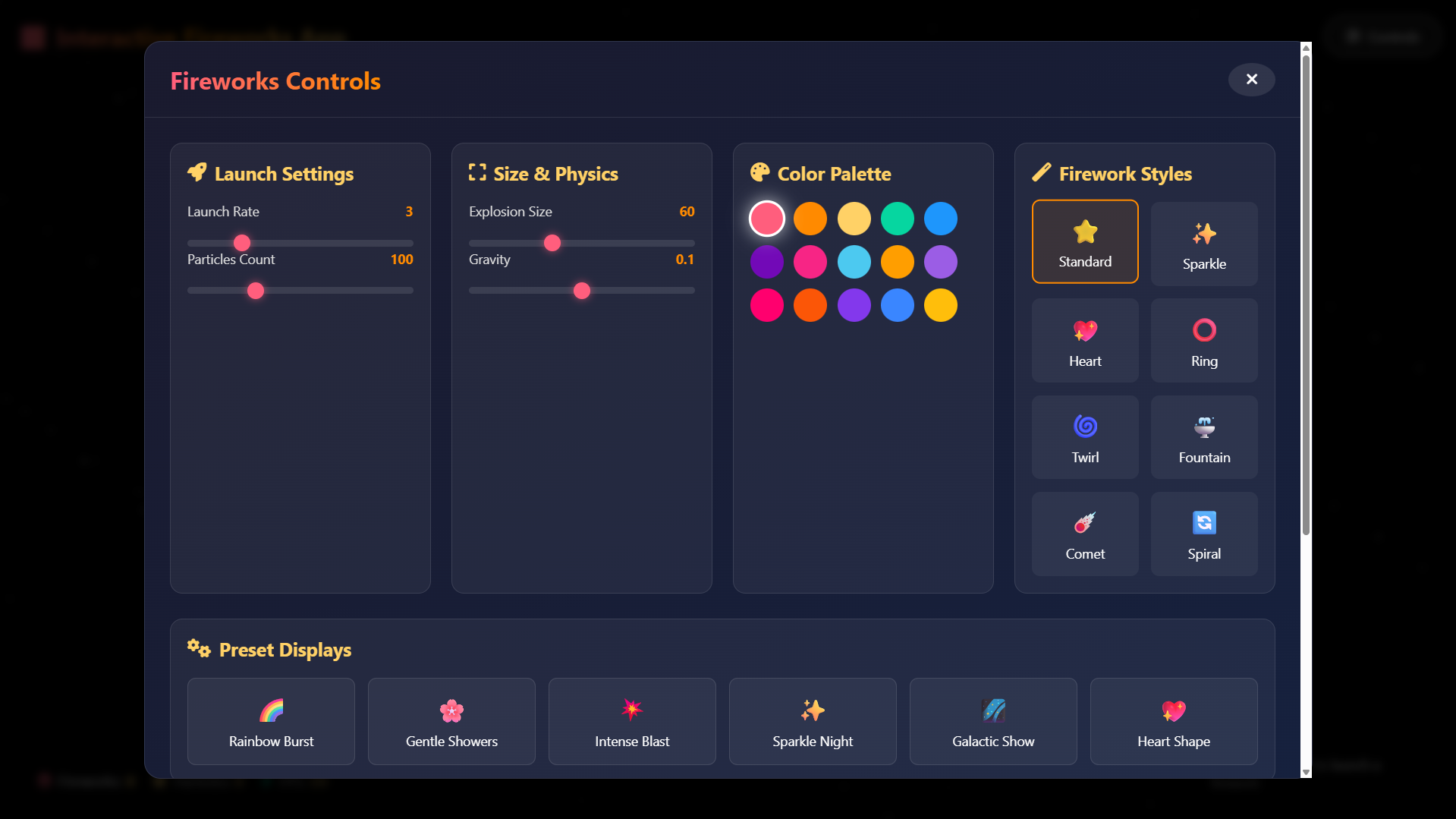
Eight distinct firework styles: Standard, Sparkle, Heart, Ring, Twirl, Fountain, Comet, and Spiral
Interactive modal control panel featuring a modern glass-morphism design for full parameter control
Real-time statistics panel displaying active fireworks count, particle count, and FPS performance
Fifteen-color palette for complete firework color customization
Six built-in preset themes:
Rainbow Burst
Gentle Showers
Intense Blast
Sparkle Night
Galactic Show
Heart Shape
Click-to-launch interaction allowing users to fire fireworks anywhere on the canvas
Auto-launch mode for continuous, hands-free fireworks displays
Physics-based particle system with adjustable gravity, explosion size, and particle density
Starry night background with animated, twinkling stars for enhanced atmosphere
Performance-optimized animation engine capable of handling hundreds of particles smoothly
Technologies Used:
HTML5 Canvas for rendering fireworks animations and particle effects
Vanilla JavaScript for animation logic, physics simulation, and user interactions
CSS3 with modern features including Flexbox, Grid, gradients, and glass-morphism effects
ES6+ JavaScript classes for structured, object-oriented firework and particle management
RequestAnimationFrame API for smooth, high-performance animation loops
CSS custom properties and transitions for fluid UI animations
Responsive design techniques to ensure compatibility across all device sizes
How to Use:
Open the application in any modern web browser to automatically start the fireworks display
Click anywhere on the screen to launch a firework at the selected position
Click the “Controls” button in the top-right corner to open the settings panel
Adjust the Launch Rate slider to control how frequently fireworks are launched automatically
Modify the Particle Count to increase or decrease explosion density
Change the Explosion Size to make fireworks larger or more compact
Adjust the Gravity setting to control how quickly particles fall after exploding
Select a color from the 15-color palette to customize the firework color scheme
Choose from the eight firework styles to change visual effects
Use the Preset Displays for instant themed fireworks shows
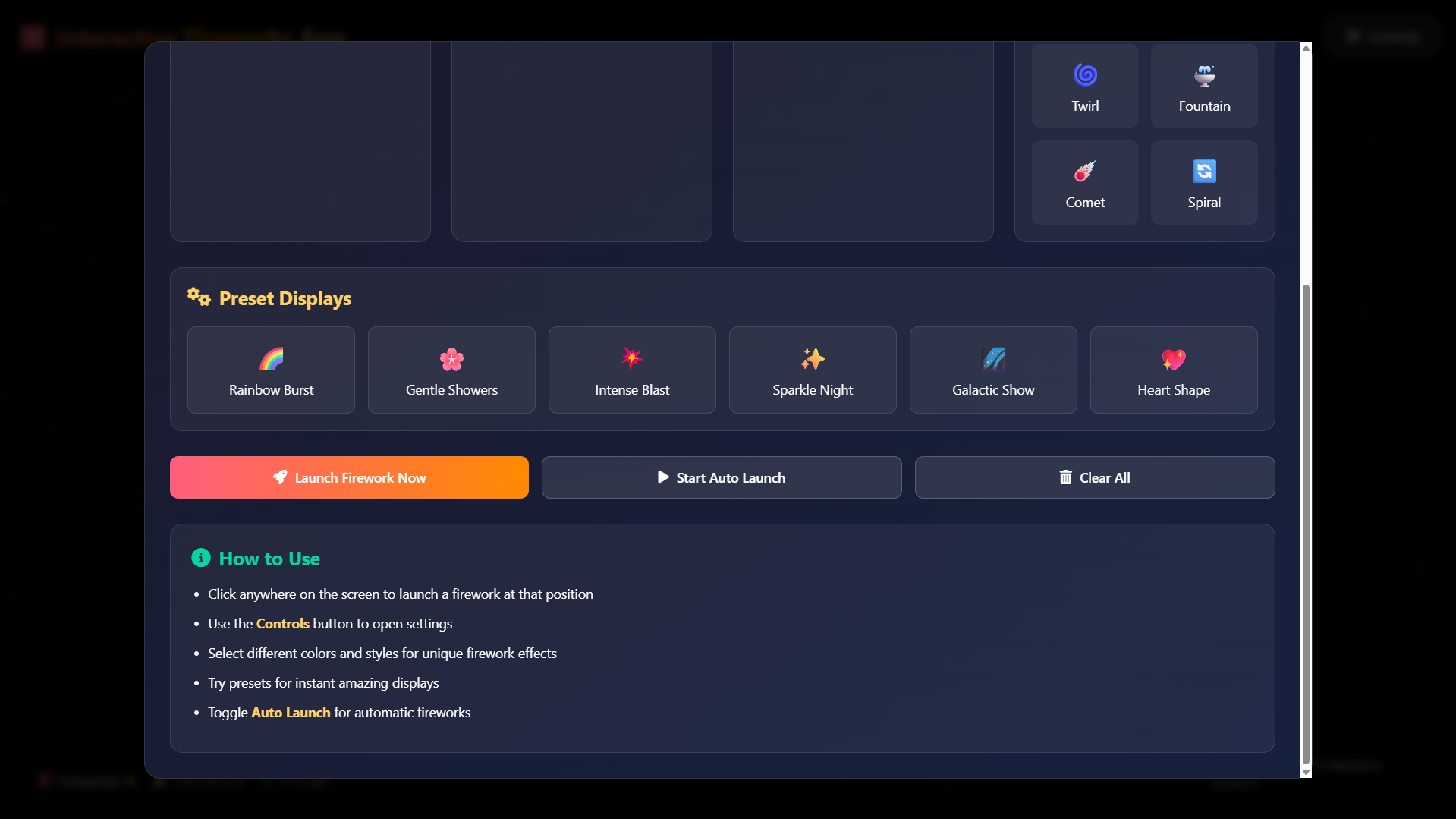
Toggle Auto Launch to start or stop continuous fireworks
Click “Launch Firework Now” to manually trigger a firework
Click “Clear All” to reset the canvas and remove all active fireworks
Monitor real-time performance statistics in the bottom-left corner
Close the control panel by clicking the X button or anywhere outside the modal
Fully responsive and optimized for mobile, tablet, and desktop devices
No installation or external dependencies required—simply open the HTML file in a browser
Sample Screenshots of the Project
Landing Page
Controls
How to Run?
- Download the provided source code zip file.
- Extract the downloaded zip file.
- Open the html file and you are now ready to go!
Video Demonstration for Installation/Setup:
Conclusion:
In conclusion, the Interactive Fireworks Animation App showcases the powerful synergy between creative design and front-end development, demonstrating how HTML, CSS, and JavaScript can be combined to create engaging, visually rich experiences that delight users. This project not only provides endless entertainment through its customizable fireworks displays but also serves as an educational example of modern web animation techniques, responsive design principles, and interactive user interface development. As a testament to the possibilities of browser-based creativity, it invites users to explore, experiment, and appreciate the artistry of digital animation while offering a constantly evolving canvas for personal expression and visual enjoyment.
That's it! I hope this "Interactive Fireworks Animation App Using HTML, CSS and JavaScript" will assist you on your programming journey, providing value to your current and upcoming project.
For additional tutorials and free source codes, explore our website.
Enjoy Coding :>>
Note: Due to the size or complexity of this submission, the author has submitted it as a .zip file to shorten your download time. After downloading it, you will need a program like Winzip to decompress it.
Virus note: All files are scanned once-a-day by SourceCodester.com for viruses, but new viruses come out every day, so no prevention program can catch 100% of them.
FOR YOUR OWN SAFETY, PLEASE:
1. Re-scan downloaded files using your personal virus checker before using it.
2. NEVER, EVER run compiled files (.exe's, .ocx's, .dll's etc.)--only run source code.