
Universal SQL Generator Using HTML, CSS and JavaScript with Source Code
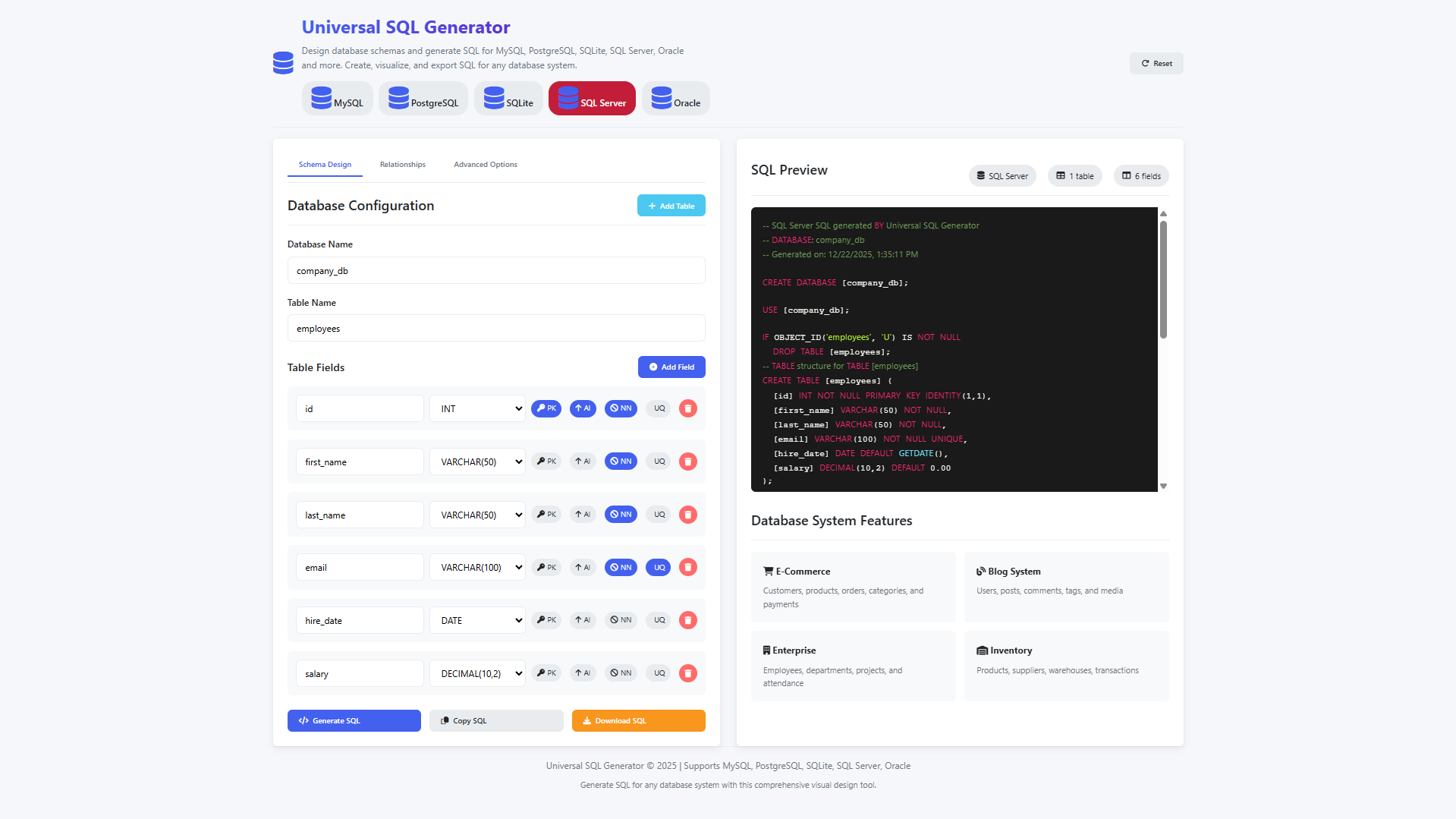
Welcome to the Universal SQL Generator, a powerful web-based application that revolutionizes how database schemas are designed and implemented across multiple database platforms. This innovative tool provides a unified visual interface for creating comprehensive database structures that can be exported to MySQL, PostgreSQL, SQLite, SQL Server, and Oracle with platform-specific optimizations and proper syntax. By eliminating the need to learn the nuanced differences between database systems, this application empowers developers, database administrators, and students to focus on logical database design while automatically generating production-ready SQL code tailored to their chosen platform. Whether you're prototyping a new application, migrating between database systems, or learning database concepts, this tool bridges the gap between conceptual design and technical implementation.
Built entirely with HTML, CSS, and JavaScript, this self-contained application runs directly in your browser with no installations or backend dependencies required. The intuitive tabbed interface guides you through schema design, relationship mapping, and advanced configuration while providing real-time feedback through syntax-highlighted SQL previews. With features like database-specific data types, constraint management, sample templates, and multiple export options, the Universal SQL Generator transforms complex database engineering tasks into accessible visual workflows, making professional-grade database development available to users of all experience levels across any modern web browser.
You may also check this simple HTML, CSS and JavaScript project:
- Time Calculator App
- AI-Powered Budget Planner
- CSS Border Design Generator
- AI Scheduling Assistant
- Modern Anagram Solver
Key Features:
- Multi-database support for MySQL, PostgreSQL, SQLite, SQL Server, and Oracle
- Visual table creation with real-time SQL code generation
- Database-specific data types and syntax for each supported system
- Interactive field management with constraint configuration
- Advanced database options, including character sets and collations
- Foreign key relationship planning and visualization
- Tabbed interface for schema design, relationships, and advanced options
- Sample database templates for common use cases
- Live SQL preview with syntax highlighting for each database type
- Export functionality to copy SQL to the clipboard or download as a
.sqlfile - Real-time table and field counters for quick schema overview
- Professional constraint management with clear visual badges
- Fully responsive design for desktop and mobile devices
Technologies Used:
- HTML5 for semantic structure and the core application framework
- CSS3 with Flexbox and Grid for responsive, modern layouts
- Vanilla JavaScript for application logic and interactivity
- Font Awesome for intuitive interface icons
- CSS custom properties for theming and color management
- Modern browser APIs, including the Clipboard API for copy operations
- Blob API for file generation and SQL downloads
- Client-side storage for user preferences and session management
How to Use:
- Select your target database system: MySQL, PostgreSQL, SQLite, SQL Server, or Oracle
- Enter a database name and define table structures
- Add fields with data types specific to your chosen database
- Configure field constraints such as primary key, auto-increment, not null, and unique
- Navigate between schema design, relationships, and advanced options using the tabbed interface
- Define foreign key relationships between tables as needed
- Set advanced database options, including character sets and collations
- Preview the generated SQL code in real time with syntax highlighting
- Load sample database templates for common scenarios
- Copy the generated SQL directly to the clipboard
- Download the SQL as a formatted file for your selected database system
- Reset the application to begin a new database design from scratch
Sample Screenshots of the Project
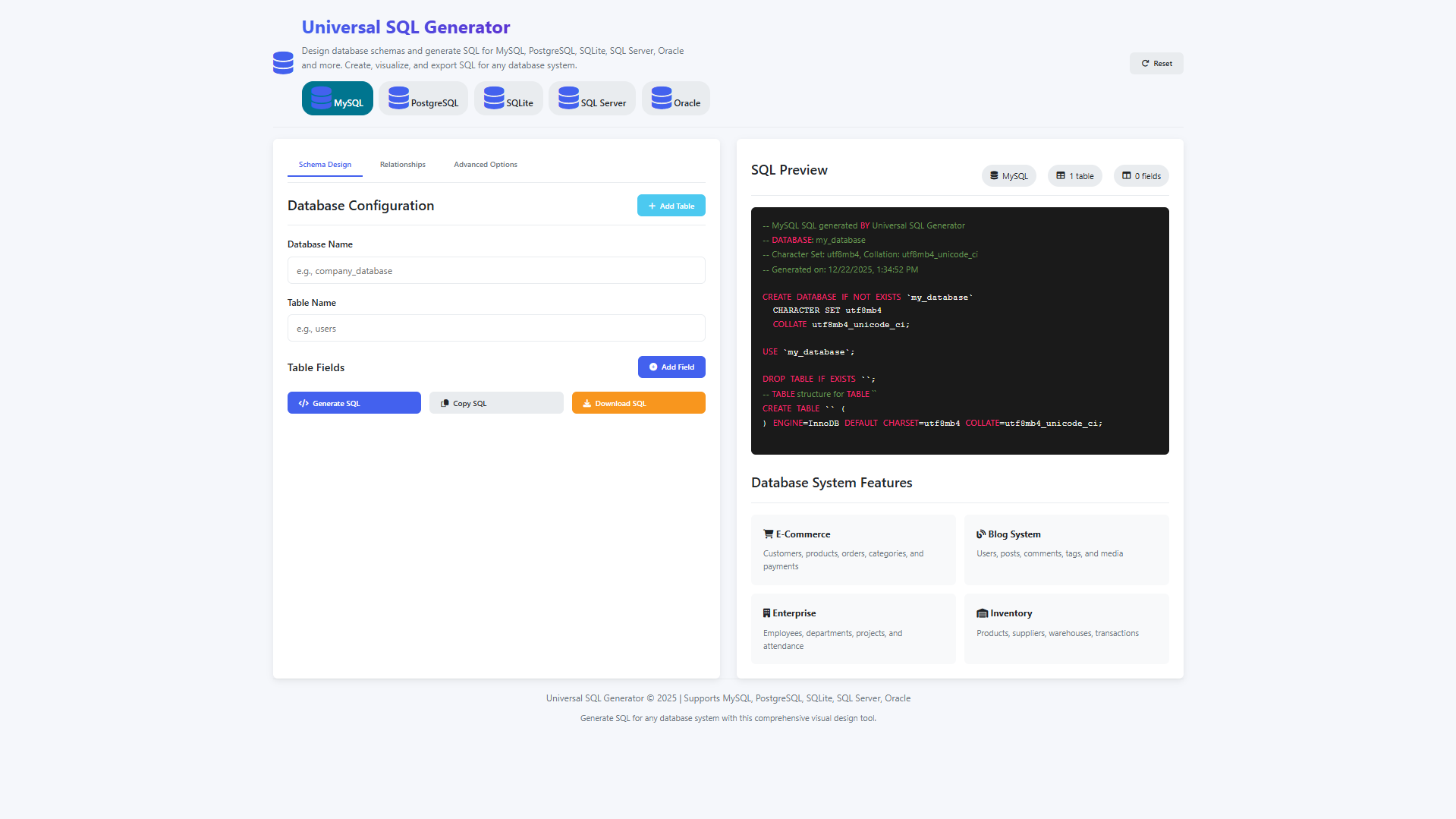
Landing Page
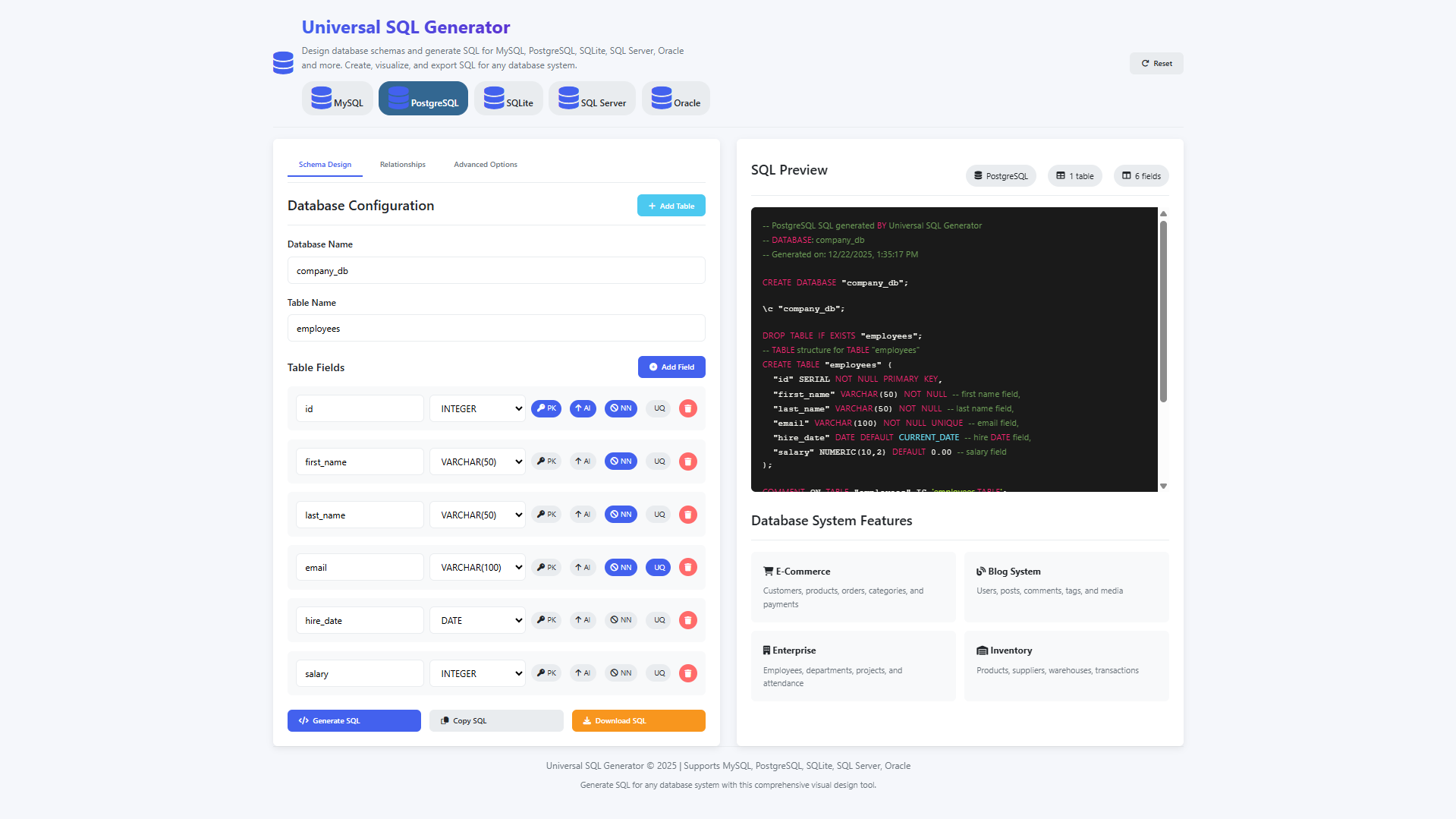
Sample SQL
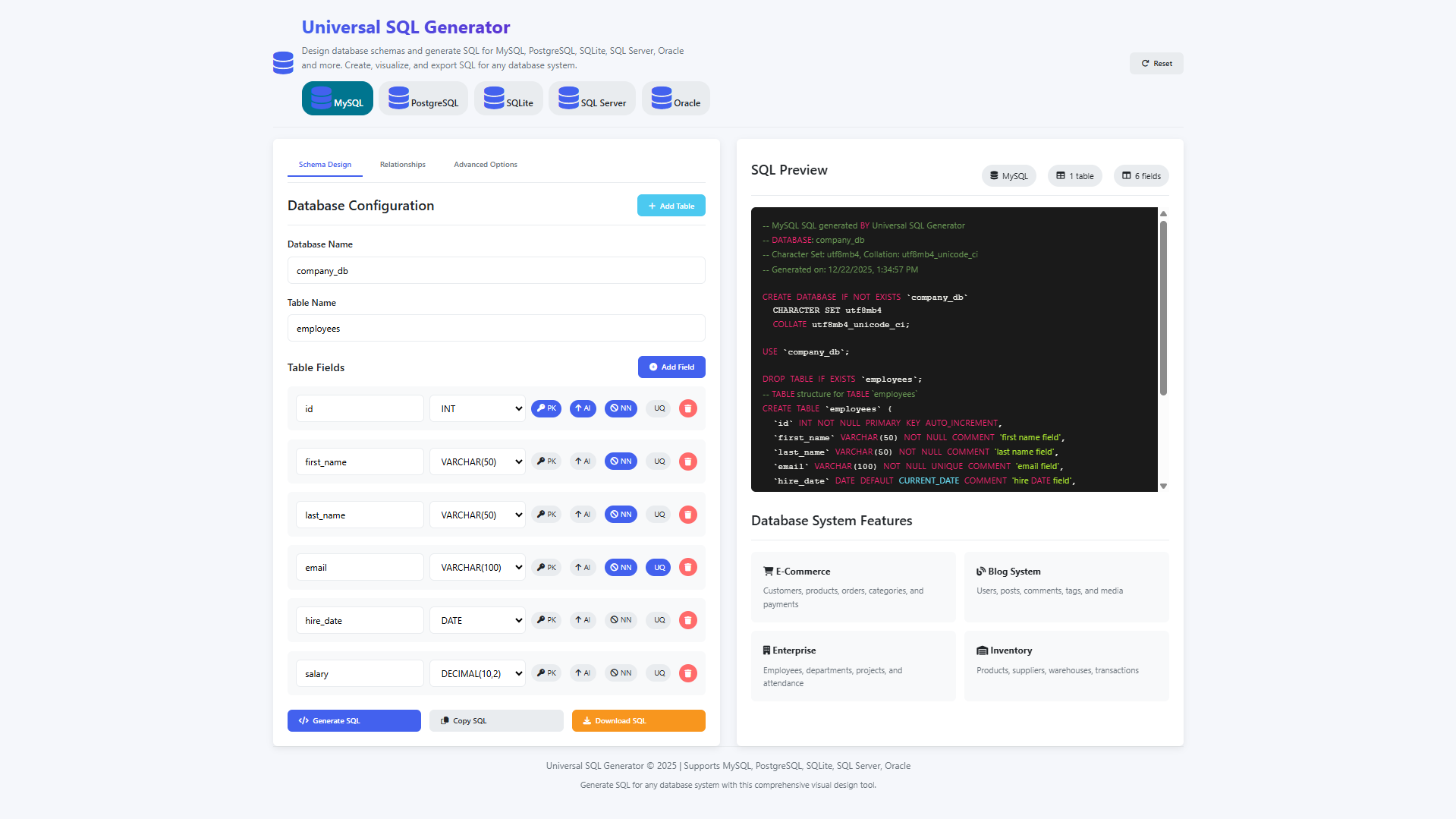
Other SQL Generated
How to Run?
- Download the provided source code zip file.
- Extract the downloaded zip file.
- Open the html file and you are now ready to go!
Video Demonstration for Installation/Setup:
Conclusion:
In conclusion, the Universal SQL Generator represents a significant advancement in database development tools by providing a comprehensive, platform-agnostic solution for designing and implementing database schemas across all major SQL database systems. By combining an intuitive visual interface with sophisticated backend logic that handles the nuanced syntax differences between MySQL, PostgreSQL, SQLite, SQL Server, and Oracle, this application democratizes professional database design while significantly reducing development time and minimizing syntax errors. As a completely frontend solution requiring no installation or server configuration, it offers unprecedented accessibility and flexibility, empowering users to create, visualize, and export optimized database structures for any target environment directly from their web browser, ultimately bridging the gap between conceptual database architecture and practical multi-platform implementation.
That's it! I hope this "Universal SQL Generator Using HTML, CSS and JavaScript" will assist you on your programming journey, providing value to your current and upcoming project.
For additional tutorials and free source codes, explore our website.
Enjoy Coding :>>
Note: Due to the size or complexity of this submission, the author has submitted it as a .zip file to shorten your download time. After downloading it, you will need a program like Winzip to decompress it.
Virus note: All files are scanned once-a-day by SourceCodester.com for viruses, but new viruses come out every day, so no prevention program can catch 100% of them.
FOR YOUR OWN SAFETY, PLEASE:
1. Re-scan downloaded files using your personal virus checker before using it.
2. NEVER, EVER run compiled files (.exe's, .ocx's, .dll's etc.)--only run source code.