
AI-Powered Budget Planner Using HTML, CSS and JavaScript with Source Code
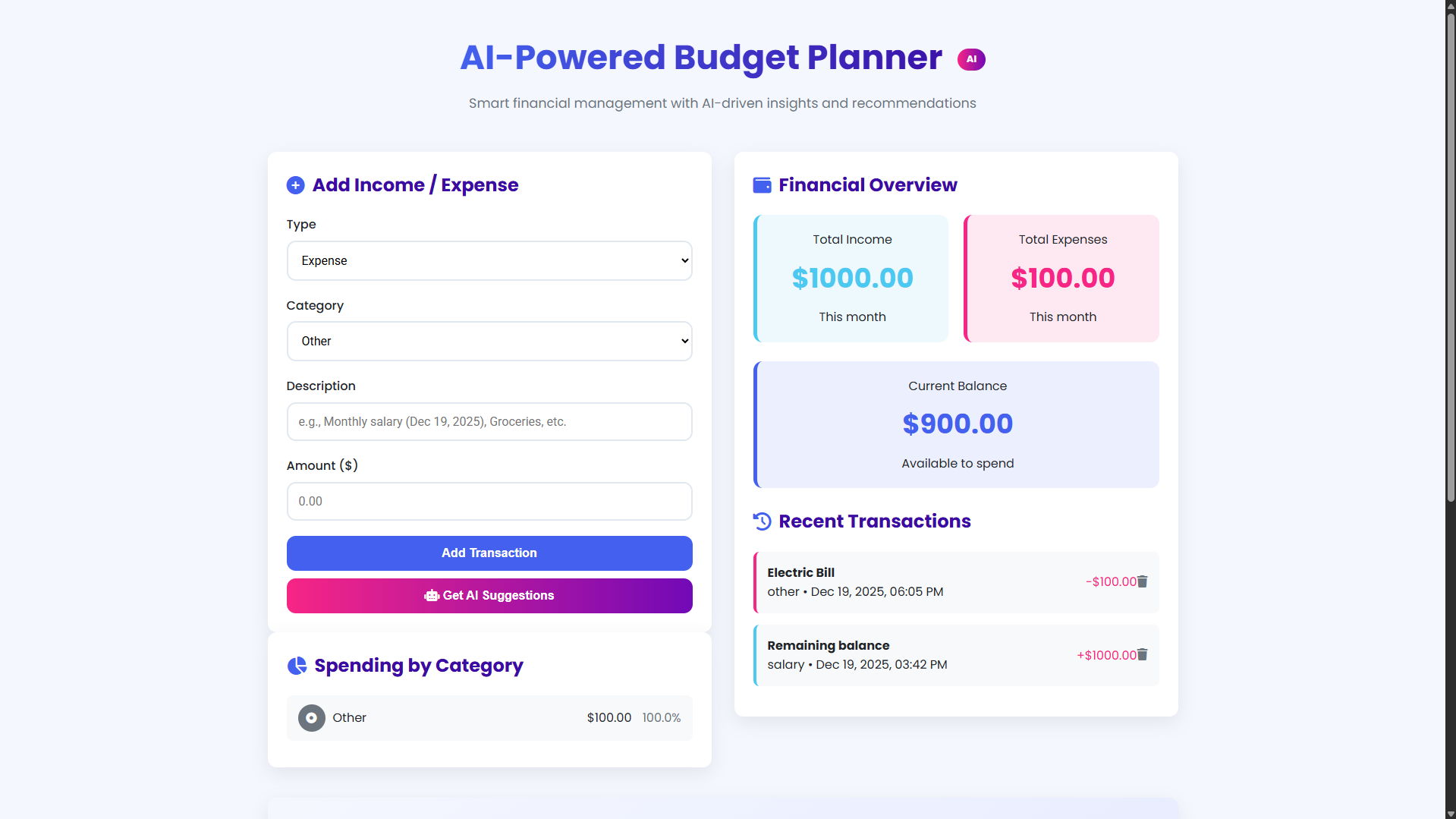
Welcome to the AI-Powered Budget Planner, a modern web application designed to transform how you manage your personal finances. This intuitive tool combines smart budgeting features with artificial intelligence insights to help you track income, monitor expenses, and make informed financial decisions. With its clean, responsive interface and real-time calculations, you can easily visualize your financial health and maintain control over your spending habits, all within a single, accessible platform.
Built using HTML, CSS, and JavaScript, this application offers a comprehensive suite of features including category-based expense tracking, visual spending breakdowns, and AI-generated recommendations tailored to your financial patterns. Whether you're looking to save more, reduce unnecessary expenses, or simply gain better visibility into your cash flow, this budget planner provides the tools and intelligence to help you achieve your financial goals with confidence and clarity.
You may also check this simple HTML, CSS and JavaScript project:
- Time Calculator App
- AI Fortune Teller
- CSS Border Design Generator
- AI Scheduling Assistant
- Modern Anagram Solver
Key Features:
Modern, responsive design with gradient accents and a card-based layout
Income and expense tracking with organized categories
Real-time financial overview displaying totals and current balance
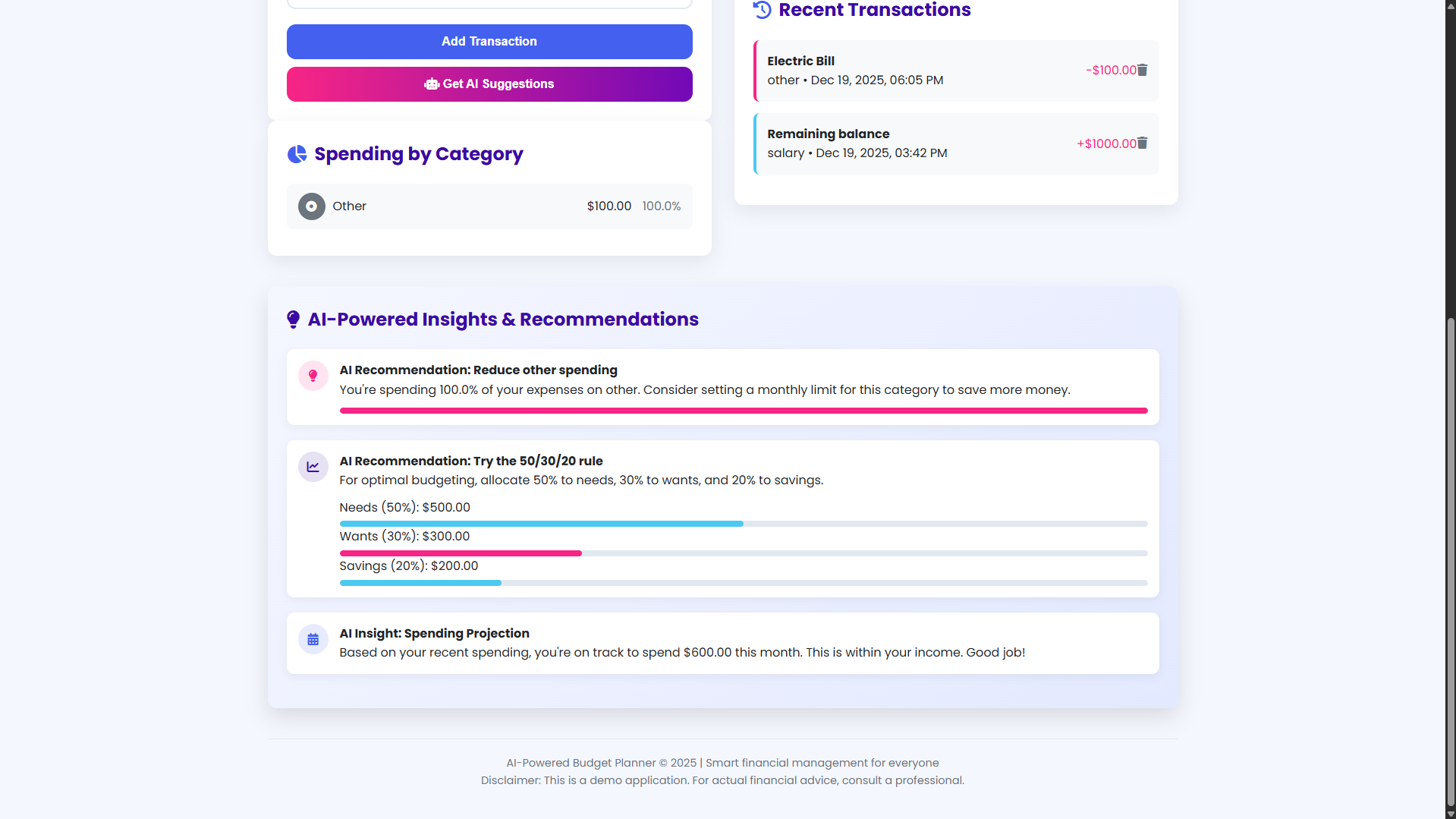
AI-powered insights with personalized financial recommendations
Visual spending breakdown by category with percentage indicators
Interactive transaction management with add and delete functionality
“Get AI Suggestions” feature for tailored financial advice
Local storage support to preserve data between sessions
User notifications for actions and updates
Empty states and progress indicators for an improved user experience
Technologies Used:
HTML5 for semantic structure and content organization
CSS3 with Flexbox and Grid for responsive layouts
Vanilla JavaScript for interactive functionality
Font Awesome icons for visual enhancement
Google Fonts (Poppins and Roboto) for modern typography
CSS variables for consistent theming
Local Storage API for data persistence
Gradient backgrounds and modern CSS effects
How to Use:
Open the application in any modern web browser
Add income by selecting the “Income” type, choosing a category, and entering a description and amount
Add expenses in the same way by selecting the “Expense” type
View the financial overview with real-time updates for income, expenses, and balance
Check the spending breakdown by category in the left panel
Review recent transactions in the right panel
Click “Get AI Suggestions” to receive personalized financial recommendations
Delete transactions by clicking the trash icon
All data is automatically saved to your browser’s local storage
The application works offline once loaded in your browser
Sample Screenshots of the Project
Landing Page

Sample Calculation
AI Recommendation
How to Run?
- Download the provided source code zip file.
- Extract the downloaded zip file.
- Open the html file and you are now ready to go!
Video Demonstration for Installation/Setup:
Conclusion:
In conclusion, the AI-Powered Budget Planner demonstrates how modern web technologies—HTML, CSS, and JavaScript—can be combined to create an intelligent, user‑centered financial tool that is both practical and insightful, empowering users to take control of their finances with clarity, confidence, and the added advantage of data‑driven recommendations.
That's it! I hope this "AI-Powered Budget Planner Using HTML, CSS and JavaScript" will assist you on your programming journey, providing value to your current and upcoming project
For additional tutorials and free source codes, explore our website.
Enjoy Coding :>>
Note: Due to the size or complexity of this submission, the author has submitted it as a .zip file to shorten your download time. After downloading it, you will need a program like Winzip to decompress it.
Virus note: All files are scanned once-a-day by SourceCodester.com for viruses, but new viruses come out every day, so no prevention program can catch 100% of them.
FOR YOUR OWN SAFETY, PLEASE:
1. Re-scan downloaded files using your personal virus checker before using it.
2. NEVER, EVER run compiled files (.exe's, .ocx's, .dll's etc.)--only run source code.