
Input Type Designer Using HTML, CSS and JavaScript with Source Code
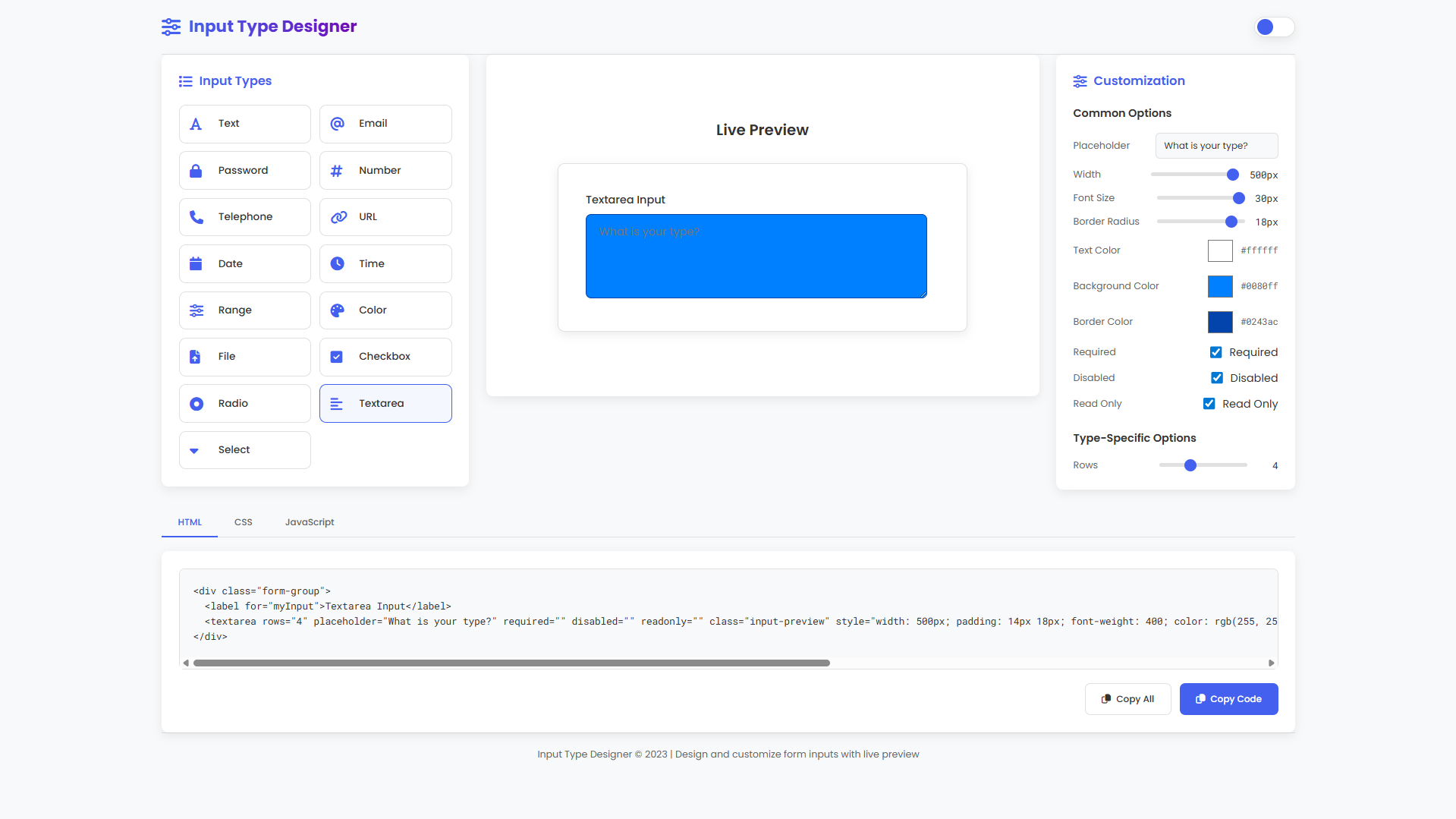
Welcome to the Input Type Designer, an innovative web application built with HTML, CSS, and JavaScript that revolutionizes how you create and customize form inputs. This powerful tool provides a visual, interactive environment where you can design, style, and configure various HTML input elements with real-time feedback. Whether you're a beginner learning web development or an experienced developer looking to streamline your workflow, this application offers an intuitive interface to experiment with different input types, adjust their appearance, and instantly generate clean, production-ready code for your projects.
This comprehensive designer supports 15 different input types—from basic text fields and email inputs to specialized elements like color pickers, date selectors, range sliders, and file uploaders. With its modern dark/light theme, responsive layout, and live code generation featuring syntax-highlighted HTML, CSS, and JavaScript displayed simultaneously, you can effortlessly bridge the gap between visual design and functional implementation. Every customization you make—from color choices and sizing adjustments to behavioral attributes—is immediately reflected in the preview panel and corresponding code output, creating a seamless design-to-development experience.
You may also check this simple HTML, CSS and JavaScript project:
- Modern Image Background Remover
- Interactive Fireworks Animation
- Sales Tax Calculator
- Interactive 3D Christmas Tree
- Christmas Present Animation
Key Features:
Supports 15 HTML input types including text, email, password, number, date, time, range, color, file, checkbox, radio, textarea, and select
Real-time preview that instantly reflects all customization changes
Comprehensive customization panel for styling, sizing, and behavior controls
Dark and light mode toggle for comfortable viewing
Live code generation for HTML, CSS, and JavaScript
Syntax highlighting for improved code readability
Fully responsive design for desktop and mobile devices
One-click copy functionality for generated code
Interactive controls such as color pickers, sliders, and toggles
Type-specific customization options based on selected input
Smooth animations and transitions for visual feedback
Technologies Used:
HTML5 for semantic structure and form elements
CSS3 with custom properties, Flexbox, and Grid for modern layouts
Vanilla JavaScript for dynamic interactivity
Font Awesome for icons and UI cues
Google Fonts (Poppins and Roboto Mono) for typography
CSS custom properties for dynamic theming
Responsive design principles for cross-device compatibility
Modern CSS features including box-shadow, border-radius, and transitions
Clipboard API for code copy functionality
DOM manipulation for real-time updates
How to Use:
Select an input type from the left panel
View the live preview in the center panel
Customize styling, sizing, and behavior using the right panel
Adjust visual properties like width, font size, padding, and colors
Configure attributes such as placeholder, required, disabled, and read-only
Use type-specific options that appear dynamically
View generated HTML, CSS, and JavaScript code instantly
Copy the complete code using the “Copy All Code” button
Toggle between dark and light modes from the header
Implement the generated code directly into your project
Sample Screenshots of the Project
Landing Page
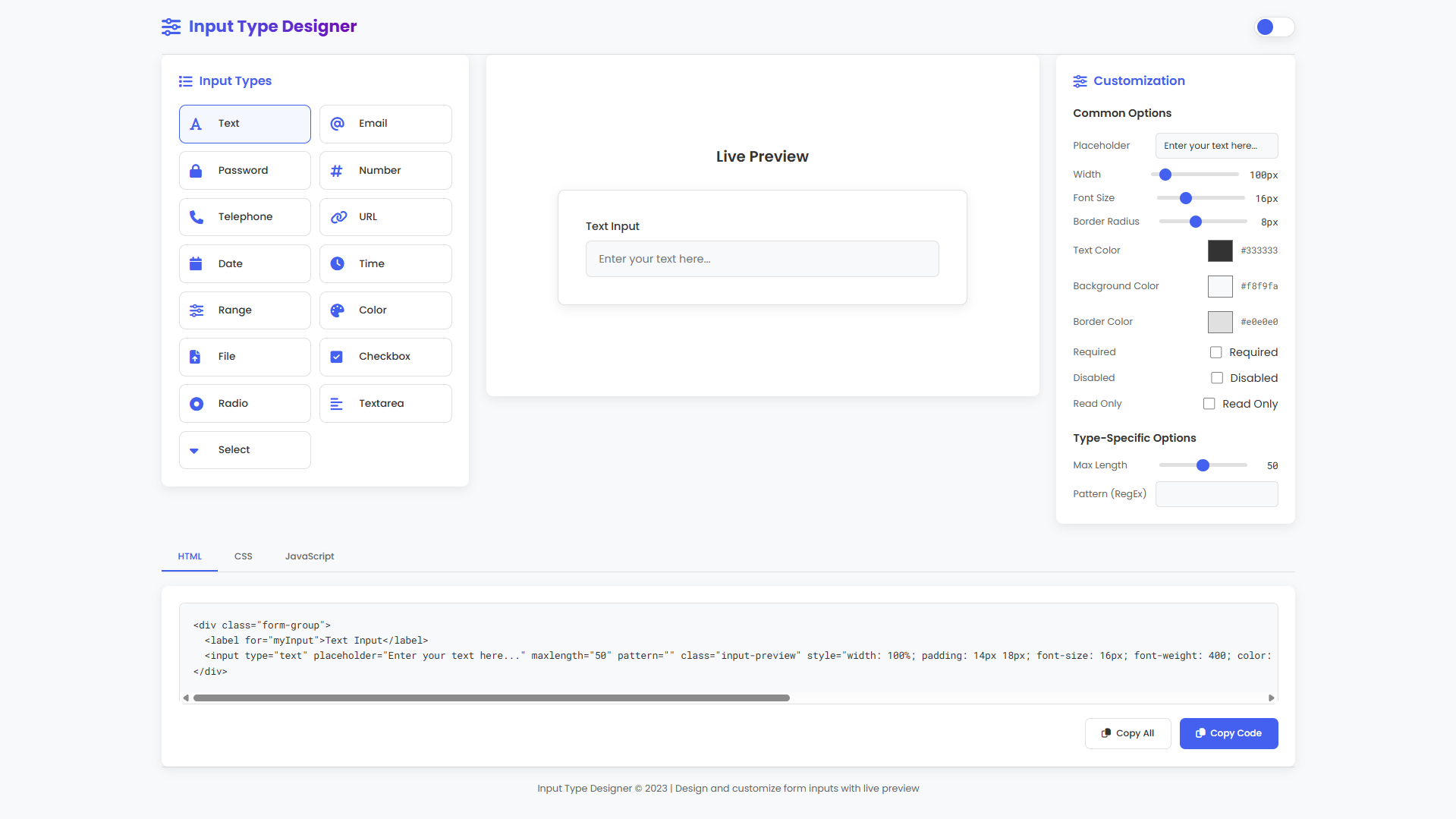
Sample Design
How to Run?
- Download the provided source code zip file.
- Extract the downloaded zip file.
- Open the html file and you are now ready to go!
Video Demonstration for Installation/Setup:
Conclusion:
In conclusion, the Input Type Designer successfully bridges the gap between visual design and functional implementation by providing a comprehensive, interactive platform where developers can intuitively customize form inputs and instantly generate production-ready code. This application demonstrates the power of modern web technologies—HTML, CSS, and JavaScript—working in harmony to create practical tools that enhance development workflows, promote experimentation, and ultimately help build better user interfaces through real-time feedback and streamlined code generation.
That's it! I hope this "Input Type Designer Using HTML, CSS and JavaScript" will assist you on your programming journey, providing value to your current and upcoming project.
For additional tutorials and free source codes, explore our website.
Enjoy Coding :>>
Note: Due to the size or complexity of this submission, the author has submitted it as a .zip file to shorten your download time. After downloading it, you will need a program like Winzip to decompress it.
Virus note: All files are scanned once-a-day by SourceCodester.com for viruses, but new viruses come out every day, so no prevention program can catch 100% of them.
FOR YOUR OWN SAFETY, PLEASE:
1. Re-scan downloaded files using your personal virus checker before using it.
2. NEVER, EVER run compiled files (.exe's, .ocx's, .dll's etc.)--only run source code.