Tutorials

Regular Expression for a Strong Password

Submitted by planetsourcecode on
This snippet shows a Regular Expression for a strong password. ^(?=.*\d)(?=.*[a-z])(?=.*[A-Z])(?!.*\s).*$ About the author: Planet Source Code is a place for all developer providing free source codes, articles, complete projects,complete application in PHP, C/C++, Javascript, Visual Basic, Cobol, Pascal, ASP/VBScript, AJAX, SQL, Perl, Python, Ruby, Mobile Development

Cookies in asp.net

Submitted by planetsourcecode on
Cookies are one of the way to store data during the time when web server and browser are not connected. common use of cookies is to remember users between visits.Cookies is a small text file sent by web server and saved by web browser on client machine Creating cookies in asp.net using system //saving cookie Response.Cookies["Cookiename"].Value="biscuit";

Introduction to Java

Submitted by admin on


Java was developed in the year 1991 and was formally announced in 1995. Basically, java is based on C and C++. The character of java is inherited from both of these two languages. Syntax of java is related to C and Object Oriented facial from C++.

Now java is used to create web sites including interactive content, iphone applications, applications for devices like pagers and cell phones etc.

Key Features of Java

How to Retrieve and Save Data using TextBox Control

Submitted by admin on

This tutorial is part of Database Programming Made Easy Series.
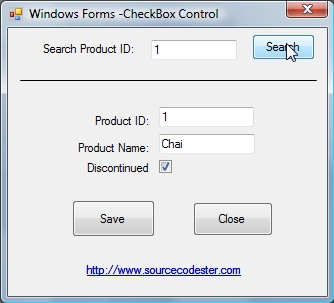
In this tutorial you will learn in different ways on how to retrieve and save data using textbox control.

First we retrieve the data using Data Readers and save it back using ExecuteNonQuery.

Second we will use Dataset and Data Adapter. The same output but with different approach.

Previous: Windows Forms

Windows Forms

Submitted by admin on

Windows Form

This tutorial is part of Database Programming Made Easy Series.

Without Windows Forms your application may look like a DOS application, running in a black and white screen without a Graphical User Interface.

This tutorial will discuss on how to use different controls like TextBox, Label, ComboBox, Button, CheckBox, and finally the ListView Control to access data from our database.