email

Creating a CodeIgniter Signup From with Email Verification
Submitted by nurhodelta_17 on
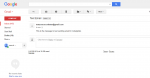
This tutorial tackles how to create a simple signup form with validation and email verification in CodeIgniter. CodeIgniter is a lightweight PHP framework that uses MVC(Model-View-Controller) architecture. Sending email verification is a way to check whether the users' inputted email is valid or not.

How to Check Email Availability using jQuery and PHP/MySQLi

Submitted by nurhodelta_17 on
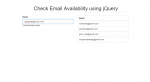
This tutorial tackles on how to check the availability of email using jQuery and PHP with MySQLi-OOP. In user registration, we don't want that multiple users have the same email or in short we want the email to be unique to each user. To do so, we use validations to validate an email then we check if the email already exist.

Send SMS Using Desktop

Submitted by asiasoft on
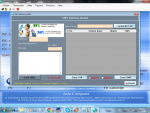
This project written in VB.NET 10 as front end and MS Access as back end. This is useful for Classes, Schools,Trust,Colleges etc. User can Add 1. Master Data 2. Group 3. Send SMS with Multiple Languages with own Sender ID i.e. CBSBI, AxixBk, IDBIBk, etc. & Get Also Reports of Master & Hitory of SMS , Create templates of SMS etc. User-ADM Password-ADM For students or anyone else who needs program

Registration Validation by Email

Submitted by bethwel on
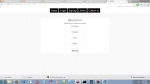
The following is a simple application i created with php and mysql it utilize email validations and also data encryption. It has simple registration and login page. how to use: 1.extract sample.zip 2.copy the extracted to www/ htdocs folder of your server. 3.import users.sql. 4.load localhost and signup. 4.signup to create new user.

Email Validation using VB6

Submitted by donbermoy on
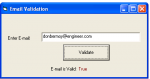
Last month, I had discussed already in vb.net on how to make a program that can validate or determine whether an inputted email address is true or not. Now, i have here a different version of email validation written in VB 6.0. strong>Now, let's start this tutorial! 1.Let's start this tutorial by following the following steps in Microsoft Visual Basic 6.0: Open Microsoft Visual Basic 6.0, click Choose Standard EXE, and click Open. 2.