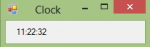
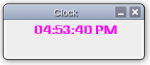
clock

Simple Clock in Visual Basic
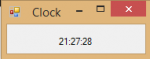
Submitted by Yorkiebar on
Introduction: This tutorial is on how to create a simple clock in Visual Basic. Design: For this, we simply need a new Windows Form, with one label - call it; 'clockLbl'. You may center the label to the middle of the form in both x and y axis' and give it a large font size. We also need a timer, name this timer1. Set it's interval to 1000ms/1second and it's enabled state to 'True'. Form Load: On form load, we want to initiate the label with the current computer time.

How to Create a Clock in Visual Basic

Submitted by Yorkiebar on
Introduction: Welcome to a tutorial on how to create a clock in Visual Basic. Steps of Creation: Step 1: I will just be loading the current time in to a simple, plain label. You can customize yours or set it as a filewriter etc. So first we want to set checking for illegal crossThread calls to false on the form load. This is because we will be using a new thread to run the loop of updating the

Easy Way to implement A Dynamic Clock in Java using Threads

Submitted by mehfuza on
Introduction: In this Tutorial, creation of clock which updates every second is explained. Here we create an Application for clock. It shows Hour, minutes and seconds which updates every second. Main Idea: The Dynamic clock can be created using Java's Timer thread but here we will see how to use our own thread and accomplish the task. This tutorial can clear any doubts you have in Java Threads.