Programming

Login to MySQL Server and configuration in registry

Submitted by Thongkorn on
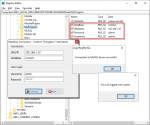
This simple demo I offer to do. The login system connection with the MySQL Server. By storing the connection details in the system registry. First by connecting to the MySQL server and the next users must log in to the data table. Addition, you able to press Ctrl + F5 a button for run mode "Run As Administrator" by setting some value in Registry. Thank You. I hope this sample application will help

Inventory System 1.0

Submitted by michael.galanza2016 on
To run the system please follow the step below. 1.Create Database name db_project2017 and import the database db_project2017. 2.Upload the file to your server directory. 3 Import the database. 4. Login the account given below. account: [email protected] password: password 5. go to link http://[::1]/index.php/inventory Hope this system guide you and this will be usefull without any warranty. For

Integrated Payroll System

Submitted by ramos.cj360 on
A comprehensive payroll software solution perfectly developed to address the needs of a company to their employees time records and payroll activities. The system was developed using Visual studio dot net. Features Highlight Employee Information (Historical) Flexible Payroll Period(Historical) Easy to use and generate payroll slip(Historical) Loan Manager(Historical) Cash Advances(Historical)

Human Resource Management System 1.0

Submitted by michael.galanza2016 on
Human Resource Management System 1.0 To run the system please follow the step below. 1.Create Database name db_project2017 and import the database db_project2017. 2.Upload the file to your server directory. 3 Import the database. 4. Login the account given below. account: [email protected] password: password Hope this system guide you and this will be usefull without any warranty. For updates and

Phone Book

Submitted by Amir63 on

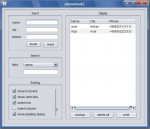
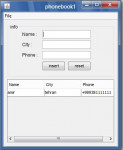
This is a simply contact form developed using Java. It uses MySQL as a data source. You can print all data in data source and performed backup from data source. Also you can searched on data source and performed more things.
Contact Form in Java

Submitted by Amir63 on
This is a very simply contact form developed using Java. It uses MySQL as a data source. You must first create a connection to MySQL data source by clicking the Create Connection menu item in file menu. Then insert data in to data source. Also you can delete items from data source by Delete key. Hope you like it guys.