
CET-Tally System: Advanced College Event Tallying & Leaderboard System in PHP and MySQL
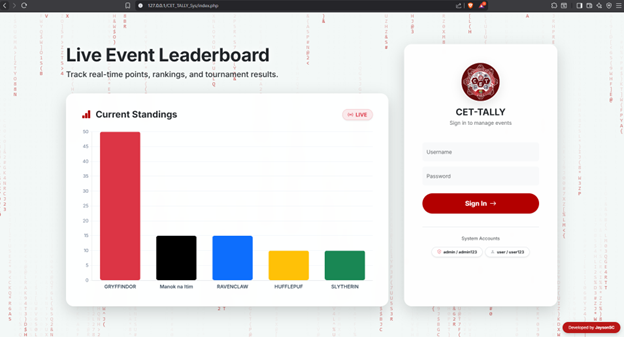
The CET-Tally System is a modern and fully automated web-based tally system designed to track, manage, and display real-time scores for college intramurals, tournaments, and institutional events. It is developed using PHP, MySQL, and Bootstrap 5, making it reliable, fast, and easy to deploy in different environments.
This system provides a clean and professional user experience with a unique glassmorphism interface design. It combines visual appeal with functionality by integrating interactive charts and dynamic data visualization, allowing users to clearly understand team rankings and performance.
Compared to traditional manual tallying methods, the CET-Tally System offers a more efficient and accurate solution. It features a powerful Live Tally Board that allows instant score updates during events. It also includes an engaging animated landing page with a Matrix-style digital background and a Dynamic Leaderboard powered by Chart.js for real-time ranking updates.
One of the system’s key advantages is its Auto-Deployment Database feature. Upon first launch, the system automatically creates its required database tables and default user accounts. This removes the need for manual database setup or SQL file import, making installation simple and beginner-friendly.
The CET-Tally System is ideal for IT students, developers, and event organizers who need a secure, efficient, and easy-to-use tallying solution for managing events and competitions.
Key Features
Secure Authentication & User Interface
- Animated Landing Page: A visually engaging homepage featuring a custom Red & White Matrix Digital Rain effect that enhances user experience.
- Live Landing Leaderboard: Displays real-time event rankings even before users log in, allowing quick access to current standings.
- Role-Based Access Control: Ensures system security by providing separate access levels for Admin (full control) and User (view-only access).
- Modern Glassmorphism UI: Built with Bootstrap 5, the interface uses frosted glass elements, soft shadows, and a responsive layout for better usability across devices.
Administrator Features
- Automated System Deployment: Automatically generates database tables such as users, teams, events, and scores during the first system run.
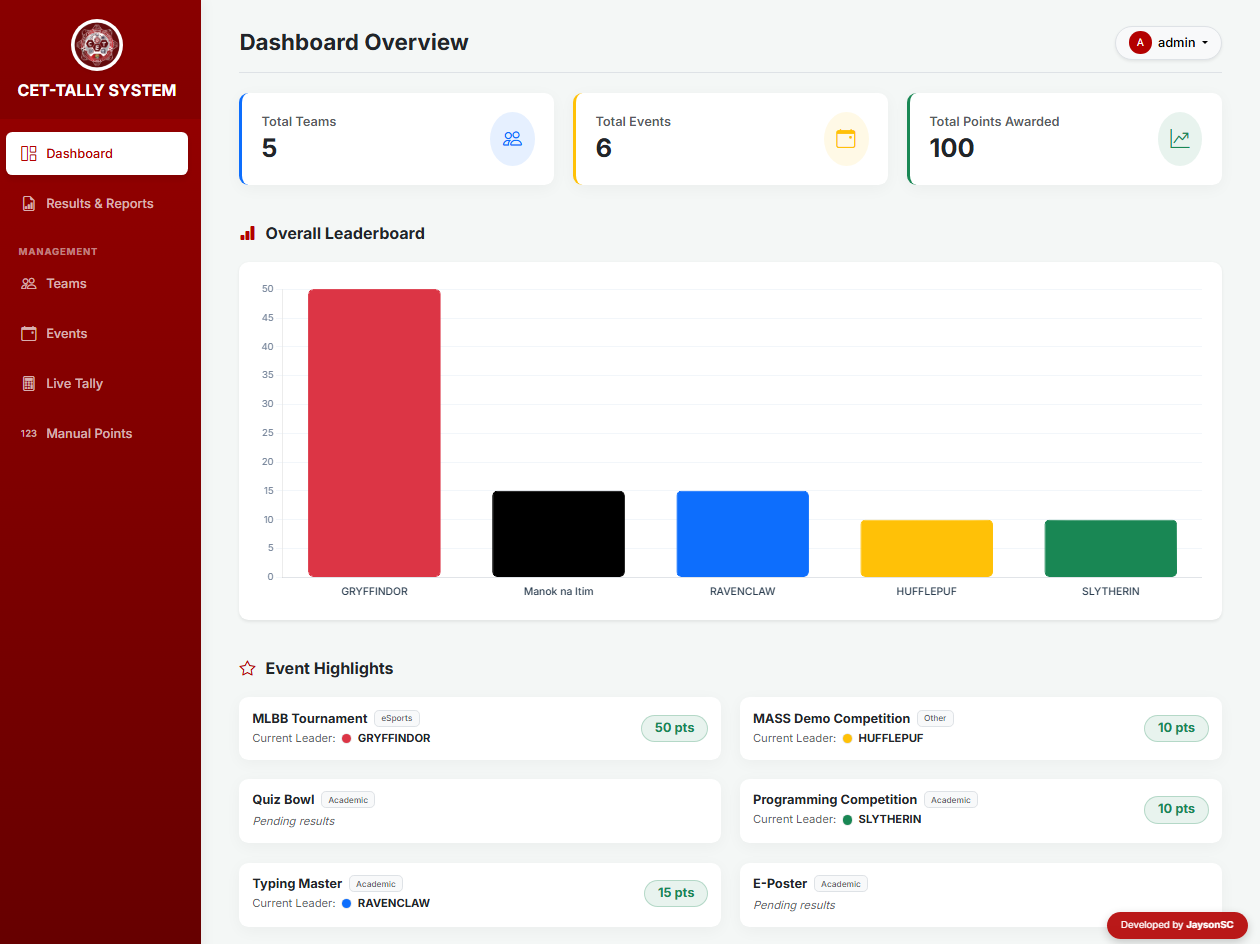
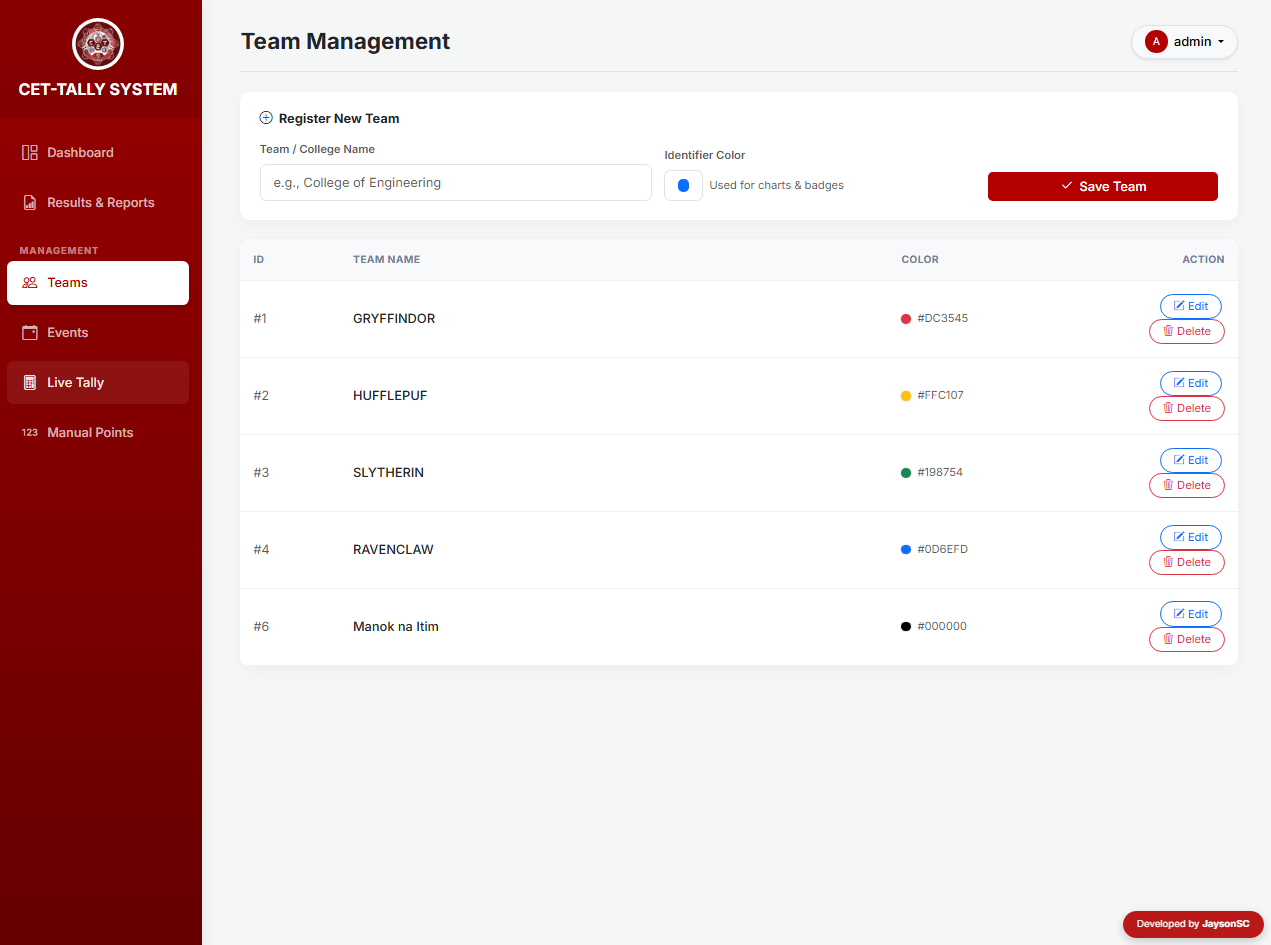
- Team Management: Allows full control (Create, Read, Update, Delete) of teams, including assigning custom colors for visual charts and leaderboards.
- Advanced Security Deletion: Requires admin password confirmation before deleting a team to prevent accidental data removal.
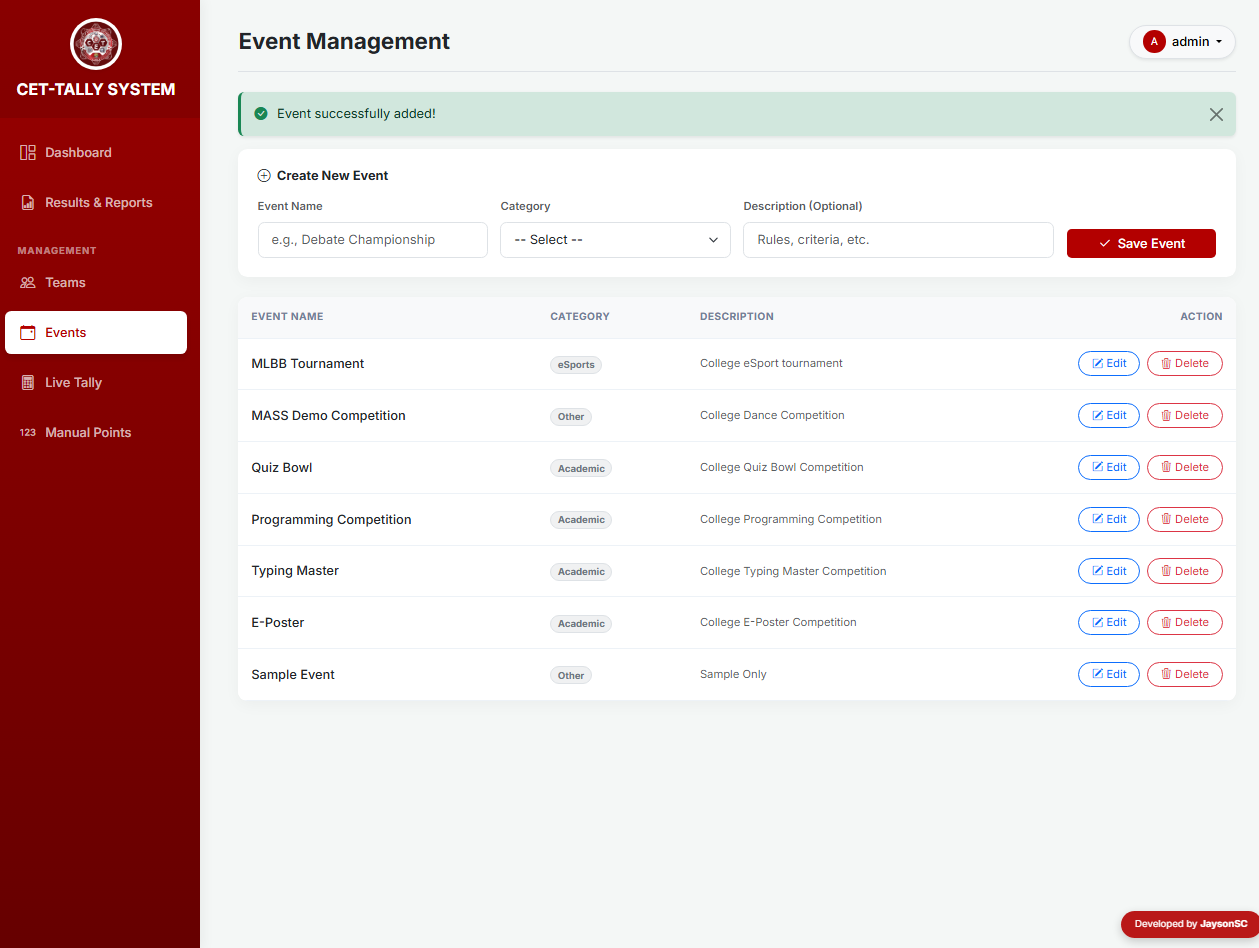
- Categorized Event Management: Enables adding and organizing events into categories such as Academic, Sports, eSports, Cultural, and Pageant.
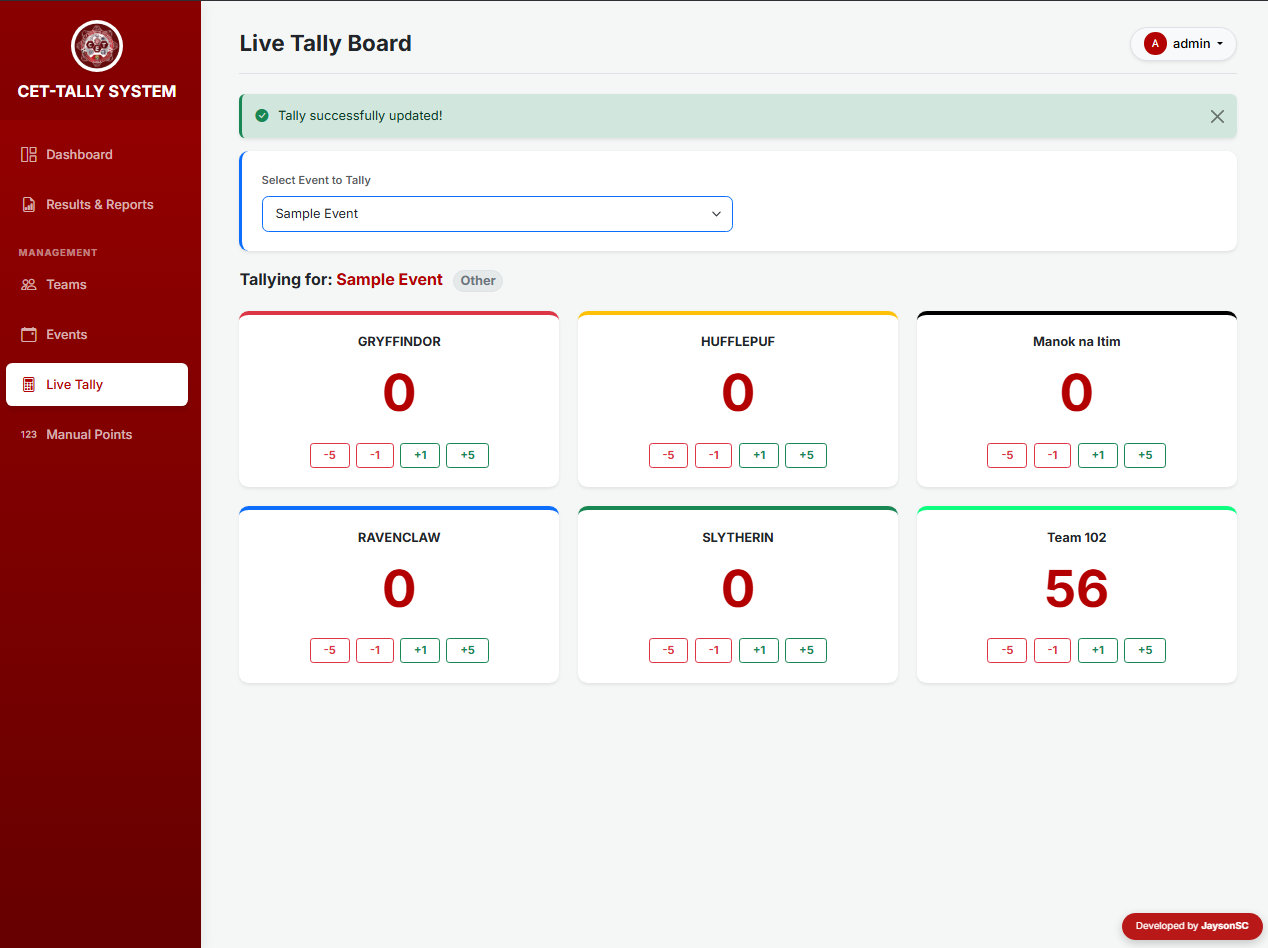
- Live Tally Board: Provides a fast and interactive way to update scores in real time using quick controls like +1, -1, +5, and -5.
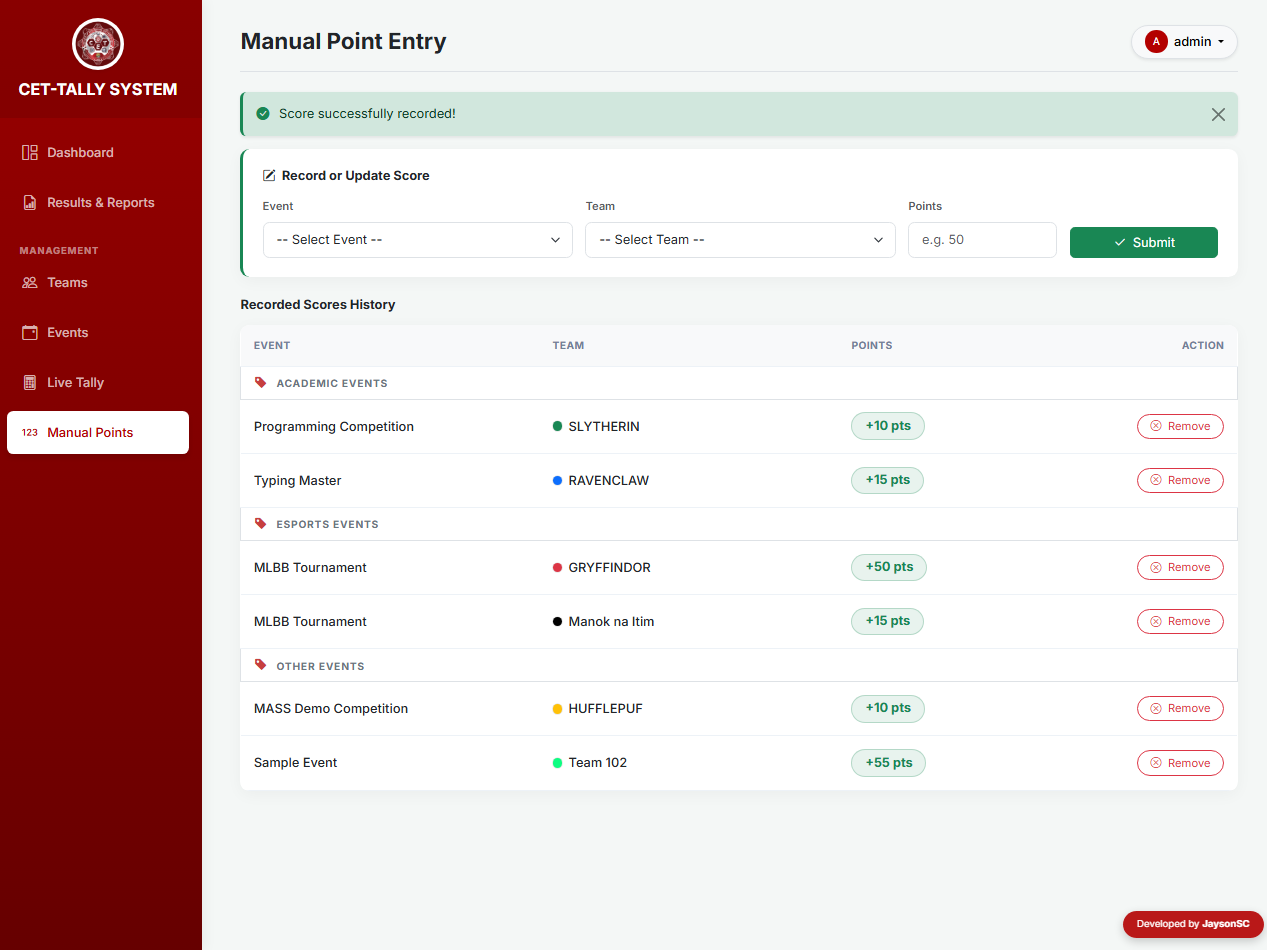
- Manual Score Entry: Allows administrators to input exact final scores for specific teams and events when needed.
Analytics & Reporting
- Real-Time Graphical Leaderboard: Displays animated bar charts powered by Chart.js, showing team rankings using assigned team colors.
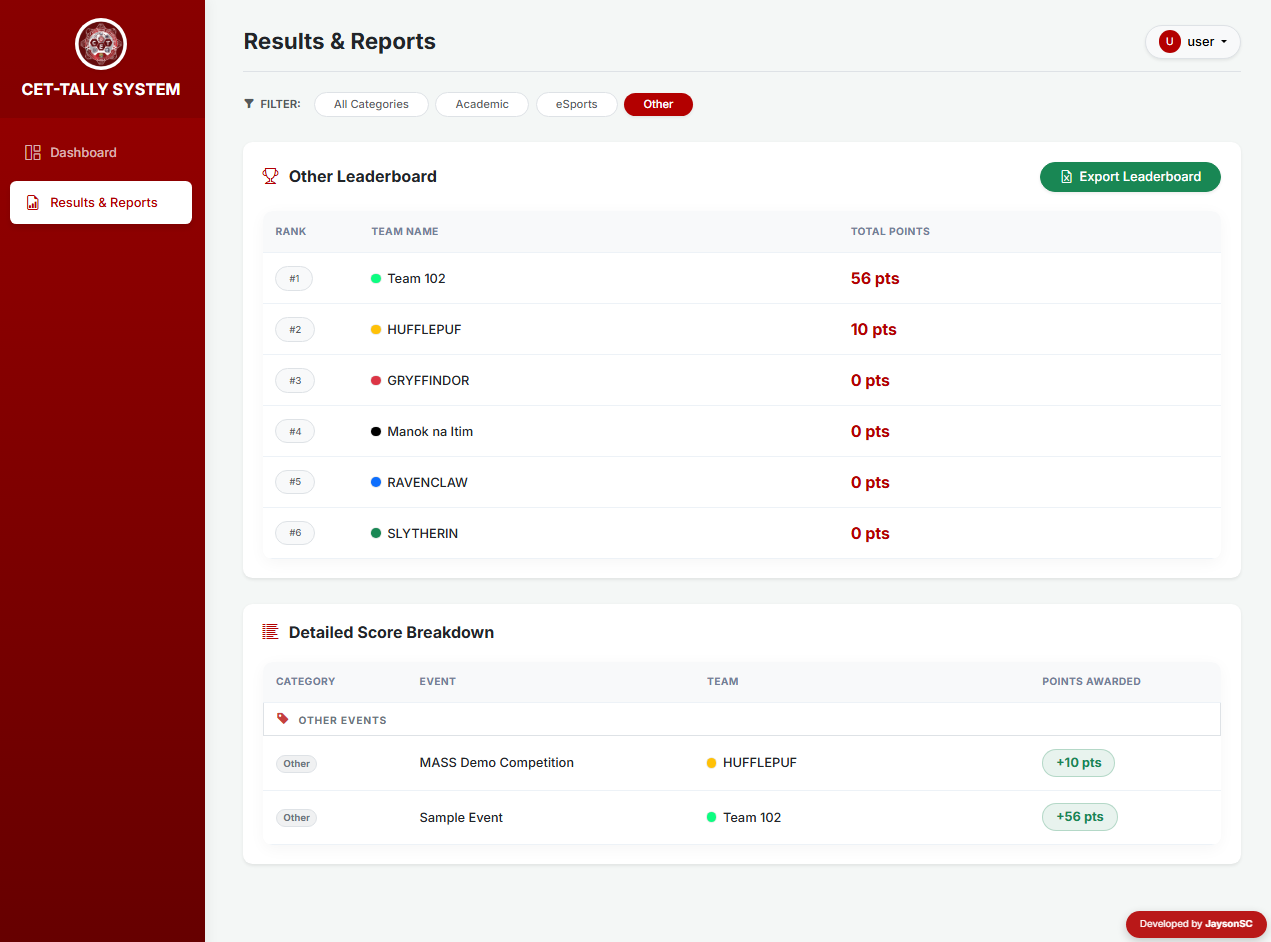
- Category Filtering: Lets users filter leaderboards and score data by specific event categories, making it easier to view targeted results.
- Export to Excel (CSV): Generates downloadable reports in .csv format for overall rankings and detailed score breakdowns with a single click.
Snapshots
Admin - Dashboard
Admin - Team Management
Admin - Event Management
Admin - Manual Points Entry
Admin - Live Tally
User - Reports
How to Install and Run
- Requirements: Install a local web server such as XAMPP or WAMP.
- Download: Get the source code .zip file and extract it to your computer.
- Start Apache and MySQL from your server control panel.
- Open your browser and go to http://localhost/phpmyadmin/.
- Create a database named college_tally. (No SQL import is required because the system automatically creates the tables.)
- Copy the extracted project folder into your XAMPP htdocs directory (e.g., C:\xampp\htdocs\cet-tally).
- Open your browser and navigate to http://localhost/cet-tally/ to run the application.
Default Login Credentials
-
Admin Account (Full Access)
Username: admin
Password: admin123 -
User Account (View Only)
Username: user
Password: user123
Explore more on this website for more Free Source Codes, Tutorials, and Articles covering various programming languages.
Note: Due to the size or complexity of this submission, the author has submitted it as a .zip file to shorten your download time. After downloading it, you will need a program like Winzip to decompress it.
Virus note: All files are scanned once-a-day by SourceCodester.com for viruses, but new viruses come out every day, so no prevention program can catch 100% of them.
FOR YOUR OWN SAFETY, PLEASE:
1. Re-scan downloaded files using your personal virus checker before using it.
2. NEVER, EVER run compiled files (.exe's, .ocx's, .dll's etc.)--only run source code.