Time

If, Else and Else If Statements

Submitted by GeePee on
Introduction: Hello. In this tutorial you will learn about the if, else and else if statements. When are these statements used? The if statement is used to check if certain conditions are true. For example, just like we would say in English, if the time of day is noon we should eat lunch, else we shouldn't. So, what is else if? Since the if statement is used to check if certain conditions are true and else is for the opposite, what else do we need? To be able to check multiple times if certain conditions are true, but not the same.

Convert Time into Text in VB.NET

Submitted by donbermoy on
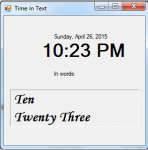
Today, I will teach you how to convert time into text using VB.NET because usually we always display the time in numbers. Now, let's start this tutorial! 1. Let's start with creating a Windows Form Application for this tutorial by following the following steps in Microsoft Visual Studio: Go to File, click New Project, and choose Windows Application. 2.

Animation Delay Property in CSS3

Submitted by alpha_luna on
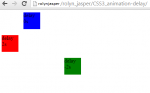
Let's discuss, what is a animation-delay in CSS3. The animation-delay property specifies when the animation should start. The animation-delay value can be defined in seconds (s) or milliseconds (ms). Syntax of this property: animation-delay: time | initial | inherit ; Property Values: time - it specifies the time (can be a negative number) before the animation begins. This is a time difference

ProgressBar Clock in VB.NET

Submitted by donbermoy on
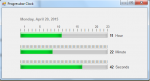
Today, I will teach you how to create a program that displays a clock using the ProgressBar in VB.NET. Now, let's start this tutorial! 1. Let's start with creating a Windows Form Application for this tutorial by following the following steps in Microsoft Visual Studio: Go to File, click New Project, and choose Windows Application. 2. Next, add a Timer named Timer1.

Displaying Digital and Analog Clock in VB.NET

Submitted by donbermoy on
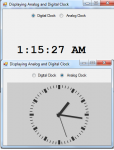
Today, I will teach you how to create and display the digital and analog time. Now, let's start this tutorial! 1. Let's start with creating a Windows Form Application for this tutorial by following the following steps in Microsoft Visual Studio: Go to File, click New Project, and choose Windows Application. 2. Next, add two radioButtons named rbDigital and rbanalog. Insert also a timer named Timer1, add a label named Label2, and a webbrowser named WebBrowser1.

How to Convert the Days And Time in Visual Basic 2008

Submitted by janobe on
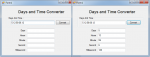
In this tutorial I will teach you how to convert the combined days and time by using Visual Basic 2008. This kind of method segregates the combined days and time (2.06:58:08.32) into days, hours, minutes, seconds and milliseconds. So that you can easily identify its different fields.

DateTime Picker Control Using C#

Submitted by joken on
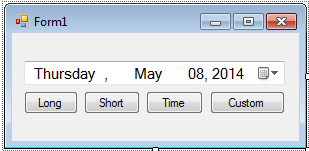
In this tutorial I’m going to show you how to use a DateTimePicker control in C#. The DateTimepicker control allows the user to select a date and a time and to display the date and time with specified format. To start creating this application, let’s create a new project in C# and we will call it as “Dates”. Then from the toolbox drag a DateTmePicker and four Buttons. The design will look like as shown below. da1 Next, to add functionality to our application double click the “Long” button.