php

Object Oriented C Programming In PHP With advance query and trapping sql injection

Submitted by michael.galanza on
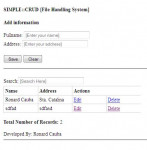
1. Create Database name OOP 2. Create table about your project 3. include or require the MySqlDb.php to any of your project query 3. Create $Db = new MySqlDb('localhost', 'root', '', 'OOP'); depending on your localhost username and password 4. your automatic query are in delete,save,edit and update are $Db->where('tableid', table subject); $Db->delete('database table'); 5. database example in

Forum Tutorial - MOTD and Banning Messages

Submitted by Yorkiebar on
Introduction: This tutorial is going to be covering message of the days and banning messages. Database Setup: First we are going to set the database up ready for storing our information, create a new table named "reasons", then give it the following columns of structure: id - INT - 5 Length - Primary Key - Auto Increment (AI/A_I) use - VARCHAR - 255 Length message - VARCHAR - 255 Length additional - VARCHAR - 255 Length We are going to make the use value "motd" for Message of the Day, or "ban" for the banning message.

Multiple Queries in One Table using PHP and MySQL

Submitted by ronard on
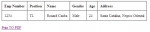
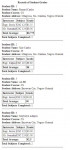
Hi, I would like to share this script. For those who are novice in PHP and MySQL. This script will teach you on how to select two tables/multiple tables from your database in one table in html. I used the ID of each student in "tb_students" table and to call thier grades in table of grades/tb_grades. So that the grades are display together with the student info. Hope this will help you to you. For

Simple Login System: Auto Logout after 15 Minutes of Inactivity

Submitted by ronard on
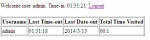
Hi, In this tutorial will teach you on how to auto logout the system if there is no activity on the page within 15 minutes. This will protect the account of the user who forgot to logout. The script attached is just a simple and easy to learn. Just unzip the downloaded zip and in the "db" folder having a "tutorials" folder and just copy it and then paste in this path (xampp/mysql/data/). And then

Forum Tutorial - User Levels #3 - Admin Privileges, Banning Users & Logging Out

Submitted by Yorkiebar on
Introduction: This tutorial is the third and final episode to the User Levels section of my Forum Creation Tutorial series. In this part, we are going to be adding banning functionality and giving the admins their privileges. Admin Privileges: This part is essentially the same as the moderator privileges part found the previous tutorial.

Forum Tutorial - User Levels #1 - Setting Up & Altering Register Functions

Submitted by Yorkiebar on
Introduction: This tutorial will be continuing my creating a forum in PHP/MySQLi/HTML tutorial series. I have received a request to implement user levels to the system, so this tutorial will be setting up the things we need, and adjusting the register script to avoid errors. The Theory: Each user will have an access level, each of which have different permissions.

Forum Tutorial - Deleting Posts

Submitted by Yorkiebar on
Introduction: This tutorial is on how to add the ability for a user to delete their posts. The Theory: We could add a user panel where it lists all the users posts along with options to delete them, but instead we are going to add a delete option adjacent to the post itself to save space - plus I'm planning on making an admin panel tutorial soon. The PHP: So in the part of the PHP where we actually output each reply to a thread, we want to check if the logged in users' username held in the session variable is equal to the author of the post,