Javascript

Validate Decimal Number in Javascript
Submitted by GeePee on
This project will teach you how to validate decimal number in javascript. It is important to validate first the input data before submitting. The user must meet the requirements to be able to proceed with the next procedure. There are textfield which requires numbers only, so we have to block the non-numeric characters to avoid errors. Hope you learn from this.

setAttribute/removeAttribute in Javascript

Submitted by GeePee on
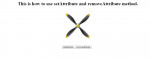
This project will teach you how to use setAttribute and removeAttribute method in javascript. setAttribute adds an attribute to a specified element and give it a value. Like in my example, I add an attribute of class and the value is animate which I give an animation. So, by pressing the setAttribute button, the element starts to animate and by clicking removeAttribute, the animation stops

Clipping Canvas Element in Javascript- Circle Shape

Submitted by GeePee on
This tutorial will teach you how to clip canvas element in javascript. On my previous example, I also discuss clipping but I used pure css/html. This time we will do it in javascript. You can also create different shapes like what we did in css example. Here's the link of css clipping if you've never seen it. Next project, I'm gonna show you the polygon shape. Hope you learn from this.

selectAll Text in Javascript

Submitted by GeePee on
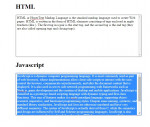
This project will teach you how to create a selectAll text in a div using javascript. With this method, the user can easily copy all of the content on the selected div specially large amount of content. It has only few lines of codes in javascript using execCommand method. Don't forget also to set to true the div contenteditable event. Hope you learn from this.

Shadow Effect on Canvas Element in Javascript

Submitted by GeePee on
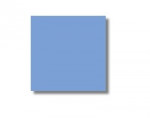
This project will teach you how to create a shadow effect on canvas element using javascript. You have the option to set the shadow whether what position you set them in(if the shadow x position is on left side, that is negative number and right side is positive number. The same with y position, if the shadow is on the upper side, that is negative number and bottom is positive number. The positive

Detecting Unsaved Work in Javascript

Submitted by GeePee on
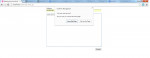
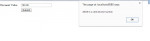
This project will teach you how to trap your user with an unsaved work. It has only few lines of code in javascript. If the user has unsaved work and application that is not completed and attempt to close the window, the pop up message will appear asking if you want to leave the page or stay on the page. Simple yet very useful. Hope you learn from this.

Pick Up Keyboard Input in Javascript

Submitted by GeePee on
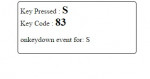
This project will teach you how to pick up keyboard using javascript. Once the user press the key, it will display what key has been pressed and its keycode. It can also detect keyboard properties. You will notice that when the user press the key and hold, it has a status onkeydown event for whatever key user pressed and on released, it changes to onkeyup event. This is very useful in creating

Creating Links That Open in a New Window Using Javascript

Submitted by GeePee on
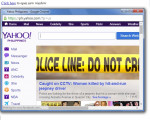
This project will teach you how to create a link that open in a new window using javascript. It is easy and useful with just a few lines of codes attached. There are options to modify the new window opened. You can either display the status bar, menu bar, directories bar, you can also either put a scroll bar, where to position the new window in your screen and the size of the new window. Hope you