
Library Management System using Python Flask and SQLite with Source Code
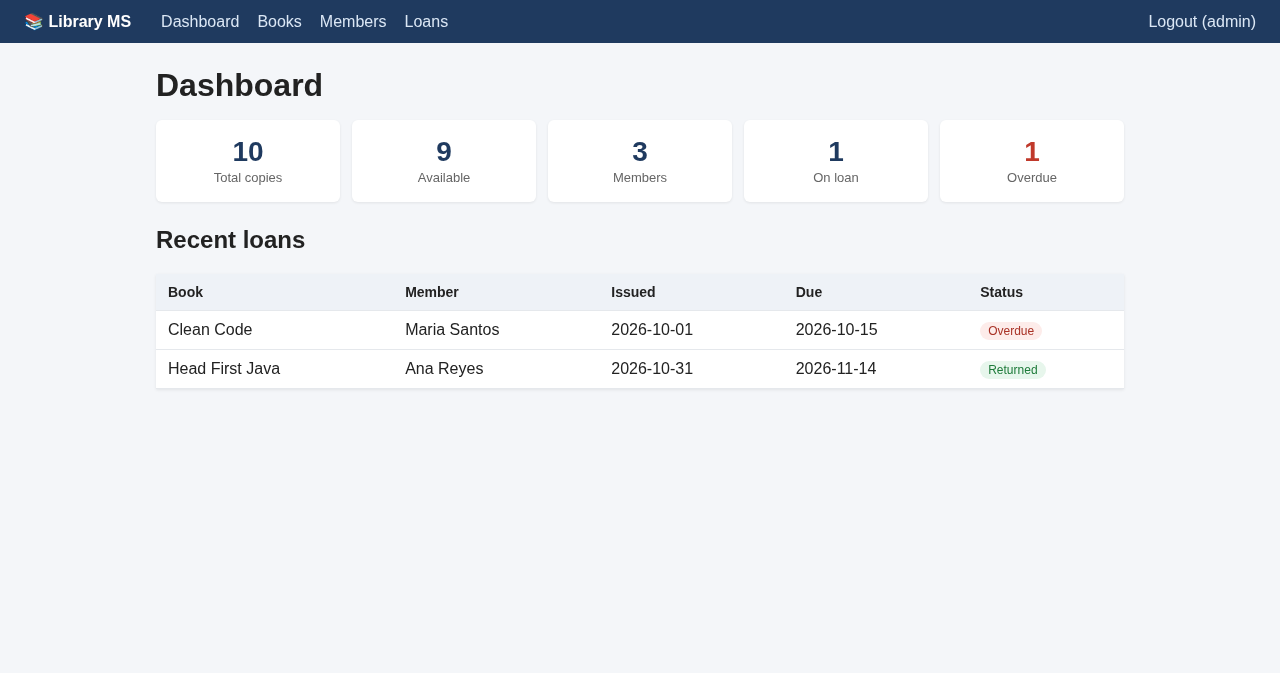
The Library Management System is a web application built with Python Flask and SQLite. It lets a librarian manage books and members, issue and return books, and instantly see which loans are overdue, all from a clean browser-based dashboard. It is small enough to read in one sitting, yet it covers the features teachers usually look for in a school project: login, full CRUD, searching, relationships between tables, and business rules.
The Library Management System using Python Flask and SQLite with Source Code is free to download. Just read the content below for more information. This application is for educational purposes only.
Library Management System Basic Information
- Language used: Python 3
- Framework: Flask
- Front-end used: HTML, CSS and Jinja2 templates
- Database used: SQLite (created automatically)
- Coding Tool used: VS Code, PyCharm or any text editor
- Type: Web Application
About the Library Management System
Many beginner library projects are desktop programs or single-file scripts. This one is a real web application: it runs in the browser, uses sessions for login, and stores data in a relational database with four tables (users, books, members and loans). Because it uses SQLite, there is no database server to install. The database file is created with sample data the first time you run the app, so you can explore every feature right away.
The code is written to be easy to follow. Every route lives in a single app.py file with clear sections, and each page has its own template. That makes it a good starting point if you are learning Flask, or if you need a base system to extend for a capstone or thesis project, for example by adding fines, barcode scanning or email reminders.
Library Management System Features
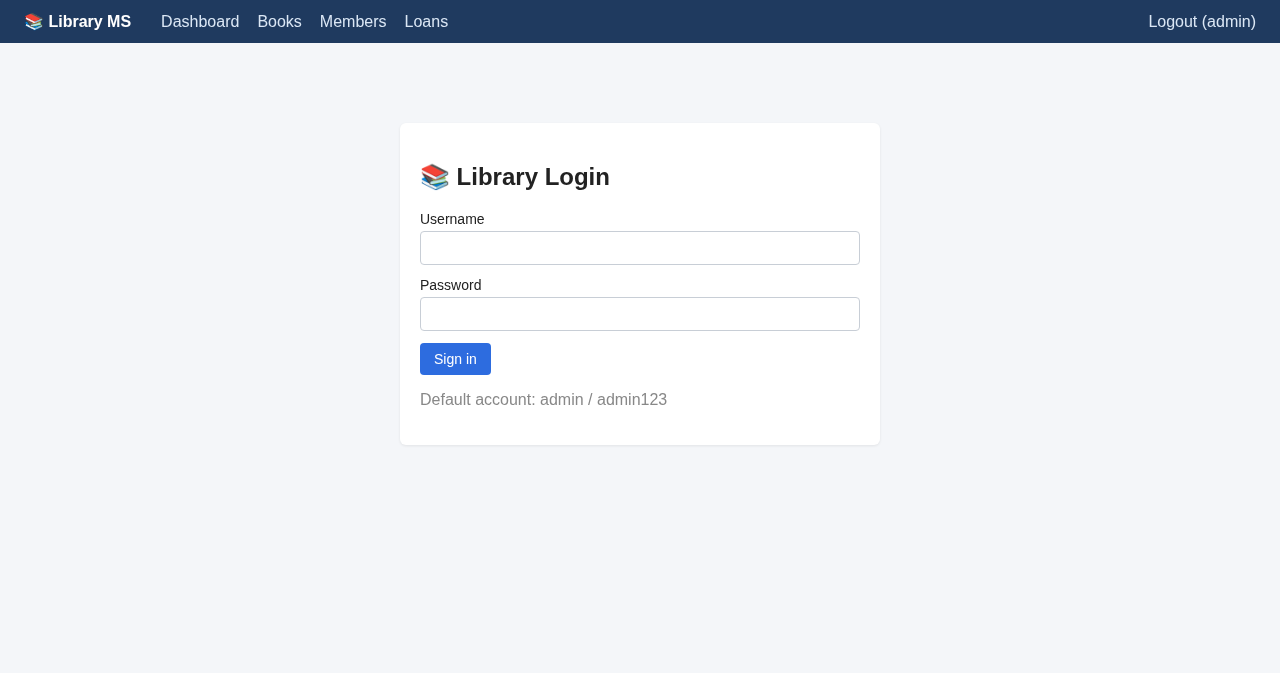
- Secure Admin Login
- Passwords are stored as hashes using Werkzeug, never as plain text.
- Every page except the login page is protected by a
login_requireddecorator.
- Dashboard
- Shows total copies, available copies, members, books on loan and overdue loans.
- Lists the most recent loans with a status label (On loan, Returned or Overdue).
- Book Management
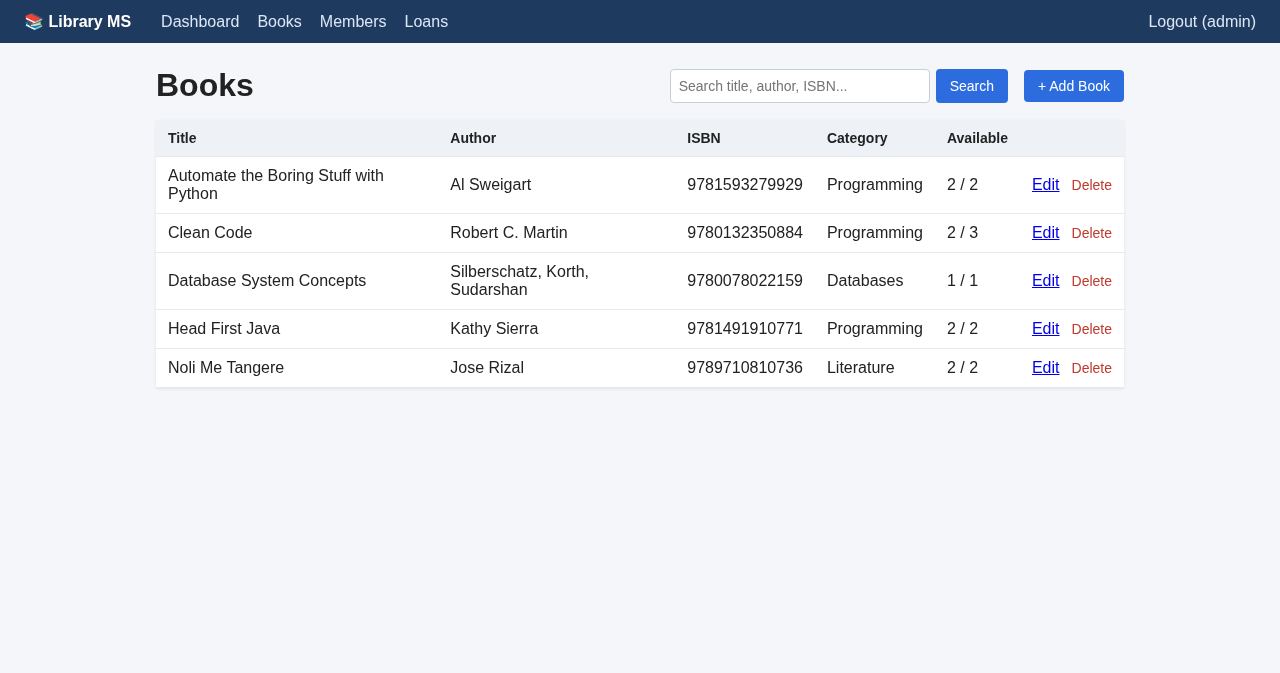
- Add, edit and delete books with title, author, ISBN, category and number of copies.
- Search by title, author, ISBN or category.
- Duplicate ISBNs are rejected.
- Member Management
- Add, edit and delete library members, with unique email addresses.
- See how many books each member currently has borrowed.
- Issue and Return Books
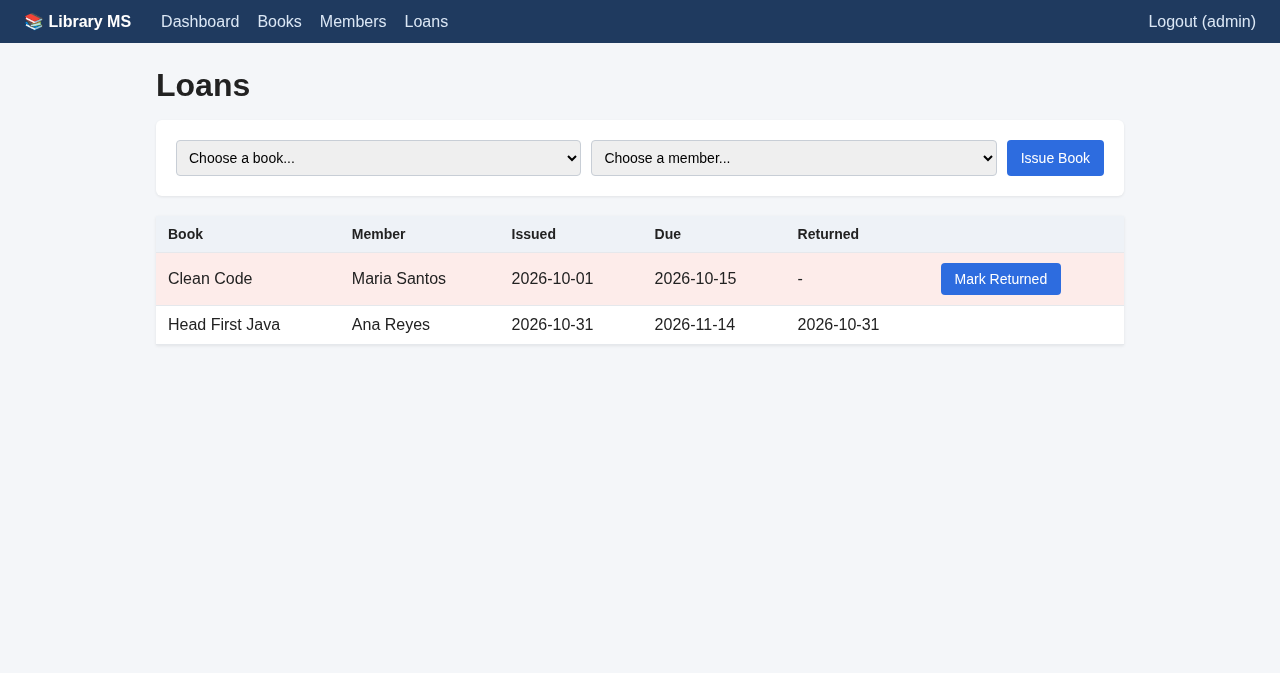
- Issue a book to a member with an automatic due date (14 days by default).
- Available copies go down when a book is issued and back up when it is returned.
- Overdue loans are highlighted in red.
- Data Protection Rules
- A book cannot be issued when no copies are left.
- You cannot reduce the number of copies below the number currently on loan.
- Books and members with loan history cannot be deleted, so records stay consistent.
Code Highlights
Here is how the login protection works. The decorator checks the session and sends visitors to the login page if they are not signed in:
- def login_required(view):
- @wraps(view)
- def wrapped(*args, **kwargs):
- if "user_id" not in session:
- return redirect(url_for("login"))
- return view(*args, **kwargs)
- return wrapped
Issuing a book checks that the book and member exist and that a copy is available, then saves the loan with a due date and updates the available count:
- @app.route("/loans/issue", methods=["POST"])
- @login_required
- def issue_book():
- db = get_db()
- book_id = request.form.get("book_id", type=int)
- member_id = request.form.get("member_id", type=int)
- book = db.execute("SELECT * FROM books WHERE id = ?", (book_id,)).fetchone()
- member = db.execute("SELECT * FROM members WHERE id = ?", (member_id,)).fetchone()
- if not book or not member:
- flash("Please choose a book and a member.", "error")
- elif book["available"] < 1:
- flash("No copies of that book are available.", "error")
- else:
- today = date.today()
- db.execute("INSERT INTO loans (book_id, member_id, issued_on, due_on) VALUES (?, ?, ?, ?)",
- (book_id, member_id, today.isoformat(), (today + timedelta(days=LOAN_DAYS)).isoformat()))
- db.execute("UPDATE books SET available = available - 1 WHERE id = ?", (book_id,))
- db.commit()
- flash(f'"{book["title"]}" issued to {member["name"]}.', "success")
- return redirect(url_for("loans"))
Returning a book is the reverse: it records the return date and puts the copy back on the shelf:
- @app.route("/loans/<int:loan_id>/return", methods=["POST"])
- @login_required
- def return_book(loan_id):
- db = get_db()
- loan = db.execute("SELECT * FROM loans WHERE id = ? AND returned_on IS NULL", (loan_id,)).fetchone()
- if loan:
- db.execute("UPDATE loans SET returned_on = ? WHERE id = ?", (date.today().isoformat(), loan_id))
- db.execute("UPDATE books SET available = available + 1 WHERE id = ?", (loan["book_id"],))
- db.commit()
- flash("Book returned.", "success")
- return redirect(url_for("loans"))
All queries use parameterized SQL (the ? placeholders), which protects the app from SQL injection.
Project Structure
library-management-system-flask/
├── app.py              # routes, database setup and business rules
├── requirements.txt    # Flask
├── README.txt          # setup instructions
├── static/
│   └── style.css
└── templates/
    ├── base.html       # layout and navigation
    ├── login.html
    ├── dashboard.html
    ├── books.html
    ├── book_form.html
    ├── members.html
    ├── member_form.html
    └── loans.html
How to Run the Library Management System
Requirements
- Python 3.9 or newer
- Flask (installed in step 3)
Installation
- Download the source code below and extract the zip file.
- Open a terminal or command prompt inside the library-management-system-flask folder.
- Install Flask:
- pip install -r requirements.txt
- Start the application:
- python app.py
- Open http://127.0.0.1:5000 in your browser and log in with username admin and password admin123.
The library.db file is created automatically with a few sample books and members. Delete it any time you want to start fresh. If you put the app online, change the SECRET_KEY, change the admin password, and turn off debug mode.
Tested Features
Before publishing, the project was checked with an automated test script using Flask's test client. These are the results:
PASS redirects to login when logged out
PASS rejects wrong password
PASS logs in
PASS adds book
PASS blocks duplicate ISBN
PASS search works
PASS adds member
PASS issues book
PASS available copies decremented
PASS cannot set copies below on-loan count
PASS book with history cannot be deleted
PASS returns book
PASS available copies restored
PASS dashboard shows overdue loan
PASS logout works
All tests passed.
Screenshots
Books list with search:
Loans page with an overdue loan highlighted:
Login page:
Ideas to Extend the Project
- Compute fines for overdue books based on the number of days late.
- Add a member-facing page where students can search the catalog.
- Print a borrowing report per month, or export loans to CSV.
- Switch from SQLite to MySQL for a multi-user deployment.
That's it! The Library Management System using Python Flask and SQLite with Source Code is a clean, working starting point for learning Flask or building your own capstone project. Feel free to download the source code below and modify it to fit your needs. Enjoy coding!
More Python Projects
Note: Due to the size or complexity of this submission, the author has submitted it as a .zip file to shorten your download time. After downloading it, you will need a program like Winzip to decompress it.
Virus note: All files are scanned once-a-day by SourceCodester.com for viruses, but new viruses come out every day, so no prevention program can catch 100% of them.
FOR YOUR OWN SAFETY, PLEASE:
1. Re-scan downloaded files using your personal virus checker before using it.
2. NEVER, EVER run compiled files (.exe's, .ocx's, .dll's etc.)--only run source code.