
Pixel Dog Run Game Using Pygame in Python with Source Code
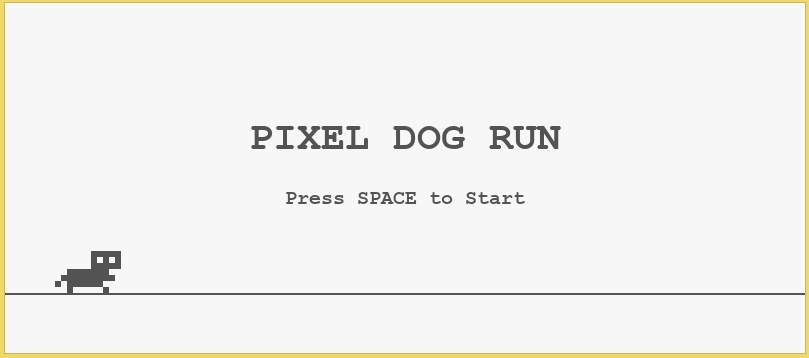
The Pixel Dog Run Game is an interactive desktop application built entirely with Python. The gameplay is simple and similar to the dinosaur game in Chrome when there is no internet connection. The Pixel Dog Run Game Using Pygame features straightforward mechanics where you need to jump to avoid obstacles and earn a higher score. This project is an excellent opportunity to reinforce essential programming concepts, making it a valuable exercise for improving your Python skills in game development.
The Pixel Dog Run Game Using Pygame in Python with Source Code is free to be downloaded just read the content below for more info. This application is for educational purpose only.
Pixel Dog Run Game Using Pygame in Python with Source Code Basic Information
- Language used: Python
- Coding Tool used: Built-in Python IDLE
- Type: Desktop Application
- Database used: None
About Pixel Dog Run Game
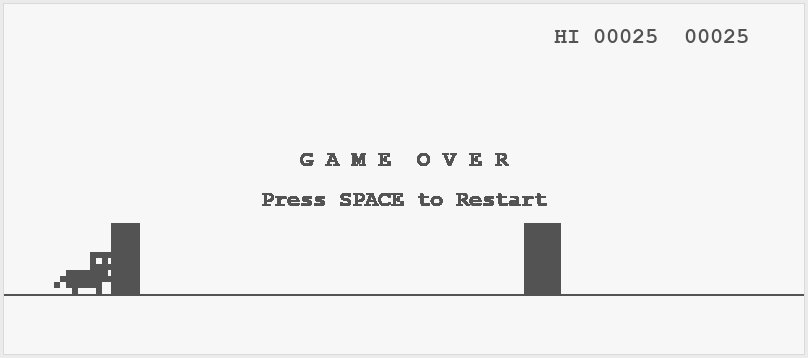
Pixel Dog Run Game Using Pygame is an entertaining 2D endless runner built with the Pygame library in Python, designed to showcase both creativity and fundamental game development concepts. In this game, players take control of a charming pixel-style dog that automatically runs across a scrolling environment filled with various obstacles such as spikes, pits, and moving enemies. The player’s goal is to keep the dog running for as long as possible by timing jumps and movements precisely to avoid collisions. The game often incorporates retro-inspired pixel art graphics, smooth character animations, and immersive sound effects that enhance the overall experience. As the player progresses, the speed of the game gradually increases, along with the frequency and complexity of obstacles, making it more challenging and engaging over time. Additionally, the game may include features such as score tracking, high score saving, and simple user interfaces like start and game-over screens. This project is ideal for beginners and intermediate programmers who want to learn about game loops, event handling, collision detection, and sprite management in Python while creating a fun and interactive application.
Pixel Dog Run Game Using Pygame in Python with Source Code Features
- Game Window and Interface
- Built using Pygame library.
- Simple side-scrolling game screen.
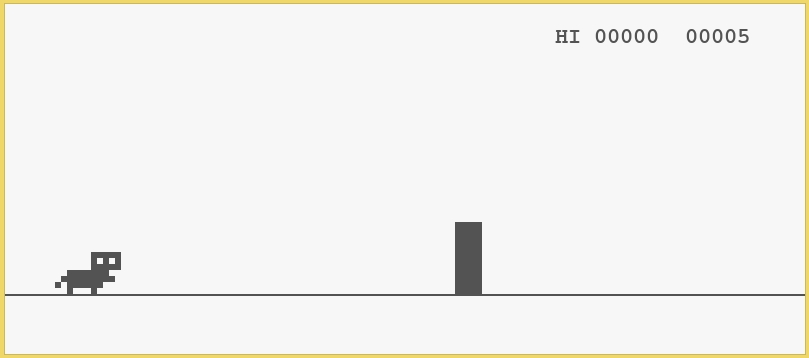
- Minimal pixel-style (retro) design similar to Chrome Dino game.
- Clean background with ground line for running effect.
- Player Character (Pixel Dog)
- Main character is a pixel-style dog sprite.
- Automatic running animation on ground.
- Only one action available: jumping.
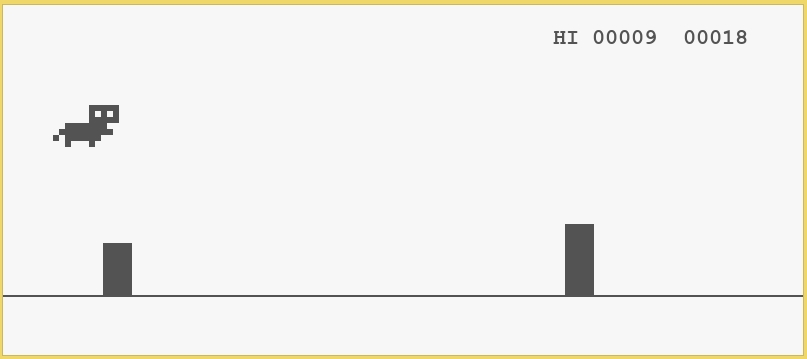
- Smooth jump motion with gravity effect.
- Jump Mechanic (Core Gameplay)
- Player uses a key (e.g., Spacebar / Up Arrow) to jump.
- Jump follows a natural arc (gravity-based physics).
- Prevents double jump (optional restriction for realism).
- Timing-based gameplay for obstacle avoidance.
Sample Application Screenshot:
Pixel Dog Run Game Using Pygame in Python with Source Code Installation Guide
- First you need to download & install the Python IDLE's, here's the link "https://www.python.org/downloads/".
- Download the source code in this site.
- Locate and Extract the zip file.
- Open the extracted folder
- Locate the py file.
- Then open the file via python IDLE or any IDE that supports python language.
- Run the py file to launch the program.
That's all, The Pixel Dog Run Game was created fully functional using JavaScript language. I hope that this project can help you to what you are looking for. For more projects and tutorials please kindly visit this site. Enjoy Coding!
The Pixel Dog Run Game Using Pygame in Python with Source Code is ready to be downloaded just kindly click the download button below.
Related Projects & Tutorials
Pixel Dog Run GameNote: Due to the size or complexity of this submission, the author has submitted it as a .zip file to shorten your download time. After downloading it, you will need a program like Winzip to decompress it.
Virus note: All files are scanned once-a-day by SourceCodester.com for viruses, but new viruses come out every day, so no prevention program can catch 100% of them.
FOR YOUR OWN SAFETY, PLEASE:
1. Re-scan downloaded files using your personal virus checker before using it.
2. NEVER, EVER run compiled files (.exe's, .ocx's, .dll's etc.)--only run source code.