Programming

Image Uploader

Submitted by biddut on
With PHP, it is easy to upload files to the server. However, with ease comes danger, so always be careful when allowing file uploads! Some rules to follow for the HTML form above: Make sure that the form uses method="post" The form also needs the following attribute: enctype="multipart/form-data". It specifies which content-type to use when submitting the form Without the requirements above, the

Calendar with Easter Date and Hard Copy Printout

Submitted by nostradamus1566 on
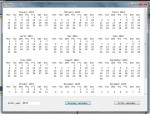
This is the C# version of my calendar program, (in June 2017 I wrote a similar version in PHP). This C# version can display a calendar of 12 months for any year from 1583 to 2099, and also the date of Easter Sunday. The program includes a feature to allow you to print the calendar on paper or to send the calendar text to a PDF driver, (if you have one installed). Written using Visual Studio 2010

Java JSP and Bean CRUD

Submitted by Mureiithi James on
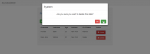
CRUD stands for Create, Read (or retrieve), Update, Delete. It is a Java Server Page (JSP) project with a JavaBean that is used to perfom the create read update and delete operations. For the database it uses java derby 'jdbc:derby://localhost:1527/sample' and table STUDENTS with 3 columns namely First name, Last name and ID number. I've used Semantic UI and w3.css for styling and JQuery.

CV/Resume Maker Software

Submitted by biddut on
I demonstrate how we can build an application that creates the CV. As you know, resume/CV has different parts, such as - personal information, education, work experiences, skills, certifications, languages. We are using ASP.NET MVC 5, jQuery, and Bootstrap in order to build our application. Demo Link Here: http://www.resume.testbd.xyz/Resume or http://www.resume.testbd.xyz/Resume

How to Export Data to Excel Using VB.net and MS Access Database

Submitted by ClydeTiu on
Hi guys.. In this tutorial you will learn on how to export data to Microsoft Excel step by step. Create U.I Step 1 Create a database using Microsoft access Step 2 Connect Database to VB.net Step 3 Add References right Click then select properties shown on number 13 Here is the source code Imports Excel = Microsoft.Office.Interop.Excel Imports System.Data.OleDb Public Class frmgenerate Dim rdr As

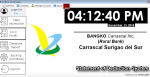
Statement of Deduction System of Rural Bank Carrascal Sugirao Del Sur Using VB.net

Submitted by ClydeTiu on
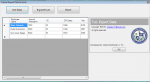
Features - Register Client Information - View Client Information - Print Client Information - Create Statement of Deduction of Client - View and Print Statement of Deduction(S.O.D) - Can Generate Overall Statement Of Deductions of Client`s - Can Sign Up - Can Log-in - Back-up Database Tnt Number : 09096510899 Globe : 09454339345 gmail : [email protected] Facebook : Clyde Chectopher A. Tiu