
Smart Attendance System with QR Code Scanner (PHP/MySQL)
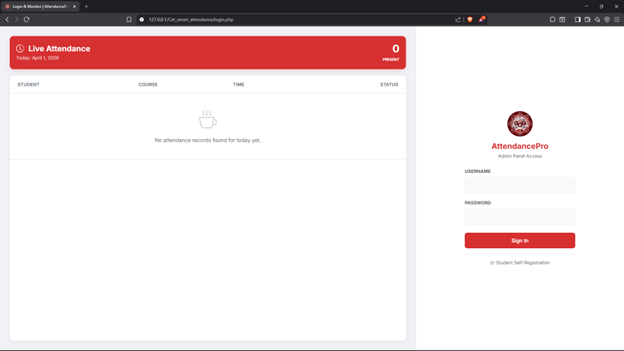
The Smart Attendance System is a dynamic web application designed to streamline student attendance tracking using QR code technology. It replaces manual roll calls with a fast, automated Kiosk QR Scanner that utilizes any standard webcam or smartphone camera. The system intelligently auto-evaluates attendance as "Present" or "Late" by cross-referencing scan times against specific Class Schedules and grace periods set by the administrator.
The system features a clean, responsive UI styled with Bootstrap 5 and provides administrators with a comprehensive dashboard complete with a Live Feed Monitor. It also includes practical utilities such as Excel exporting for student records, a printable Student QR Code Masterlist, and a dedicated self-registration portal for students to easily enroll and generate their own QR codes.
Features
Administrator Features:
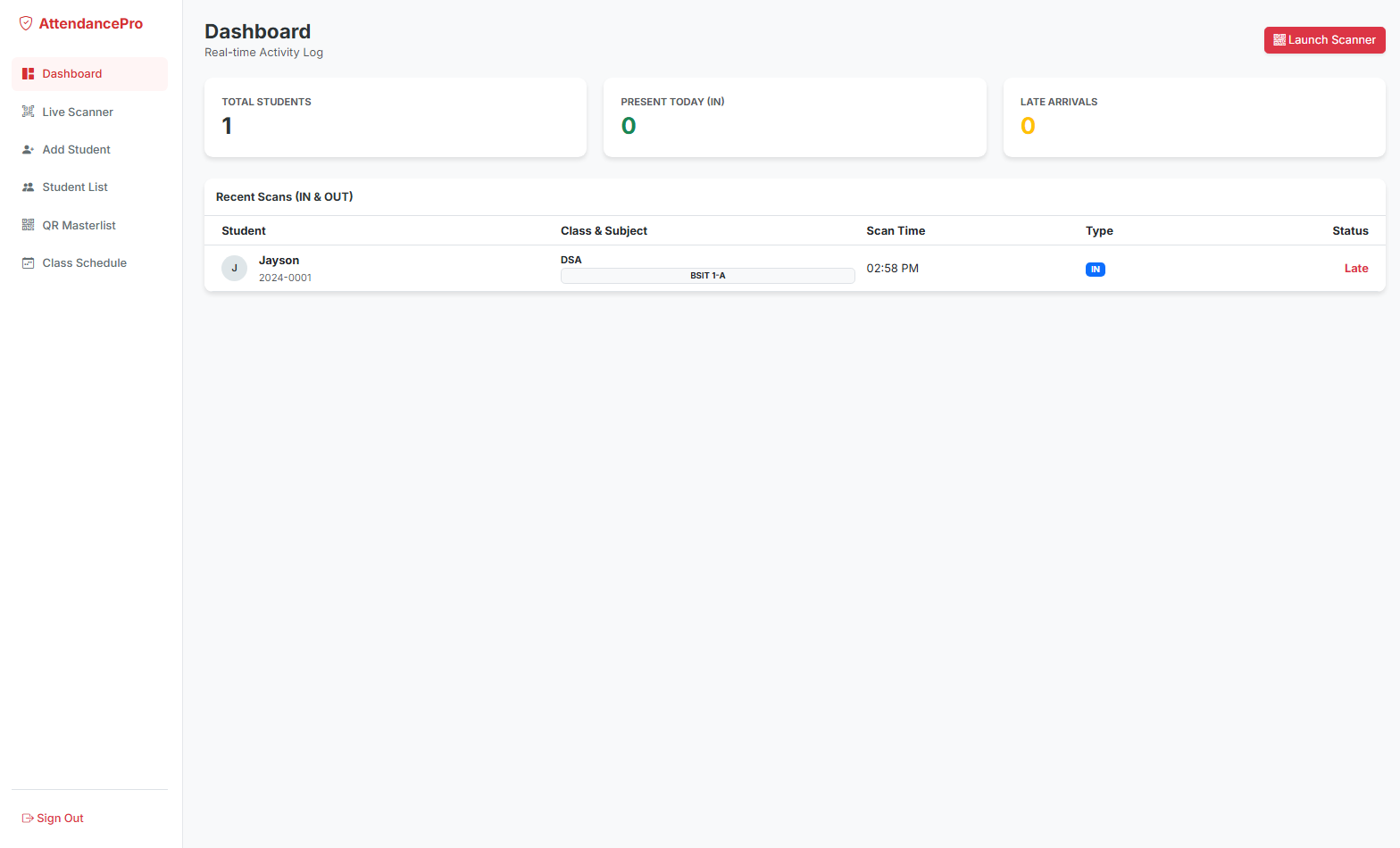
- Admin Dashboard: Overview of attendance metrics, total students, and a real-time Live Feed Monitor of recent scans.
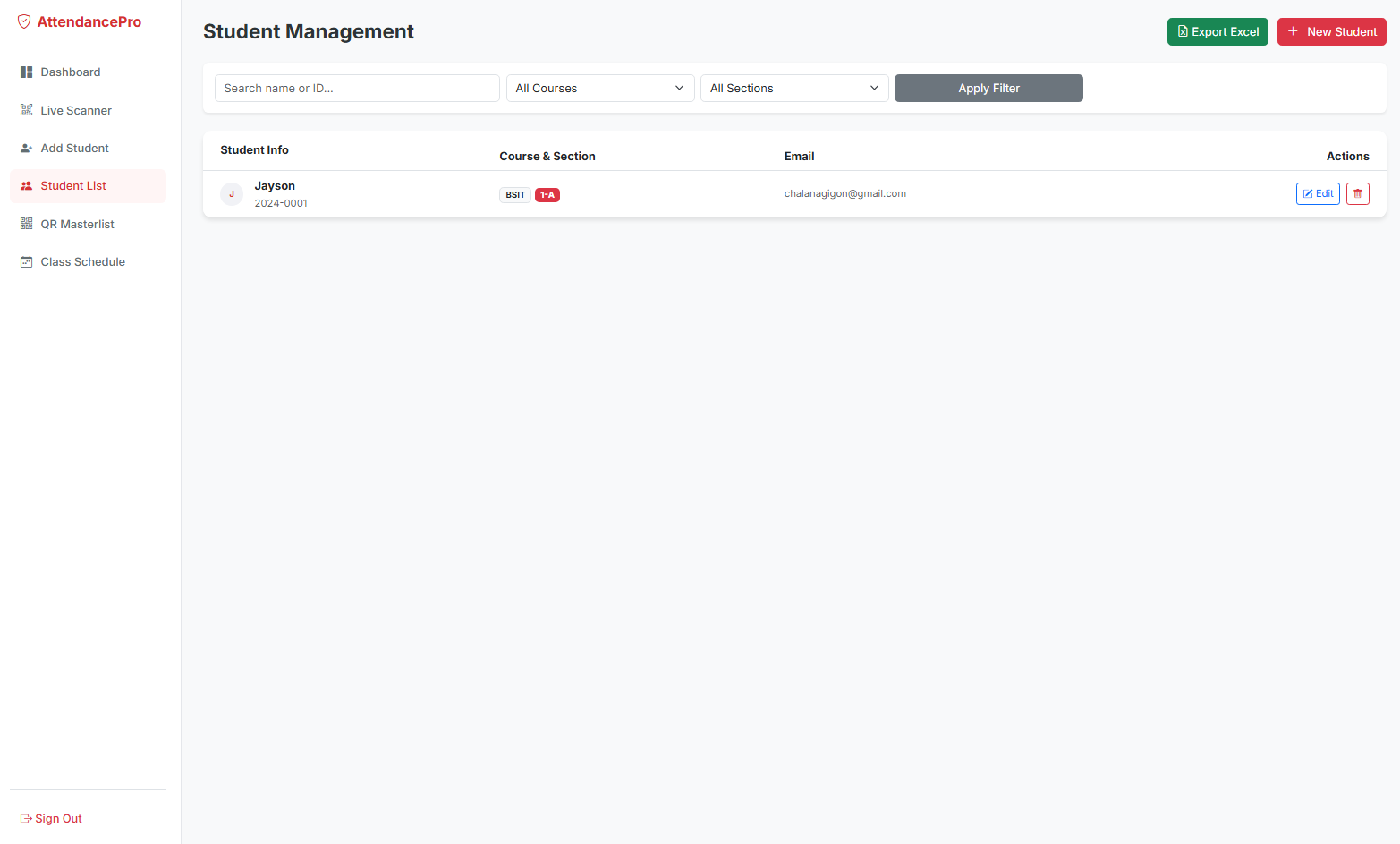
- Student Management: Add, edit, delete, and view student records. Export filtered student lists directly to an Excel file.
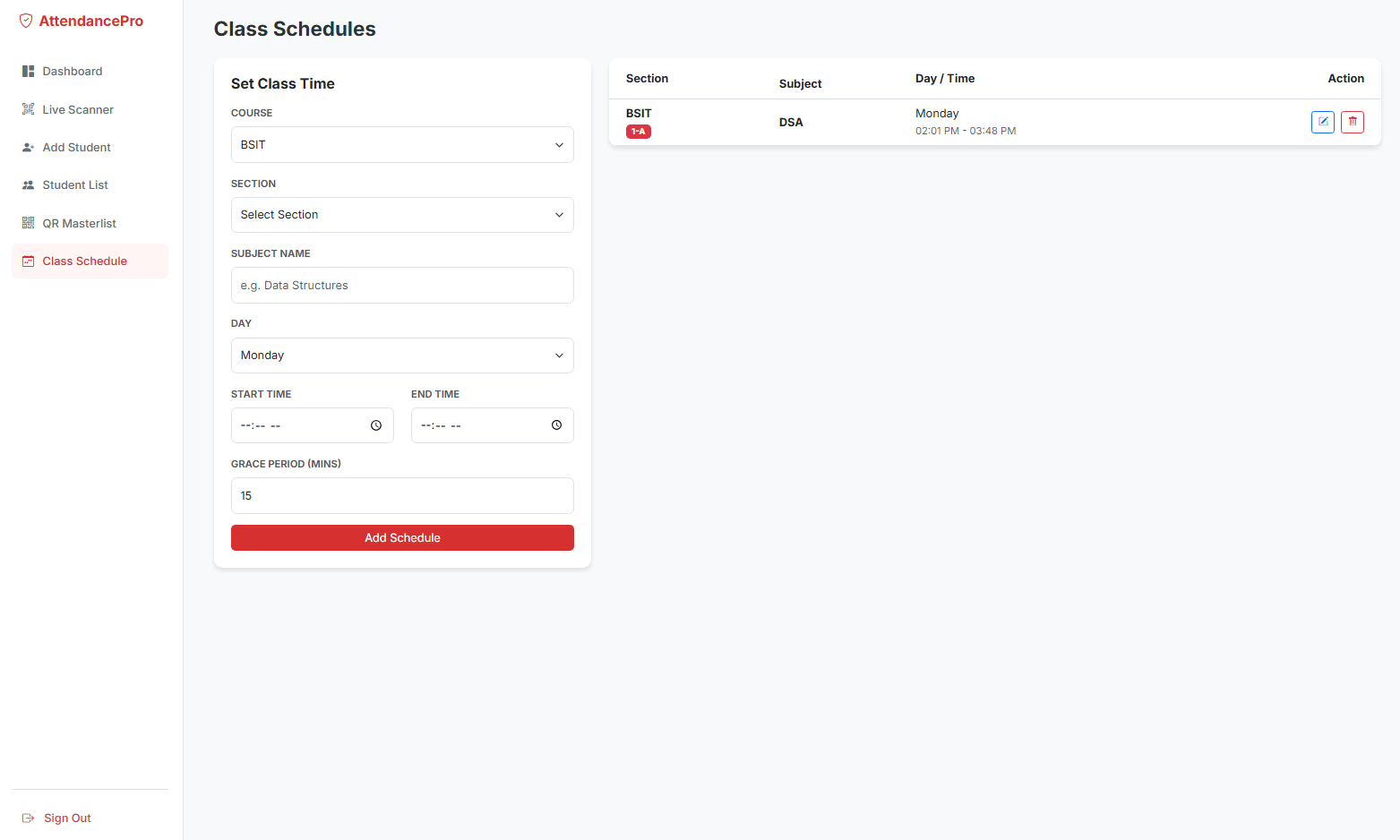
- Manage Class Schedules: Set class times, days, and grace periods. The system uses these to automatically tag scans as "Late" or "Present".
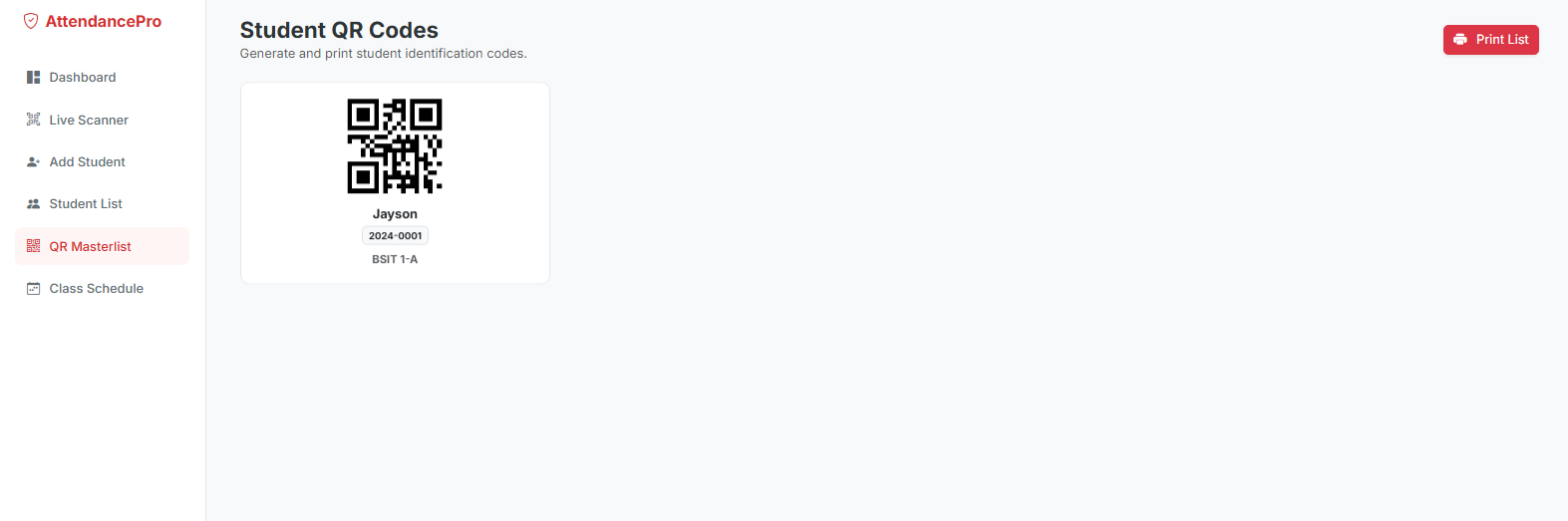
- QR Code Masterlist: Generate and print a complete visual grid of student identification QR codes for easy distribution.
- Activity Tracking: Records exact scan times, contexts (In/Out), and the associated subject.
Student Features:
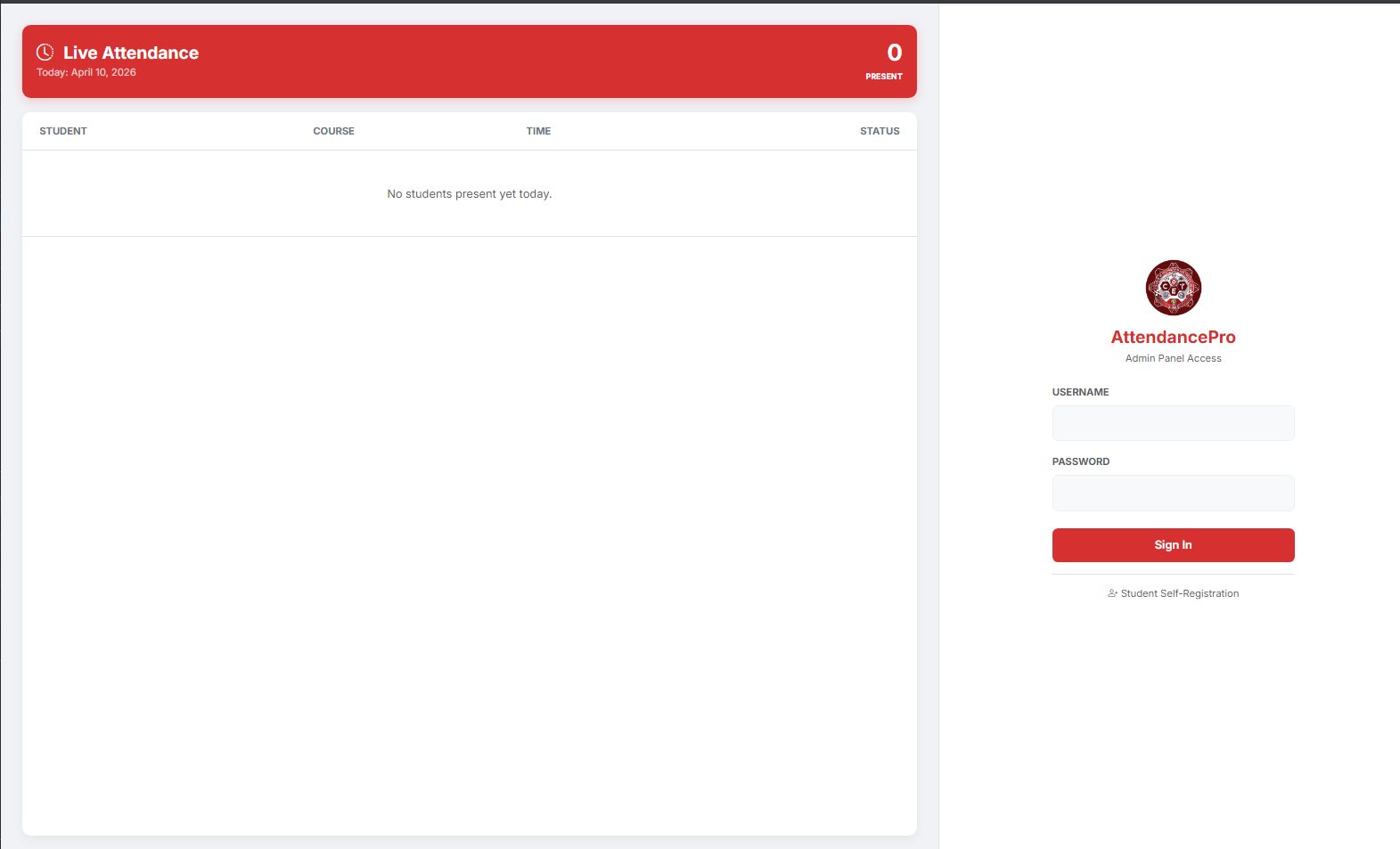
- Self-Registration Portal: A public-facing form where students can independently register their details to instantly generate and save their personal attendance QR code.
General / System Features:
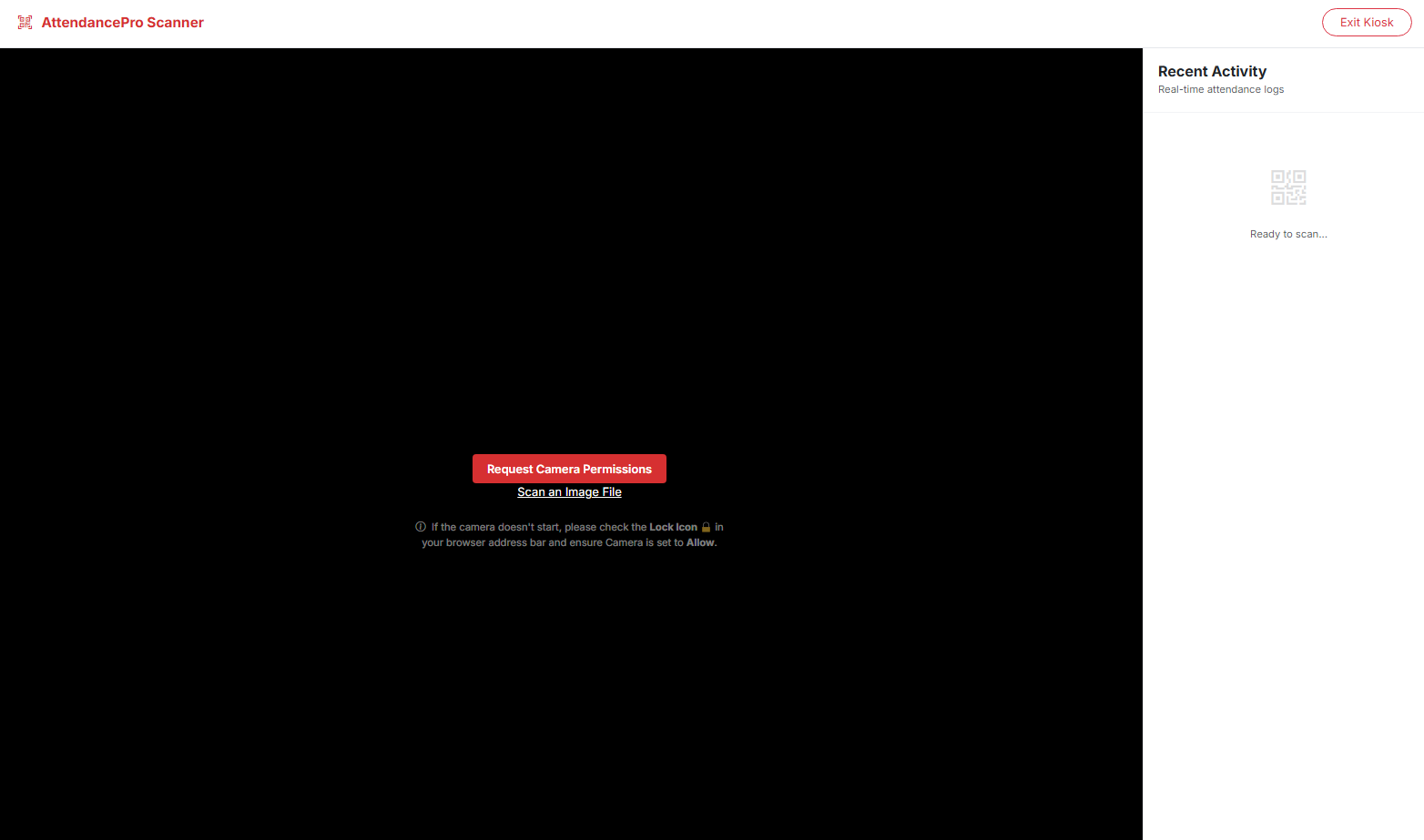
- Real-time QR Scanning: A built-in Kiosk Scanner utilizing
html5-qrcodeto read QR codes instantly via webcam without refreshing the page. - Smart Time Evaluation: Automatically calculates if a student is on time, late, or scanning outside of their designated class window.
- Anti-Spam Protection: Prevents duplicate consecutive scans within a 1-minute cooldown window.
Technologies Used
- Backend: PHP (7.4 or higher recommended)
- Database: MySQL / MariaDB
- Frontend Styling: Bootstrap 5
- Icons: Bootstrap Icons
- JavaScript Plugins: HTML5-QRCode (for camera scanning functionality), jQuery (for live AJAX requests and feed updates)
Installation Instructions
- Download the source code zip file and extract it.
- Turn on your local web server environment (e.g., XAMPP, WAMP, LAMP).
- Open phpMyAdmin (usually
http://localhost/phpmyadmin). - Create a new database named
attendance_db. - Import the provided
attendance_db.sqlfile into the newly created database. - Copy the extracted
smart_attendancefolder into your local server's document root (e.g., thehtdocsfolder for XAMPP orwwwfolder for WAMP). - Open your web browser and navigate to the project URL (e.g.,
http://localhost/smart_attendance/login.php).
Default Login Credentials
Administrator Account:
- Username: admin
- Password: admin123
(Note: Students can use the "Student Self-Registration" link on the login page to add themselves to the system).
Snapshots
Login Page
Dashboard
Student Management
Class Schedule
QR Master List
Live Scanner
Important Security Note for Live Hosting
If you upload this project to a live web host (like cPanel), PLEASE DELETE the create_admin.php and reset_password.php files for security purposes. Leaving these files accessible could allow unauthorized users to reset the admin password.
Note: Due to the size or complexity of this submission, the author has submitted it as a .zip file to shorten your download time. After downloading it, you will need a program like Winzip to decompress it.
Virus note: All files are scanned once-a-day by SourceCodester.com for viruses, but new viruses come out every day, so no prevention program can catch 100% of them.
FOR YOUR OWN SAFETY, PLEASE:
1. Re-scan downloaded files using your personal virus checker before using it.
2. NEVER, EVER run compiled files (.exe's, .ocx's, .dll's etc.)--only run source code.