
Adding a Button Control in Windows Form
In creating Visual Basic.Net application, one of the most common control used is a Button. Using Visual Basic, it is important to use a button control, because Button is used to initiate actions, usually by clicking on it. Using visual Basic.Net, there are many ways on how to add a button tool to a form. In our case, we’re not going to double click the button tool in the toolbox to add the control to the form.
- Read more about Adding a Button Control in Windows Form
- 1 comment
- Log in or register to post comments
- 951 views
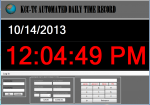
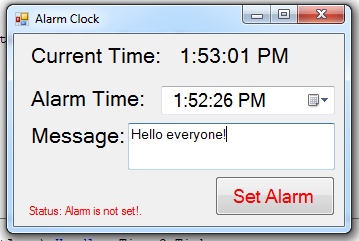 Next, add five labels,and name the label1 as “lblcurtime” and label2 as “lblstatus” then,set the text property of the other label as “Current Time”, “Alarm Time” and “Message”.