Tutorials

Advance Autocomplete/Autosuggest in a Textbox Using Visual Basic 2008 and MySQL database
Submitted by janobe on
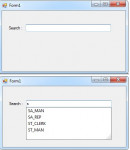
When searching a data from the database using textbox in Visual Basic 2008, commonly, it’s hard for us to search the exact data. So, in this tutorial I created an autosuggest textbox, so that it will be easy for you to search the correct record in your table. For instance, the word “google”.

PHP include

Submitted by joken on
In PHP, it is necessary to use PHP include command. Because include takes a file name and simply inserts that file content into the script that issued the include command. Including files saves a lot of work, it means that you can create a standard header, footer and menu file that is available to all web pages.

PHP Comments

Submitted by joken on
One of the best programming practice is using a Comment. A comment is a string code or text within PHP or any programming languages that is not visible during the execution in your web browser. And it provides the feedback to the developers or it temporarily disable the code and the most important thing is that comment serves to give some information about the code. In PHP, there are two types of Comment.

Getting The Difference of Two Dates Using PHP

Submitted by argie on
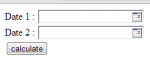
This tutorial will teach you on how to get the difference of the two dates using PHP datetime function. You will also learn in this tutorial on how to use tigra calendar in making popup date. To understand more fallow the step bellow.

Creating Our Form and Connecting Tigra Javascript

The code bellow will give us the form that allow us to pick two date to be subtracted. The selection of date is powered by tigra popup calendar.

Multiple Delete Data Using PHP/MySQL and PDO Query

Submitted by argie on
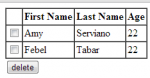
This tutorial will teach you on how to create an application in PHP/MySQL using PDO query that delete multiple data using checkbox as selector. I used checkbox as a selector in every row that u want to delete from database table. To understand more about this tutorial, fallow the steps bellow.

Creating Our Database

First we are going to create our database which stores our data. To create a database: 1. Open phpmyadmin 2. Then create database and name it as "pdo_ret". 3.

How to Create a Moving Website Background Using CSS Only

Submitted by argie on
This tutorial will teach you on how to create a moving background image using only CSS. I uses @keyframes rules i this tutorial to animate the background. To understand more about this rule, let me provide the definition and usage of this rule. with the @keyframes rule, you can create animations. The animation is created by gradually changing from one set of CSS styles to another. During the animation, you can change the set of CSS styles many times. Specify when the change will happen in percent, or the keywords "from" and "to", which is the same as 0% and 100%.

Changing DIV Backgound Color When Another DIV is Hovered Using CSS Only

Submitted by argie on
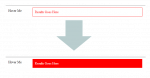
In this tutorial you will learn how to change div background when another div is hovered. I used this "~" symbol in CSS to perform changing div color when another div is hovered. The "~" symbol means that it will only select the first element that is immediately preceded by the former selector. Copy and apply the code bellow.

Creating Our HTML Display

The code bellow provide the visual display of our demo.