Tutorials

Introduction to javax.swing Library. A Simple Notepad Application. Part 1
Submitted by pavel7_7_7 on
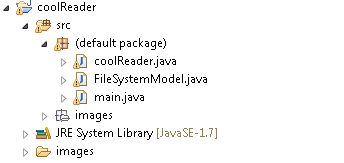
In this article I'll describe how to create a simple Notepad application using javax.swing library. Now, you know how to create java projects in Eclipse. So, we will create a new project, called coolReader. First of all, I'll show you the structure of the project: structure So, the project consists of 3 classes and a set of images, used to create some buttons. Now,we wil speak about coolReader class. This class is the class, that has the full implementation of the GUI and event handling.
How to create an Electronic Signature Capture in Android using Basic4Android

Submitted by donbermoy on
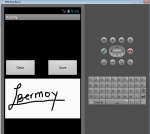
Good day! This is my other tutorial on Android creating a Signature Capture using Basic4Android. An electronic signature is any electronic means that indicates either that a person adopts the contents of an electronic message, or more broadly that the person who claims to have written a message is the one who wrote it and that the message received is the one that was sent. By comparison, a signature is a stylized script associated with a person. In commerce and the law, a signature on a document is an indication that the person adopts the intentions recorded in the document.

Introduction to javax.swing Library

Submitted by pavel7_7_7 on
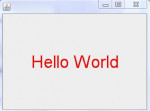
In this tutorial you will find a step by step guide about creating your first Java Application with Graphical User Interface using Eclipse IDE. Swing library is one of the most used libraries to create applications with Graphical User Interface (GUI). This library has a large set of different GUI components. We will start from the simplest application - "Hello World!" application.
  1. Open the Eclipse IDE. Choose "File" -> "New" -> "Project" from menu.

Toggle Button Tutorial in Android using Basic4Android

Submitted by donbermoy on
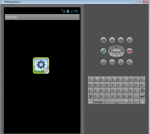
Good day! This is my other tutorial on views/controls in Android using Basic4Android, the Toggle Button. A toggle button allows the user to change a setting between two states. You can add a basic toggle button to your layout with the ToggleButton object. On this, you need to create one button and named it as "tb" . Next, named your abstract design as "main".

TabHost Tutorial in Android using Basic4Android

Submitted by donbermoy on
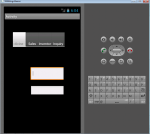
This is my 3rd tutorial in our controls/view in Basic4Android. The one that i will be introduced now is the TabHost. TabHostis a container for a tabbed window view. This object holds two children: a set of tab labels that the user clicks to select a specific tab, and a FrameLayout object that displays the contents of that page. The individual elements are typically controlled using this container object, rather than setting values on the child elements themselves.

Spinner Tutorial in Android using Basic4Android

Submitted by donbermoy on
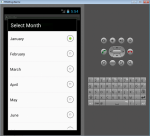
Good day! This is my other tutorial on controls. The one that i had tutored was the AutoCompleteEditText, and now the Spinner. Spinners provide a quick way to select one value from a set. In the default state, a spinner shows its currently selected value. Touching the spinner displays a dropdown menu with all other available values, from which the user can select a new one. Spinner is the same as ComboBox in Visual Basic. On this, you need to create one Label to have a result when you choose an item in the Spinner. Named it as tgtLabel.

WiFi Settings Tutorial in Android using Basic4Android

Submitted by donbermoy on
Hi! this is an another tutorial in Android using Basic4Android that will view WiFi settings in your phone and can customize to enable/disable your WiFi. This tutorial deals with several categories of items:
  • The list of configured networks. The list can be viewed and updated, and attributes of individual entries can be modified.
  • The currently active WiFi network, if any.

How to display Total Memory, Used Memory, and Available Memory in your Android Phone using Basic4Android

Submitted by donbermoy on
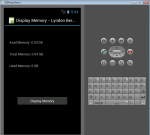
This is my other tutorial on how to find and display your available memory, used memory, and total memory in your phone. Since Android devices are usually battery-powered, Android is designed to manage memory (RAM) to keep power consumption at a minimum, in contrast to desktop operating systems which generally assume they are connected to unlimited mains electricity. When an Android app is no longer in use, the system will automatically suspend it in memory – while the app is still technically "open", suspended apps consume no resources and sit idly in the background until needed again.

How to display Device Model and OS Version in Android using Basic4Android

Submitted by donbermoy on
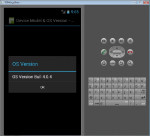
Good day! This is my other tutorial on how to find and display your Android OS Version and your Device Android Model. The version history of the Android mobile operating system began with the release of the Android beta in November 2007. The first commercial version, Android 1.0, was released in September 2008. Today, the latest Android version is the Android KitKat 4.4.

Android Phone Call Tutorial using Basic4Android

Submitted by donbermoy on
In this tutorial, i will introduce another kind of application in which it can dial the number you wanted to call. I call this Phone Call Application. P.S This project is developed in Basic4Android 2.47, and tested with Android 4.0.1. On this, you need to create one button and named it as "Call". Next, named your abstract design as "main".