HTML

Flat jQuery Side Bar Menu

Submitted by alpha_luna on
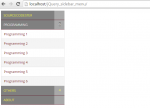
Related work: How To Make Simple SideBar Menu Using HTML JavaScript In this tutorial, we are going to learn another kind of flat sidebar menu using the power of jQuery with a simple CSS. This work, by the using of jQuery, you can easily create a functional flat menu design. You can easily indicate the menu items numbers displayed with their parent menu item. For the design, with the help of CSS

Responsive Side Bar Menu Using HTML JavaScript

Submitted by alpha_luna on
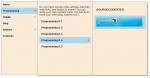
In this tutorial, we are going to learn about simple responsive side bar menu using HTML JavaScript. This side bar is applicable to any gadgets. You can use it in your certain site. It can cover up an unending number of sub menus, thus , gives infinite contents. This responsive menu can also be used with mobile devices of smaller screens for all the sub menus can just be stacked in the main menu.

Responsive Navigation with HTML/CSS

Submitted by tmohlatlole on
For the mark-up, create file and name it index.html. CSS only Demo Responsive Show Menu Home About Who We Are What We Do Portfolio Photography Web & User Interface Design Illustration News Contact Now we come to css, create a file and name it main.css. #container { display: block; width: 100%; margin: 1.09123432523124534% auto; } header{ display: block; padding-bottom: 50px; } ul { list-style-type

Simple Slider Tab Menu in HTML/CSS and JavaScript

Submitted by alpha_luna on
This is simple tab menu created using HTML/CSS and Javascript. On click to the menu, special effect play and underline slides to the clicked menu. If you are comfortable with the source code, then you can download a zip file with all the codes. Hope this will help you in your future project. Enjoy coding.

Customized Border Image in CSS

Submitted by GeePee on
This project will teach you how to create a customized border image in css. You can use your own image to be set as border. We have to simply set the border-image properties like border-image-outset, border-image-repeat, border-image-slice, border-image-source and border-image-width. You can experiment on your own and use my project as an example. Hope you learn from this.