HTML

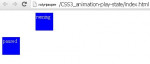
CSS Animation Play State

Submitted by alpha_luna on
CSS animation-play-state In this tutorial we are going to learn about animation-play-state. So, what is animation-play-state? The animation-play-state property specifies whether the animation is paused or running. Syntax of this property: animation-play-state: paused | running | initial | inherit ; Property Values paused - specifies that the animation is paused. running - specifies that the

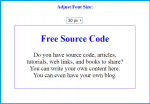
Font Size Adjustment using JavaScript in HTML

Submitted by alpha_luna on
This simple project will show to the user how to increase and decrease the font size of text content in a one div class automatically using jQuery in HTML. Hope this tutorial will help you from your projects.

Creating Markup

Creating select element and the DIV tag where the text content located.

Facebook Notification Popup

Submitted by alpha_luna on
If you are looking for Facebook Notification Popup using CSS and jQuery then you are at the right place. Are you looking for Facebook UI features, this simple article will help you to create Facebook-style notifications popup using CSS, HTML, and jQuery. The user will understand how CSS elements important to improve a web design.

How To Create Greetings Message Using JavaScript

Submitted by alpha_luna on
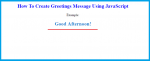
In this tutorial, we are going to learn how to create Greetings Message using JavaScript. We learn on how to display greetings message according to the time of the day using JavaScript source code. Kindly copy and paste the source code below to the BODY tag of your page.

JavaScript Source Code

This script will display the greetings message using the time of the day.

Simple Analog Clock Using HTML/CSS

Submitted by alpha_luna on
Analog Clock Using HTML/CSS This is a simple analog clock created using HTML and CSS3 only, with no images involved. As such, you can easily customize the size of the clock and its colors etc. The analog clock works in IE9+ and all versions of other browsers, including on mobile. Hope this work will help you in your project. HTML Source Code CSS Style .outer_face { position: relative; width: 200px