HTML/CSS

3D Flip Content Using CSS

Submitted by GeePee on
This project will teach you how to animate a 3D effect flip content using css/html only. No javascript code or jQuery plugin needed. Once the user hover over the image, the image flip to back and the information of the image appear. This is very cool animation and simple to do. Hope you learn from this.

Creating Shapes in CSS

Submitted by GeePee on
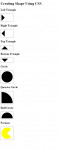
This project will teach you on how to create a different shapes using CSS. We can create shapes in our web page without including images. This is simple but very useful. This is for the newbie in programming. I have here an example of triangles(left, right, up, bottom), circle, quarter circle and half circle. Hope you learn from this.

Repeating Tile Background Animation in CSS

Submitted by GeePee on
This project will teach you on how to animate a repeating tile background using CSS keyframes. Using the css keyframes, tiled images will animate like a falling snow as seen on my example. It is depend on your style if you want to animate it from the right. Feel free to modify this project according to your preference. Hope you learn from this.

CSS3 Hinge Effect

Submitted by GeePee on
This project will teach you some animations using the CSS3 and jQuery. In my example, I used my previous project Comment Box. When the user wants to delete comments, the box will be animated using hinge effect. You can try this with your present project. This is easy and cool animation. Hope you learn from this.

Image Mapping in HTML

Submitted by GeePee on
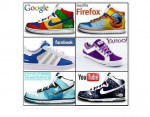
This project will teach you on how to image map using html. This is easy and simple project. Image mapping has the ability to hyperlink areas of the image to multiple destination. Just like my example, I have one image with with 6 boxes which contains different browser in each box. I set the coords of each box and link to it's preferred destination. The first 2 figures of the coords is the x, y

Web Page Video Background Using HTML and CSS

Submitted by GeePee on
This project will teach you on how to set video as a background on your web page using HTML and CSS. It is important that you have knowledge in CSS so you can arrange your text, input field or whatever you want to include in your page properly. We have many CSS tutorials in sourcecodester that you can check out. Hope you learn from this.

CSS 3D

Submitted by waqasyaqoob on
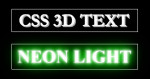
You'll find six pre-built CSS classes that will apply the 3D effect in six different colors. You'll also find classes for five different font variations, served up via Google Fonts. To make it easier to add your own colors, I've added additional style sheets built with Sass and LESS. These use a mixin that only requires you to set a single color, from there the preprocessor takes care of the rest.