MYSQL

Prison Management System Online mysql/pdo v2

Submitted by theadmiraleliud on
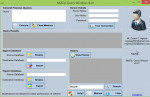
This system is about prison management system online where we have the following module 1.prisoners records 2. prisoners transfers 3. officers 4.prisoners officers transfer 5.location of prisons 6.admin module 7.law enforcement module 8.data entry 9.new prison prisoner and officer transfer 11.report 12.new user

Creating and Populating table with MySQL Data using Twitter Bootstrap framework

Submitted by GeePee on
In this tutorial, I’m going to discuss how to use the Twitter Bootstrap to create a table and populate this table with records from MySQL database using PHP. Using Bootstrap framework, you can save more time when working with different browsers and or devices.

Inserting Data using PHP into MySQL Database

Submitted by GeePee on
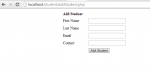
In this course we will focus on how to INSERT data using PHP into MySQL Database. When inserting data into Mysql Database tables we need to remember the names and types of table columns. For example if you set your field as the name of the person so as expected you must insert string value or if you are referring into the age of a person meaning you need to enter a numeric value.

Social Networking Site: Simple Uploading of Profile Picture in the Home Page

Submitted by GeePee on
In this tutorial, I’m going to show you how to upload profile picture in the home area, and this profile picture will still be available even your navigating in different pages. To start with this application, open our project in local server and look for the “home.php” and open it. This home page will you show when you successfully logged in.

Filling the Twitter Bootstrap-Select Dynamically From MySQL Data Using PHP

Submitted by GeePee on
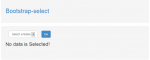
In this lesson is a continuation of our previous tutorial called Creating and Populating table with MySQL Data using Twitter Bootstrap framework. At this time, we’re going to use the same framework. But we will focus on how to populate the Twitter Bootstrap-Select dynamically from MySQL Data using PHP and display the corresponding value in a label form.

Part II: Updating and Deleting of MySQL data using an OOP approach in PHP

Submitted by GeePee on
This tutorial is a continuation of our previous tutorial called Part I Creating and Reading of MySQL Data using an OOP approach in PHP. Be sure to read it before continuing this tutorial. All we need is add three PHP files called edit_user.php, process_edit_user.php and deleteuser.php. Create a file called edit_user.php. and add the following code: The main purpose of this code is used to display the selected data from “index.php”.

Part I: Creating and Reading of MySQL Data Using OOP Approach in PHP

Submitted by GeePee on
This tutorial I will show you on how to perform Object Oriented Programming using PHP and how easy to manage our source code and deal with objects and update the code easily. Before we move on to writing object-oriented code in PHP, it is important to understand the basic concept of classes, objects, properties, and methods. A Class is like a blueprint of a car. It defines how car created from the blueprint will look and behave, but it still an abstract concept. An Object is like a real car created from the blueprint.

Gym Management System

Submitted by Mantini on
This is my Gym Management System project. Although new in programming i tried to do all the basics to make the project fully functional. Basic system rules; 1. A person can only register as a user if he/she exists in the Staff table. 2. Salaries can only be calculated for existing employees. 3. Equipment can only be added if supplied by an existing supplier (Add supplier before adding Gym

Laravel plus Bootstrap Framework Authentication system and Blog post& Read

Submitted by ranjit1 on
How to setup Laravel go to http://laravel.com/docs/4.2/installation In this project i have made Authentication system Plus Blog Post & Read. When you create an account a link will be send to your email address and after clicking that link in your inbox your account will be activated.otherwise you will not be able to login. This can be done through localhost using smtp protocol. if you have any