HTML

Dot Leaders in HTML/CSS
Submitted by GeePee on
This project will teach you how to create a dot leaders using html/css. Dot leaders is used to connect items across a gap of variables. We can also used other symbols like dash, arrows etc, but what we mostly used is dots. The tricks in doing this is we fill the full width of the page with dots and the spans(where we put the strings) are put on top. We set also the background of the span into

Rotating Border in CSS

Submitted by GeePee on
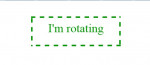
This project will teach you how to create a rotating border using pure css. There are different tricks on how to do this. First, we have to create four div's and set a border-bottom to 5px dashed. It will create a dashed lines. Form lines to a square. Animate lines to linear with a duration of 6 seconds infinite. Hope you learn from this.

Sparkling Lights Animation in CSS

Submitted by GeePee on
This project will teach you how to animate like a sparkling light using pure css. First we have to create a glowing light. You can use box-shadow property to make your object look like it's glowing. Then we have to set the animation-duration and animation-iteration-count. In my example, the duration is 1.5 seconds and iteration-count is infinite. Try this animation and I'm sure you'll enjoy

Automatically Convert String to Upper Case in Javascript

Submitted by GeePee on
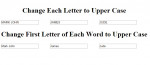
This project will teach you how to convert string to upper case automatically using javascript. We can use these if we have a textfield requirements to capitalized all inputted data or just the first letter of the word. It is more convenient for the users while inputting data at the same time we can make sure that it meets system requirements. Hope you learn from this.

Validate Decimal Number in Javascript

Submitted by GeePee on
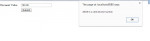
This project will teach you how to validate decimal number in javascript. It is important to validate first the input data before submitting. The user must meet the requirements to be able to proceed with the next procedure. There are textfield which requires numbers only, so we have to block the non-numeric characters to avoid errors. Hope you learn from this.

setAttribute/removeAttribute in Javascript

Submitted by GeePee on
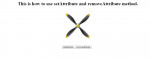
This project will teach you how to use setAttribute and removeAttribute method in javascript. setAttribute adds an attribute to a specified element and give it a value. Like in my example, I add an attribute of class and the value is animate which I give an animation. So, by pressing the setAttribute button, the element starts to animate and by clicking removeAttribute, the animation stops

Shadow Effect on Canvas Element in Javascript

Submitted by GeePee on
This project will teach you how to create a shadow effect on canvas element using javascript. You have the option to set the shadow whether what position you set them in(if the shadow x position is on left side, that is negative number and right side is positive number. The same with y position, if the shadow is on the upper side, that is negative number and bottom is positive number. The positive

Clipping in CSS

Submitted by GeePee on
This project will teach you how to use clip-path property in css. Clipping or clip-path property allows you to display a portion of an image inside the path or a shape. We can create different shape like, rectangle, circle and polygon but I have here an example of circle and polygon. It is easy program. Try it yourself. Hope you learn from this.