
Dodge Ball the Game Using Pygame in Python with Soure Code
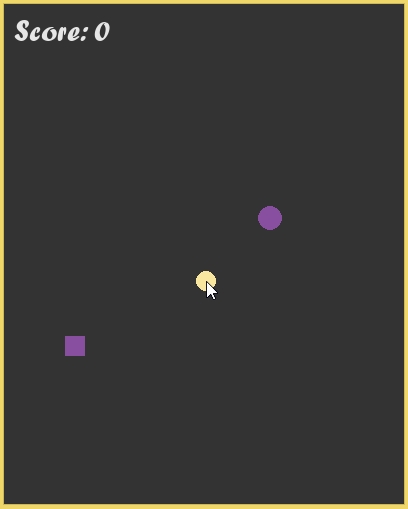
The Dodge Ball the Game is an interactive desktop application built entirely with Python using the Pygame library. The gameplay is simple: the player must control the ball using the mouse pointer position to avoid incoming balls. The Dodge Ball the Game Using Pygame features fun and engaging dodging mechanics, where the player must dodge the ball and collect rectangles to score points. The game ends if the player is hit by a ball. This project is an excellent way to practice and reinforce essential programming concepts, making it a valuable exercise for enhancing your Python skills in game development.
The Dodge Ball the Game Using Pygame in Python with Soure Code is free to be downloaded just read the content below for more info. This application is for educational purpose only.
Dodge Ball the Game Using Pygame in Python with Soure Code Basic Information
- Language used: Python
- Coding Tool used: Built-in Python IDLE
- Type: Desktop Application
- Database used: None
About Dodge Ball the Game
Dodge Ball the Game Using Pygame is an exciting and addictive desktop game created with Python’s Pygame library. In this game, players must skillfully control their character using the mouse pointer to dodge a series of fast-moving balls that appear on the screen. The main objective is to collect the rectangle object to earn points, but players must stay alert because colliding with any ball will immediately end the game. As the player’s score increases, the game dynamically ramps up in difficulty, with balls moving faster and appearing more frequently, testing both reflexes and strategic movement. With its simple controls, progressively challenging gameplay, and focus on precision, Dodge Ball offers a fun and engaging experience that keeps players coming back to beat their high score.
Dodge Ball the Game Using Pygame in Python with Soure Code Features
- Engaging Gameplay
- Player controls a character using mouse pointer position.
- Objective is to dodge incoming balls while collecting points.
- Score increases by collecting rectangle objects.
- Game ends when the player is hit by a ball.
- Dynamic Difficulty
- Game speed and ball spawn rate increase as the player’s score rises.
- Gradual challenge escalation keeps gameplay exciting.
- Randomized ball trajectories for unpredictable movement.
- Scoring System
- Points awarded for **collecting rectangles**.
- Real-time display of current score.
- Player Controls
- Smooth movement using **mouse pointer position**.
- Responsive control ensures precise dodging.
Sample Application Screenshot:
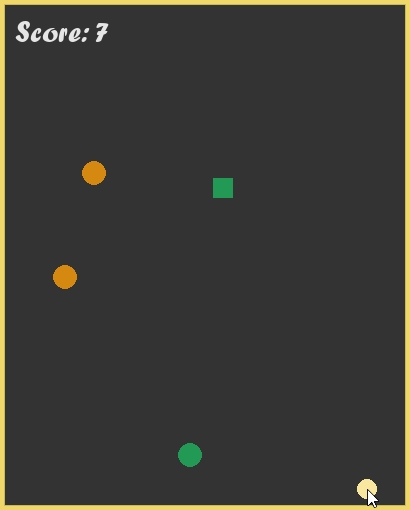
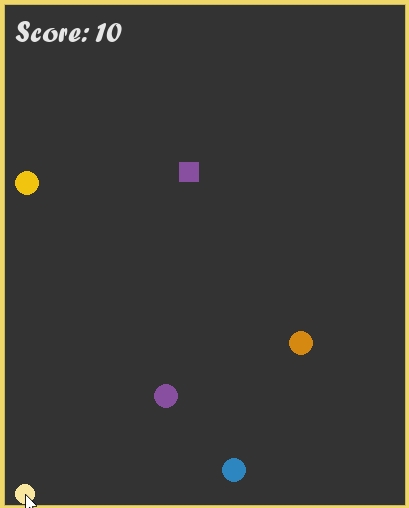
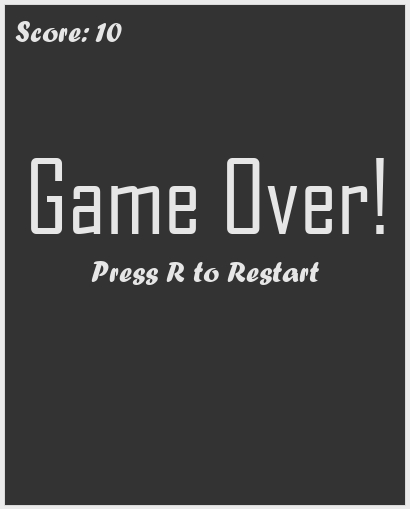
Dodge Ball the Game Using Pygame in Python with Soure Code Installation Guide
- First you need to download & install the Python IDLE's, here's the link "https://www.python.org/downloads/".
- Download the source code in this site.
- Locate and Extract the zip file.
- Open the extracted folder
- Locate the py file.
- Then open the file via python IDLE or any IDE that supports python language.
- Run the py file to launch the program.
That's all, The Dodge Ball the Game was created fully functional using Python language. I hope that this project can help you to what you are looking for. For more projects and tutorials please kindly visit this site. Enjoy Coding!
The Ball Rush Game Using Pygame in Python with Source Code is ready to be downloaded just kindly click the download button below.
Related Projects & Tutorials
Dodge Ball the GameNote: Due to the size or complexity of this submission, the author has submitted it as a .zip file to shorten your download time. After downloading it, you will need a program like Winzip to decompress it.
Virus note: All files are scanned once-a-day by SourceCodester.com for viruses, but new viruses come out every day, so no prevention program can catch 100% of them.
FOR YOUR OWN SAFETY, PLEASE:
1. Re-scan downloaded files using your personal virus checker before using it.
2. NEVER, EVER run compiled files (.exe's, .ocx's, .dll's etc.)--only run source code.