JavaScript

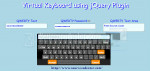
Virtual Keyboard using jQuery Plugin
Submitted by alpha_luna on

Virtual Keyboard using jQuery Plugin

In this tutorial, we are going to create Virtual Keyboard using jQuery Plugin. This simple keyboard built with a jQuery plugin that will add to your web page of your simple project, which it will pop up when the specific field that you have in your web page is focused. Kindly try this one to know how to create this simple virtual keyboard.

Facebook Like Drag Background Cover Changer using Jquery

Submitted by rinvizle on
In this tutorial we will show you how to create a Facebook Like Drag Background Cover Changer using Jquery by uploading, positioning and adjusting the image. And if you are looking for a application that can upload images this one is very interesting and suits for your system, and it has a combination of many features.

Simple Image Preview Before Upload

Submitted by rinvizle on
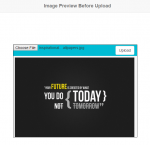
In this tutorial we will show you how to create a Simple Image Preview Before Upload. This feature lets the user view the chosen image before they upload it. And you can easily add image preview option on file upload using JavaScript and jQuery. Simple Image Preview Before Upload is a most required feature for file upload functionality. It helps the user to view chosen file and change the image before upload.

Print a Specific Area of the Web Page using jQuery

Submitted by alpha_luna on
In this tutorial, we are going to learn how to Print a Specific Area of the Web Page using jQuery. Many web page projects required to have a print function for the data. If you are looking for this kind of project then you are at the right place. We are going to provide a simple and easiest way to print a specific area of the web page.

Alert Dialog Box using CSS and jQuery

Submitted by alpha_luna on

Alert Dialog Box using CSS and jQuery

We are going to create another Alert Dialog Box using CSS and jQuery. The alert window is very common to us and it’s a useful thing for the web page projects. This tutorial use for displaying messages in the web browser and the other browser have their default alert window but in our case, we are going to custom the alert dialog box. This tutorial helps you to create a custom alert window pop up on your web page.

Web Page Slice Transition Effect with jQuery and CSS3

Submitted by alpha_luna on

Web Page Slice Transition Effect

If you are looking for Web Page Slice Transition Effect with jQuery and CSS3 then you are at the right place. We are going to use the slice screen jQuery plugin to apply the 3D transforms to create slice animation to the image when it moves to the next image from the web page.