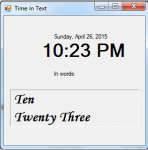
Today, I will teach you how to convert time into text using VB.NET because usually we always display the time in numbers.
Now, let's start this tutorial!
1. Let's start with creating a Windows Form Application for this tutorial by following the following steps in Microsoft Visual Studio: Go to File, click New Project, and choose Windows Application.
2.
Introduction:
Welcome to my tutorial on how to create a proxy ip:port grabber.
Steps of Creation:
Step 1:
First create a form with one button, this will allow the user to select a save location and begin the process.
We also want to import a few things and create a global string of the link in which we want to extract the proxy information from...
Introduction:
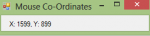
Welcome to my tutorial on how to create a Mouse Position tool in Visual Basic. This is easy so I will also be explaining Threading.
Steps of Creation:
Step 1:
First we need to import System.Threading so we can use Threads.
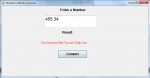
Today, I will teach you how to create a program that converts a whole number and a decimal into words using vb.net. This is so useful in making systems when you convert it in the receipt section that the numbers are converted into words.
Now, let's start this tutorial!
1. Let's start with creating a Windows Form Application for this tutorial by following the following steps in Microsoft Visual Studio: Go to File, click New Project, and choose Windows Application.
2.
Introduction:
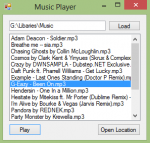
Welcome to my tutorial on how to create a music player in Visual Basic.
Important:
Before doing this you must already have the Windows Media Player control in your visual basic application form.
Introduction:
Welcome to my tutorial on how to create a web browser in Visual Basic.
Steps of Creation:
Step 1:
First we want to create a form with;
Button1 - Go
button2 - home
button3 - back
button4 - forward
textbox1 - address/url
webbrowser1 - web browser
Step 2:
Next we want to go in the Go button and check if the url is valid, if it is we want to navigate to it through the web browser.