JavaScript Tutorial

Creating a Live Filter with Multiple Options using Checkbox with jQuery
Submitted by alpha_luna on

In this tutorial, we are going to create a Live Filter with Multiple Options using Checkbox with jQuery. Many projects or systems need this kind of function for fast filtering the data from the database. Filter functions are very common to us, in other cases when you use the filter function it also loads the whole page. In our case, we are going to create a live filter with multiple options using the checkbox without load the whole web page. You can also check the live demo of this simple tutorial, so you can get an idea and you can try this out.

Creating a Simple Shopping Cart Application Using AngularJs

Submitted by razormist on

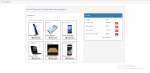
In this tutorial, we will create a simple Shopping Cart Using AngularJs. This simple application purpose is to add the product that the buyer wants to buy, and will be listed to the cart waiting to be paid. We will try to use angularJS to implement this simple task in a different way. The directives within the AngularJs made this application a little bit simpler but full of functions that can be declared like jquery libraries.

Angular JS Login with Session using PHP/MySQLi Tutorial

Submitted by nurhodelta_17 on
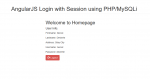
This tutorial tackles how to create a login page using Angular JS and set SESSION with PHP/MySQLi. Angular JS is a javascript framework maintained by Google and is capable of creating Single-Page Applications. In this tutorial, we'll set up PHP Session to prevent users from going into our homepage if not authenticated.

Simple Email Validator Using JavaScript

Submitted by razormist on
In this code we will try to create a Simple Email Validator using JavaScript. The program will intentionally validate the email if it can be use as an Email ID. You are free to use these code, and apply it to your working projects. To learn more about this, just follow the steps below.

Getting started:

First you have to download bootstrap framework, this is the link for the bootstrap that I used for the layout design https://getbootstrap.com/.

The Main Interface

This code contains the interface of the application.

Auto Search Using JavaScript

Submitted by razormist on
In this code we will tackle about Auto Search using JavaScript. The program will enable to automatically search a row data. You are free to modify, and use this code. To learn more about this, just follow the steps below.

Getting started:

First you have to download bootstrap framework, this is the link for the bootstrap that I used for the layout design https://getbootstrap.com/.

The Main Interface

This code contains the interface of the application.