JavaScript

Count the Number of Checkbox with Check Value Using Javascript

Submitted by argie on
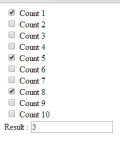
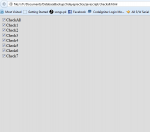
This tutorial will teach you on how to count the number of checkbox with checked value using Javascript. This is useful for thus programmer who is creating an online voting; by using this tutorial you can put a filter that allows only specific number of candidates to be vote in every position. To start this tutorial follow the steps bellow.

Creating Our Javascript

This step includes the creation of our Javascript that count the number of checkbox with check value.

Check And Unchecked All Checkbox Using Javascript

Submitted by argie on
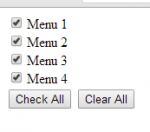
This tutorial will help you on how to check and unchecked all checkbox in your form using javascript. This tutorial will be helpful to thus programmer who are developing a system that involves many checkbox with check and unchecked function. This feature is very useful also for user because they don't have to check the checkbox one by one.

Free Java Random Generating Text Styles

Submitted by DavaoCloudStudio on
This is a randomize character symbols simply by generate text what you want. Original SAMPLE Generated Ṡ̘̹̞̤̱̲̺͉͚͉̜̝̲̰̭͉̘͎̂ͪ͛ͭ͂Ḁ͉̤̺̹͕̠̖͕̰̗̹͓̫͈̠͍̆̀ͤ̾ͯ̄M͍̹͕͇̟̘͙̃̅̅ͧ̽͋̌ͥͥͪ̈P͍̳̞̙̹̤̟̲͇̟̳͚̳̭̣̝͖̭̬͛̒ͯ̊ͦ͗̊̆̿̊͛̌ͫ̚L͙̱̭͍̙̩̤̟̥̞ͦ̌͆̌ͧͅE̜̠͖̫͍̫̲̫̞͖͖̱͔̙̓ͭ̒ͬ̿̊̏ͥͅ or Try here: http://www.a-cucumber-xamp.tk/aircode/

String and Numeric Validation Using JavaScript

Submitted by jaymeen_86 on
This Program Demonstrates textbox input validations on keypress. Feature of this program is how to Validate textbox onkeypress event to prevent user to input firstalphabet,secondalphabet Characters. Most Important feature is it ristricts user to input only numeric values in textbox using ASCII Values. Hope you find it helpful.

Creating Quiz using JavaScript and HTML

Submitted by mehfuza on
The Quiz is created by designing it in HTML and Quiz Logic in JavaScript. It's a very basic and easy to implement Quiz Program. In the quiz program, one question is displayed at a time. It has two buttons next and previous. Answers are selected by checking radio buttons. Step 1: Design part: Form is created and <legend> tag is used to give title to the form. Inside the <fieldset> tag a table is created with id attribute.