JavaScript

Add/Remove Form Fields

Submitted by GeePee on
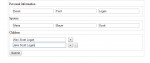
This project will teach you how to add more form fields using javascript. I have example form inserting personal info including spouse, and children's name. In children's section, the user has an option to add another form field to filled up. By clicking the + button, it will automatically add form fields. Hope you learn from this.

jQuery Datatables

Submitted by GeePee on
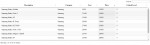
In this project, you will learn how to use data table jquery plugin. Just add the data table plugin in your project and with a single javascript code, data tables can be initialized. This will enhance the accessibility of data in html tables. Hope you learn from this.

Inline Action Listeners in Javascript

Submitted by Yorkiebar on
Introduction: This tutorial is on how to use inline listeners through jQuery/Javascript in HTML elements. Inline? Inline simply means that the code is written inline with the element that it is linked to, as opposed to elsewhere within the same file, or even an external file like most .css (Cascade Styling Sheets) are. Listeners: There are many different listeners which can be used to interact with the users actions, a couple I will show you how to use are; onmouseover onclick As I am sure you can depict from the above two examples, onmouse

jQuery Spoiler

Submitted by Yorkiebar on
Introduction: This tutorial is on how to create a jQuery/Javascript spoiler. This will allow large containers such as images to be hidden/shown depending on the users preference. HTML: First we need to make the basic HTML file.

jQuery Tabs

Submitted by GeePee on
This project will teach you how to create a simple jquery tabs using jquery and css. I used fragment identifier this.hash for the href values in the navigation. this.hash is equivalent to #about, #faqs and #contact. By clicking each tab, the older vissible tab will be hidden and the new tab will show. Hope you learn from this.

File Uploads Using Ajax

Submitted by GeePee on
This is a simple project on how to upload files using Ajax. This will upload the files without reloading the page. As you will see in the code, I created a new FormData object and append each file into it. This will pass the data as a request to the server. Hope this example will help you on your future projects.

How to Create WYSIWYG Editor

Submitted by GeePee on
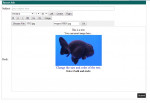
This project is an example of WYSIWYG rich text html editor using Javascript. You will see in the code that I used textarea in the body field and replaced it with iframe which I enabled. This project has a capability to change font, font color, font size, font color, align text or images to left, center and right, has an option to make text bold, italic and underlined, create horizontal line

Print Specific Parts of a Document

Submitted by GeePee on
This project will teach you how to print a specific part of a document using Javascript. Each part is wrapped with a div and that we will use the div as the element. As we see in the screenshot, each div has a print button which can determine what part needs to be printed. You also have an option to print the whole page.