JavaScript

Editable Table in jQuery

Submitted by GeePee on
This project will teach you on how to create an editable tables using jQuery. This is very easy. You just have to include the editable table jQuery plugin in your project(you can google the plugin and download). Then, a few line of codes to save the edited data. Just click the table data to edit. By pressing enter and clicking outside or other table data, this will automatically update edited data

Countdown Timer in JavaScript

Submitted by GeePee on
This project will teach you how to create a countdown timer in an easiest way by using jQuery plugin. Download countdown.js(just search countdown.js) and include it to your page. You can also modify the target date. In my example, I created a coming soon page which is the countdown of when the game is to be released. Hope you learn from this.

Sticky Sidebar Scroll in jQuery

Submitted by GeePee on
This project will teach you how to create a sticky sidebar scroll on your web page. This is very useful especially for a site that has a large content but smaller sidebar. This is to prevent an empty space in the sidebar. In my example, the sidebar stops scrolling when the uppermost point of the sidebar reaches the top of the window page. The sidebar's position becomes fixed. Hope you learn from

Thumbnails Shrink and Grow Effect in jQuery

Submitted by GeePee on
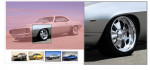
This project will teach you on how to zoom and shrink thumbnails in an easy way using the hover pulse jquery plugin. The thumbnails automatically magnifies on mouse hover. We can also customize the speed of animation and the size of thumbnails when it is hovered. In my example, each thumbnail is also linked to their corresponding page. Hope you learn from this.

Enabling Submit Button

Submitted by GeePee on
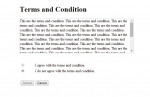
This simple project will teach you how to enable submit button when a radio button which corresponds to a certain action is selected. This is commonly used in "Terms and Condition" agreement. In this example, the submit button is only enabled once a user selects "I agree with the terms and condition". Hope this helps you with your current works.

Web Page Overlay

Submitted by GeePee on
In this project, you will learn how to create overlay and transparent div background. By clicking the images, div overlay will appear with the original size of the image clicked and also it has a transparent background which looks like a new window but it's definitely not. It's just a div set to 100% width and height and opacity of .8 which covers the whole content of the page. Hope you learn from